Analytics, Data & Archiving
Every Business Text, on the Record, Ready to Export.
MessageDesk keeps audit-ready conversation history for every number in your workspace. Search and export your entire history.
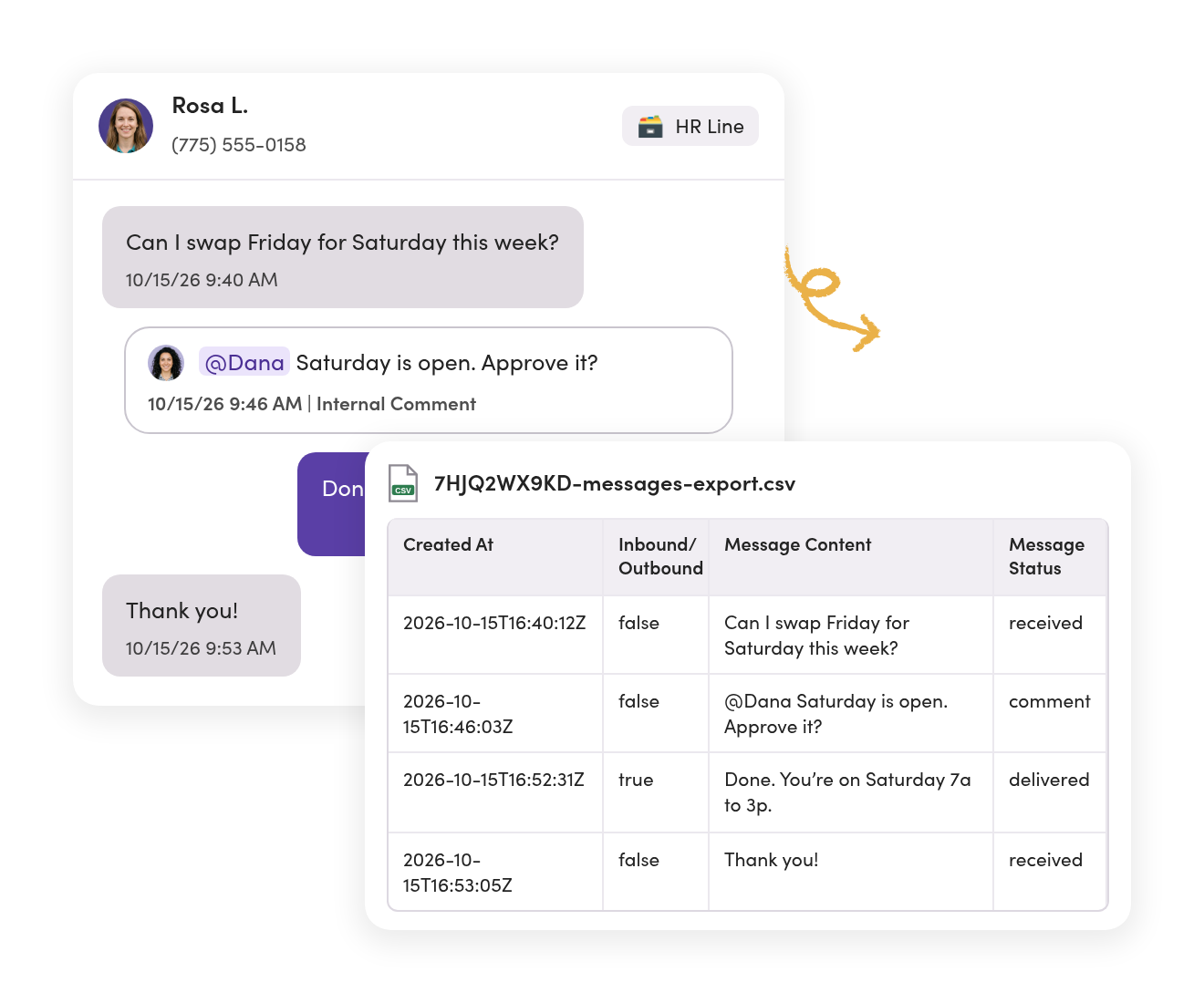
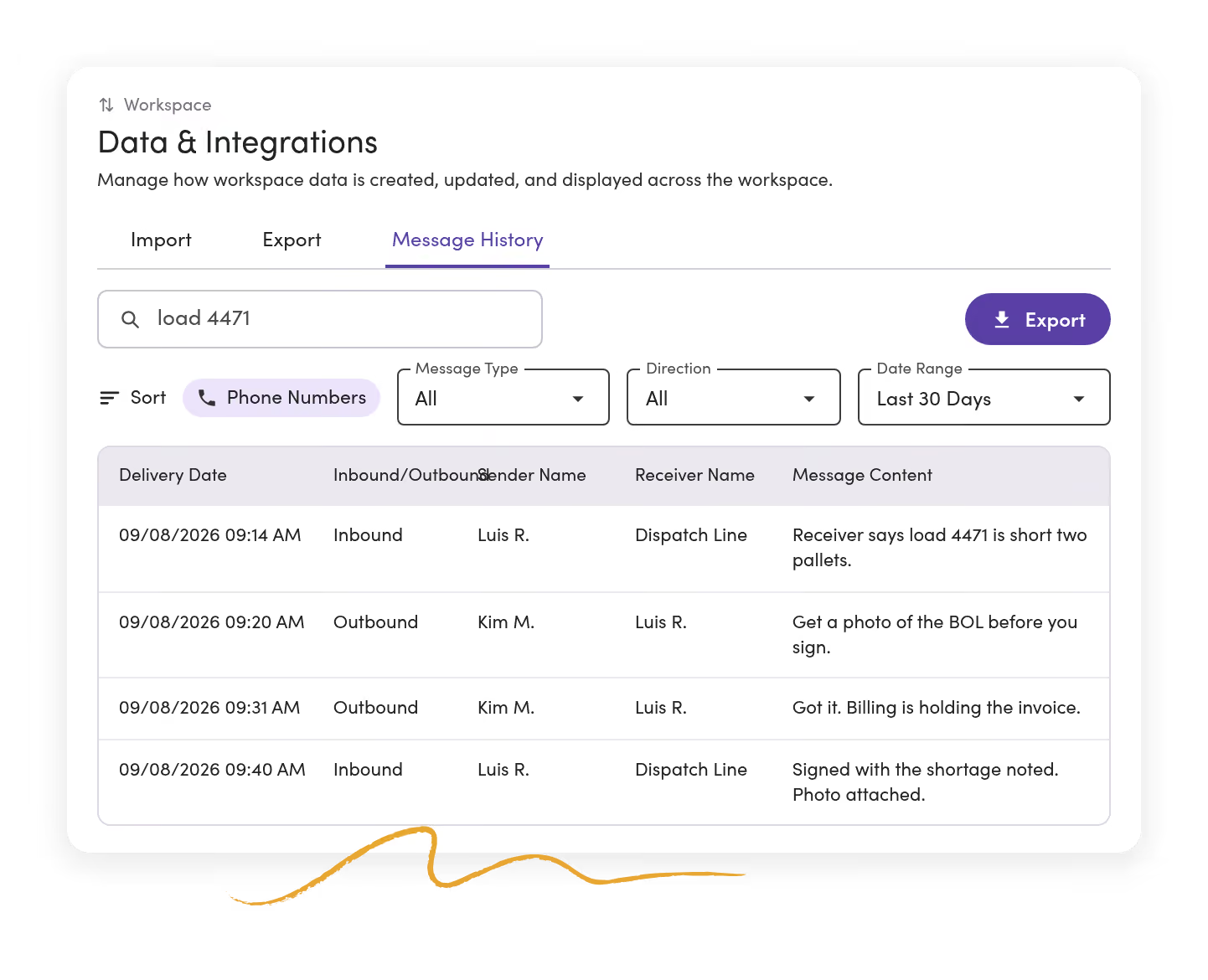
Message history
Find exactly who said what to whom and when.
The Inbox is for working live conversations. Message History is for the questions that come later. Filter by line, date, teammate, direction, type, status, contact, or label, then export what you find.
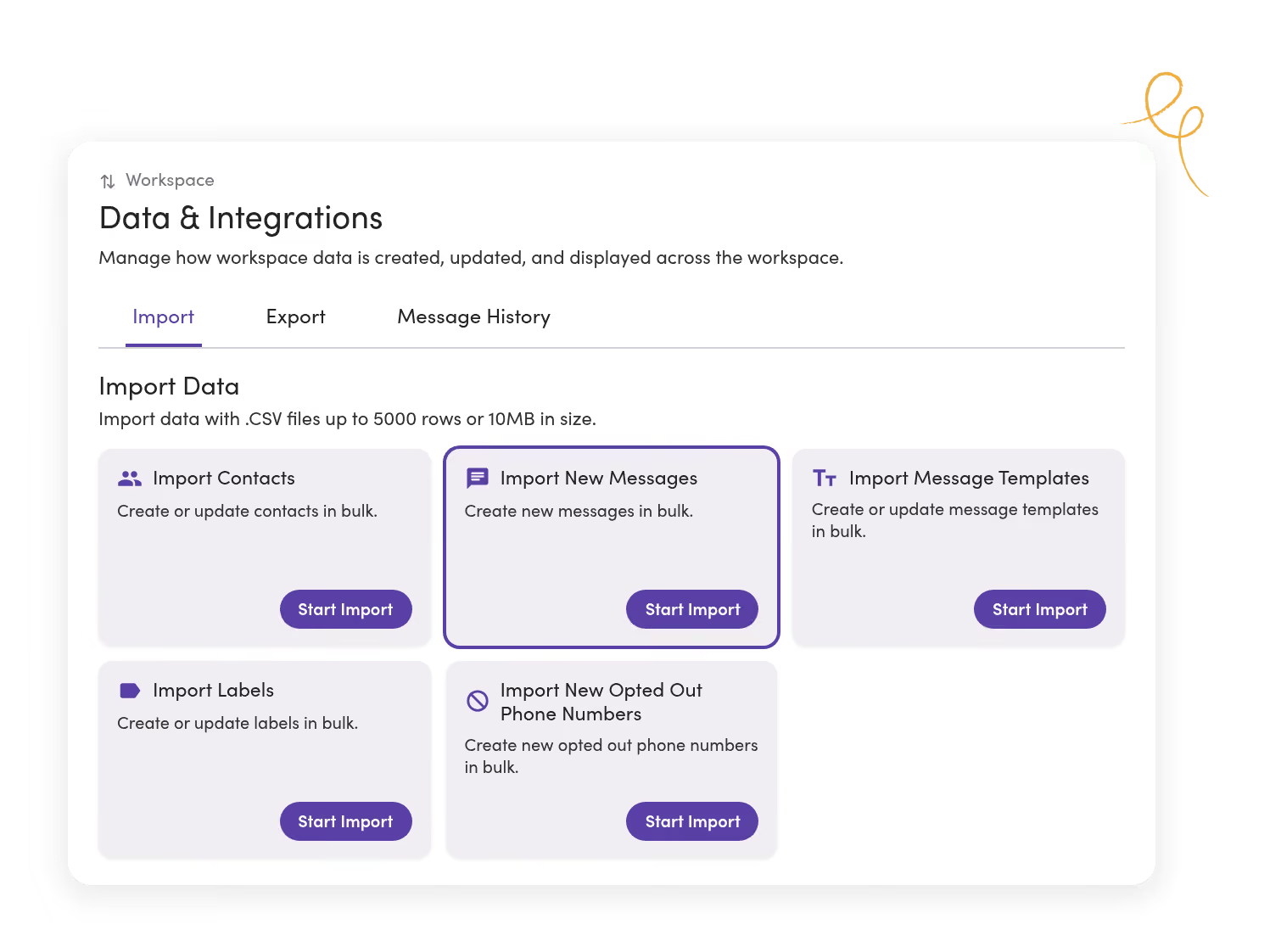
Import & export
Switching? Bring your texts, contacts, and templates with you.
Import past texts from any platform as a CSV, and MessageDesk keeps the threads going. Import and export contacts, message templates, labels, and opt-outs too.
Regulatory message archiving
Your texts belong in the archive you already use.
We’re building direct integrations with Smarsh and Global Relay.


If your industry requires texting archives, your messages should live in the archive you already run, captured as they happen rather than exported on demand.
Analytics
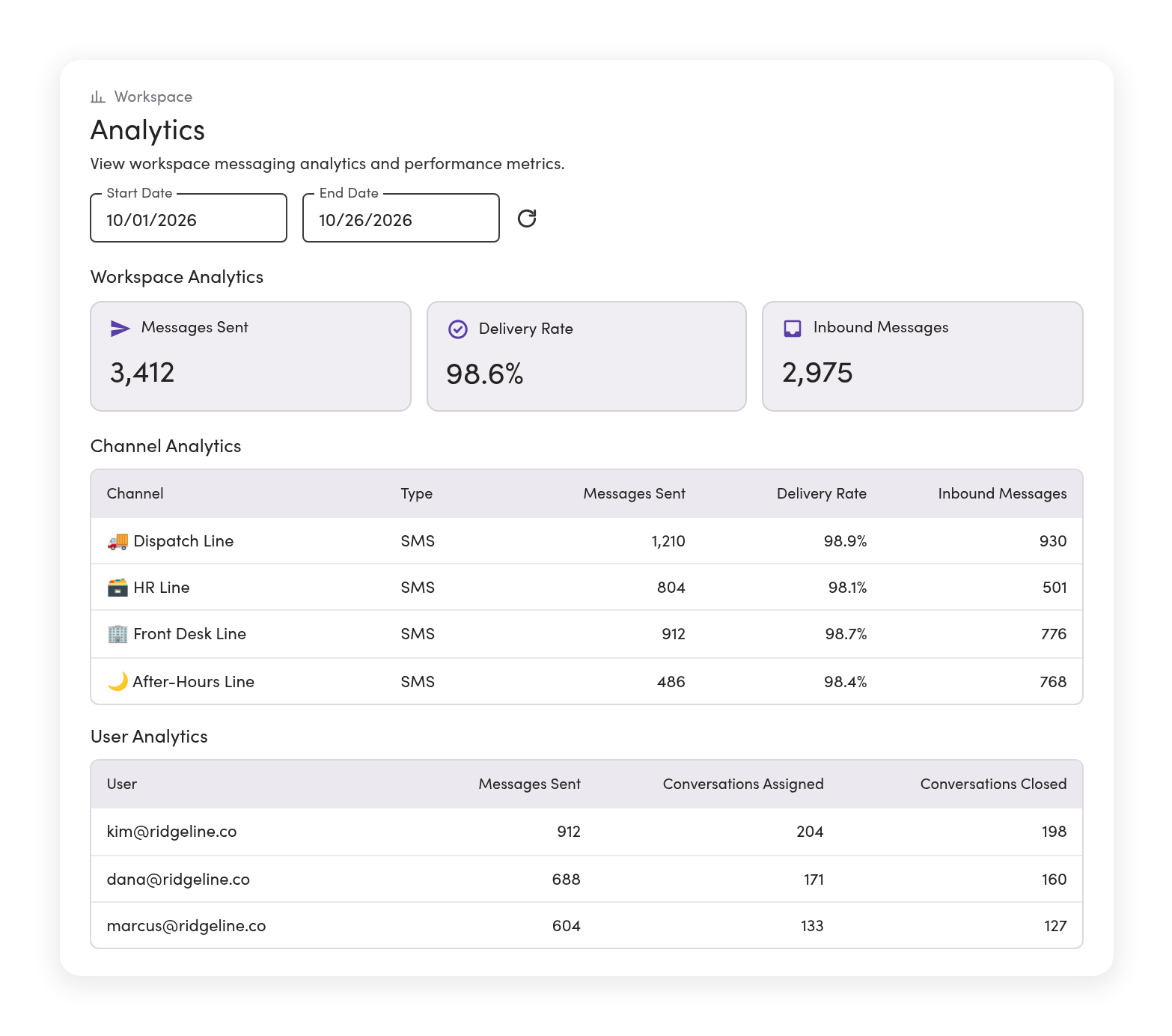
Track sends, delivery rate, and inbound volume.
View sent messages, delivery rates, and inbound messages. Then view activity by phone line and by teammate, and filter by any date range.
Need deeper reporting? Enterprise teams can request advanced analytics built around how they measure messaging. Talk to sales →
“Everything used to run through personal cell phones. Now, our whole team sees every message. We see all conversations and know what’s happening. There’s no guessing or chaos.”
Tim M. · Dispatch Manager
Teams that use this
See how teams like yours use analytics and archiving.



Healthcare and long-term care
Reminders and staff texts, kept on record and free of PHI.
See the setupAnalytics and data questions.
Close to it. The dashboard loads a snapshot when you open it, so refresh the page to see the latest numbers.
Not directly. Analytics is for viewing. For the underlying records, filter Message History to the same date range and export that.
No. MessageDesk matches contacts by phone or email and updates the existing contact instead of creating a new one. Rows with an invalid phone or email are flagged and skipped.
CSV timestamps are in UTC, not your workspace time zone. Convert the column in Google Sheets or Excel. PDF exports show times as they appear in the app.
Media attachments and internal comments. Message imports bring over the text of one-on-one and group conversations, into phone lines that already exist in your workspace.
Whoever your roles allow. Access is set by role, and Admins and Managers have it by default. On Pro and Enterprise, custom roles let you choose exactly who gets it. See roles and permissions
Analyze, update and keep a record of all your messaging.
Bring your messsage history with you, search it, and have a record when someone asks.