Webhooks
Connect Your Texts to Any System With Webhooks.
Webhooks send texts, assign users, and more at endpoints you control. Other systems can send data back to send a text or update contacts.
A day with webhooks
A text gets sent, and every system sees it.
6:10 a.m. · Field crew
A crew lead texts “incident” to the safety line. The safety lead owns the conversation, and the text posts to your safety channel.
9:30 a.m. · Staffing
A nurse replies “yes” to an open shift. The coordinator gets the conversation, and your scheduling system gets the reply.
1:15 p.m. · Front office
A customer books online. Your booking tool sends a webhook, and the confirmation text goes out from the office line.
4:45 p.m. · Financial services
A client texts their advisor about paperwork. The text and the advisor’s reply both go to your recordkeeping system.
Outbound webhooks
No more manually copying texts into other systems.
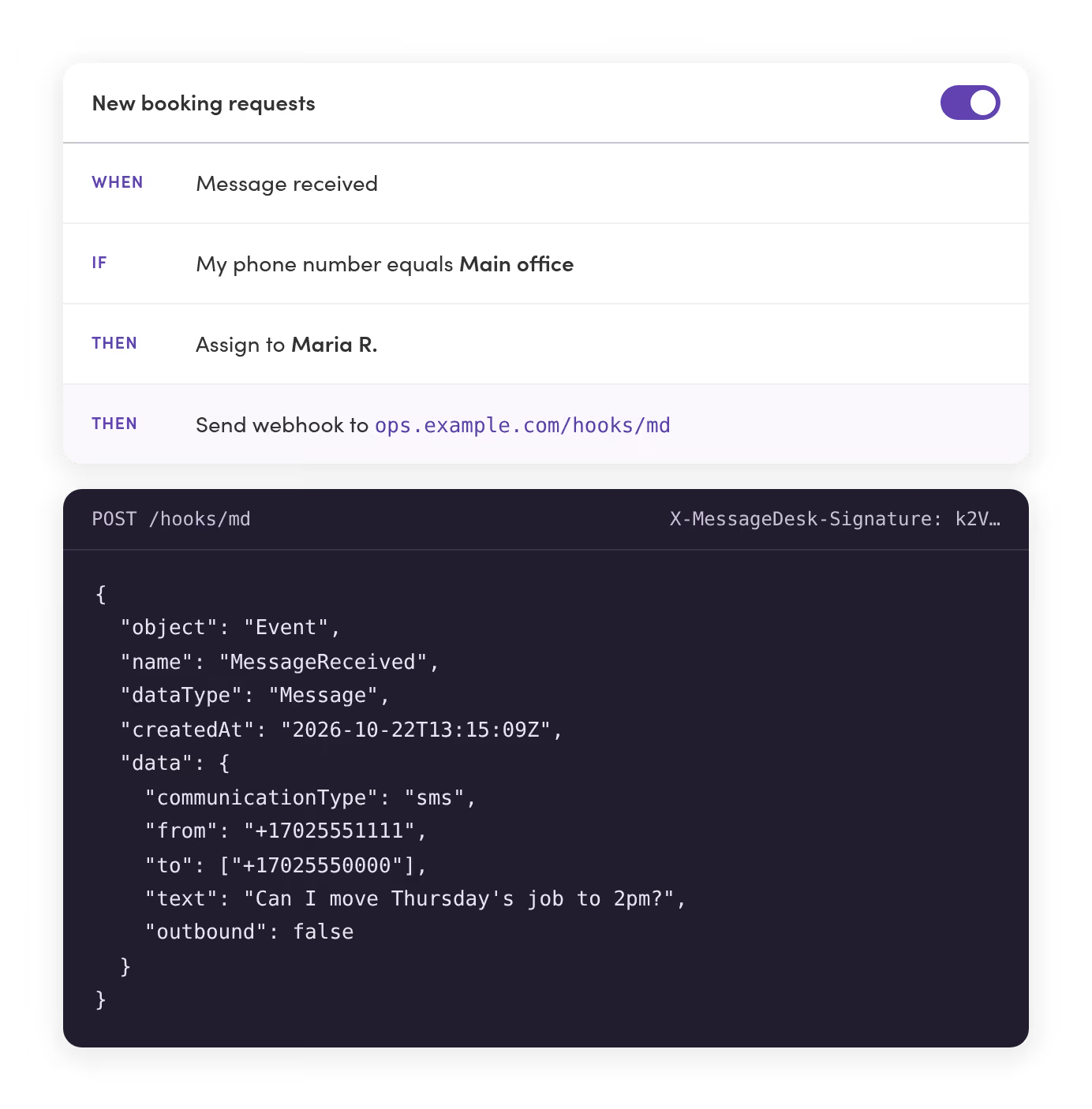
Add the Send Webhook action to a Relay. When the Relay fires, MessageDesk posts the event to your endpoint with all the details.
Your CRM hears when a conversation closes
Close a conversation and the close goes to the customer’s record. Nobody updates the CRM at the end of the day.
A STOP reply reaches your other tools
When someone opts out, the opt-out goes downstream too, so the next system to text them sees it.
Alerts show up where the team looks
Post new texts, assignments, or failed sends to Slack, Teams, or any channel your endpoint can reach.
Inbound webhooks
Your other tools can send texts.
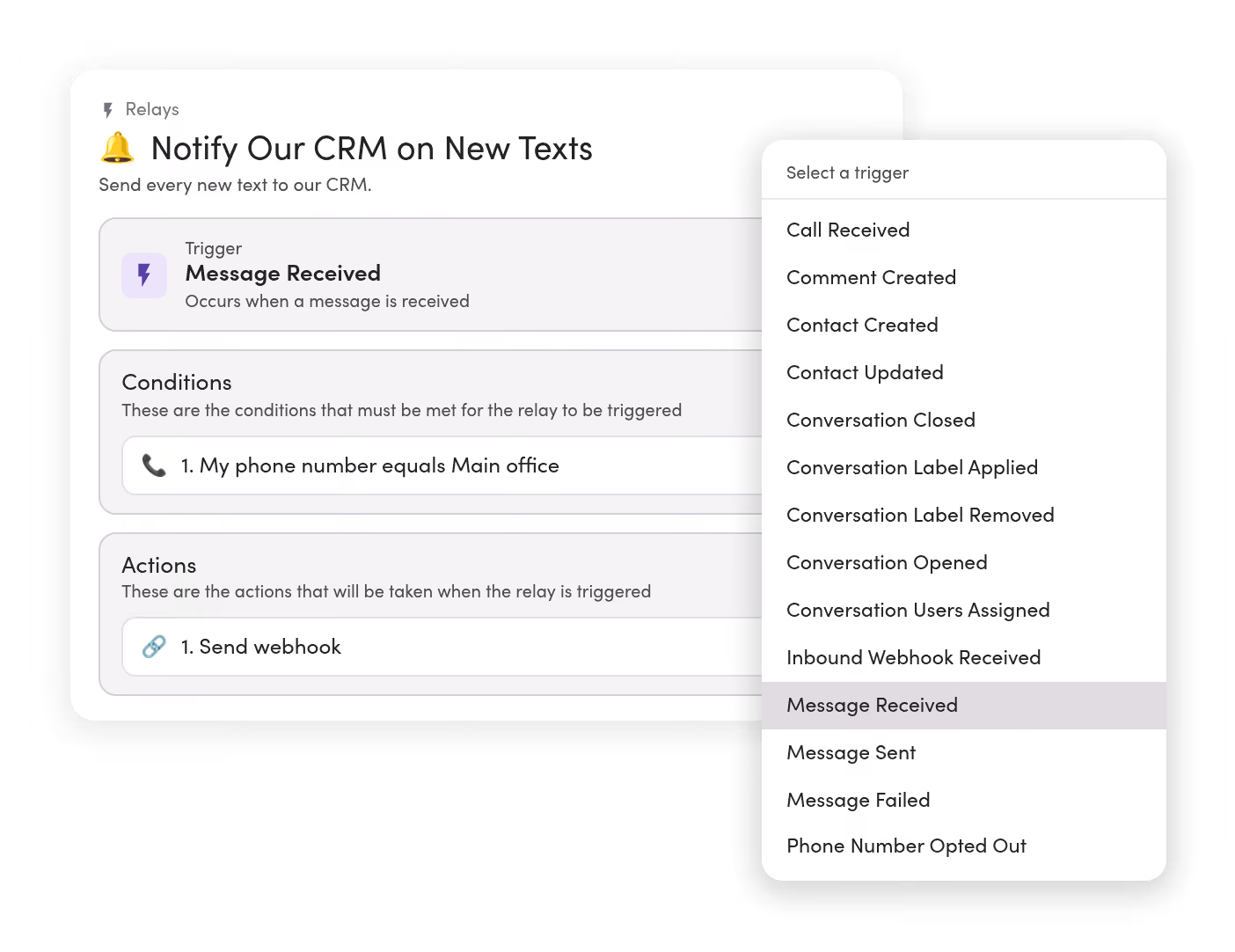
Your form, booking tool, or CRM sends a request to your MessageDesk webhook URL. A Relay picks it up and texts the contact, comments on the conversation, or updates their details.
New contacts get saved
With Auto-Create on, a number you haven’t saved becomes a contact before the text goes out.
Fields stay current
Send custom field values in the request. Each one is checked against its field type before it’s saved.
One request, the right text
Branch on a field in the request, so a new booking and a reschedule get different texts.
Tested before it’s live
Send a sample request from the Relay builder and see every field parsed and checked.
Built in Relays
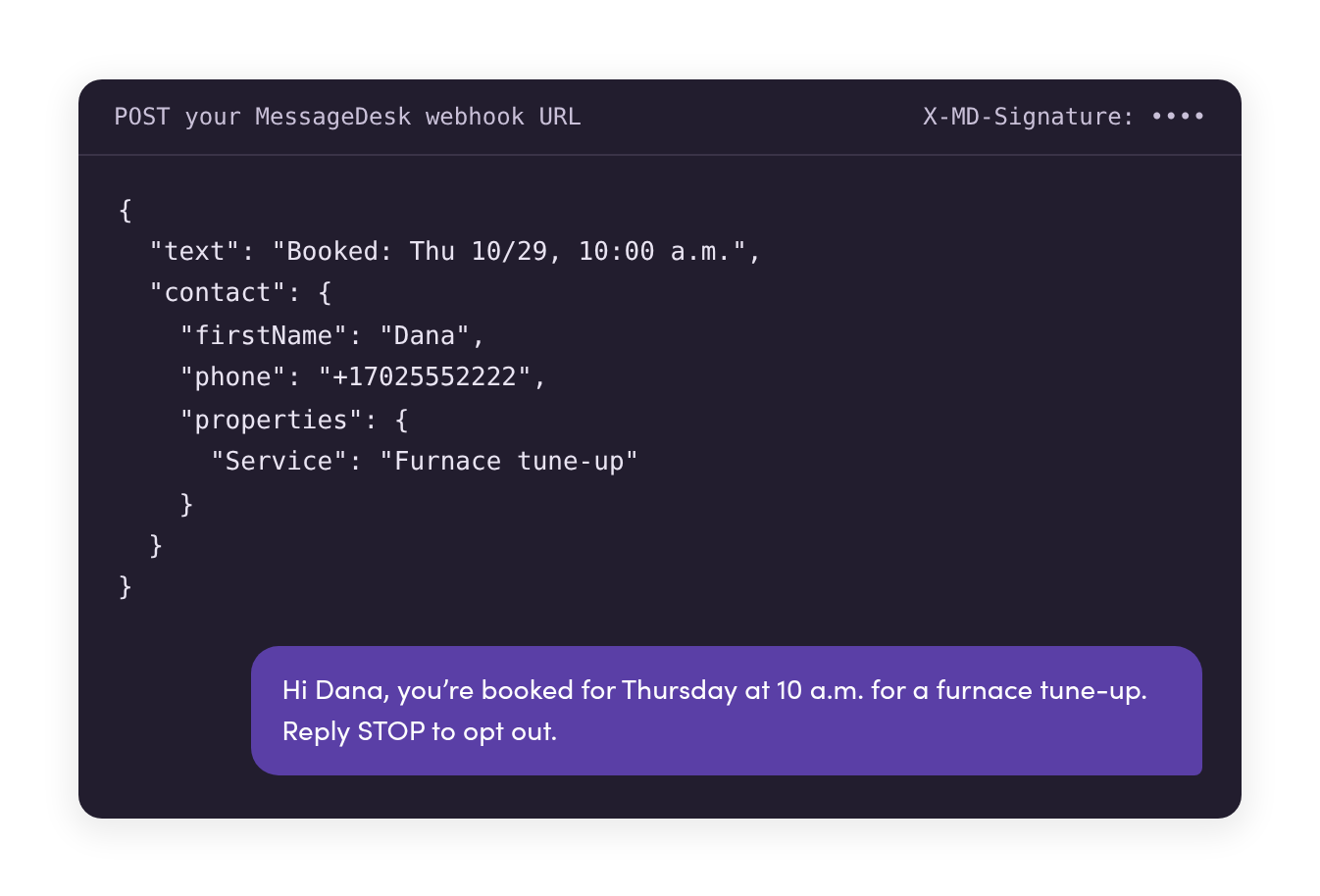
Start from a template and switch it on.
A webhook is one step in a Relay, so there’s no separate tool to learn. Pick a template, point it at your endpoint, and turn it on.
The same Relay can assign the conversation, add a label, or post a comment before the webhook fires. Turn it off and it stops, without touching your endpoint.
Signed requests
Endpoints can tell real events from fake ones.
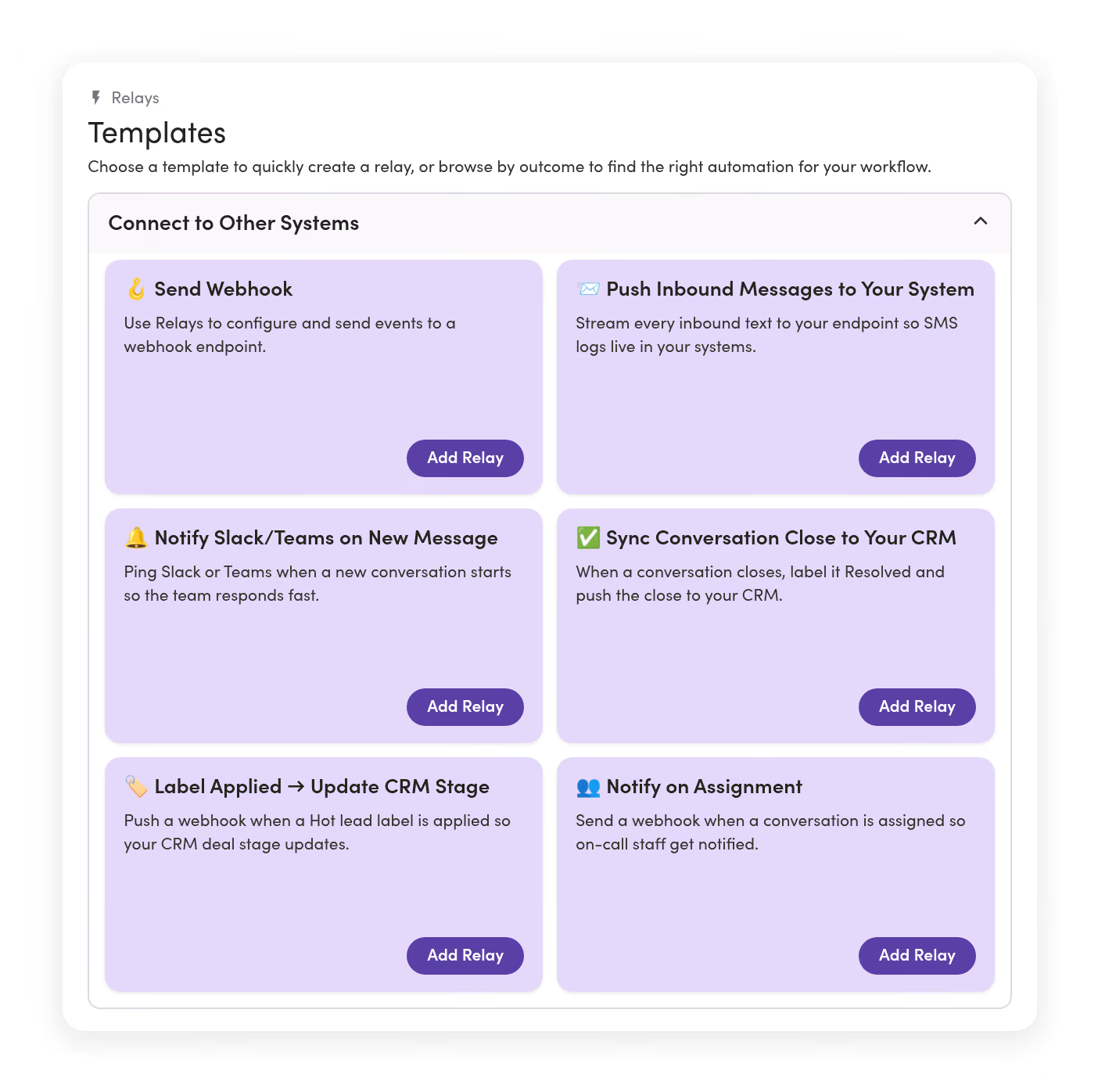
MessageDesk signs every event it sends and checks a key on every request it receives.
Signed with your secret
Each event carries an X-MessageDesk-Signature header: an HMAC-SHA256 hash of the body, made with your signing secret.
Keys on the way in
An inbound request without a valid key in its X-MD-Signature header is rejected.
Admins hold the keys
Only admins manage endpoints and secrets until they give someone Developer Tools access. Rotate the secret anytime.
Events go only to HTTPS endpoints, from a SOC 2 Type II-certified platform. See security & compliance
For your developer
Set up one endpoint, and every Relay can use it.
Add your endpoint
In Settings › Developer Tools, add the HTTPS URL MessageDesk should post to. It should answer with a 2xx.
Generate a signing secret
Put it in your receiver and check the signature on every request against the raw body.
Add Send Webhook to a Relay
Pick the trigger and conditions, choose your endpoint, and turn the Relay on.
“We kept our same numbers and VoIP provider and were texting in a couple days. No downtime, no added configuration or headaches.”
Greg G. · IT Administrator, Legal Practice
Teams that use this
See how teams like yours use webhooks.



Webhook questions.
For outbound webhooks, someone needs an HTTPS endpoint that checks the signature. For inbound, your system shapes each request to match MessageDesk’s schema, with an automation platform or your own code. If the app is already on Zapier, start there instead.
Zapier for the apps it already connects. Webhooks for your own systems, a data warehouse, an internal service, or anything without a Zapier connector. See integrations
Yes. Check Auto-Create on the action, and MessageDesk saves the contact from the request before it runs. Leave it unchecked, and the action only runs for contacts you’ve already saved.
10,000 requests per day for each workspace.
Yes. MessageDesk won’t text a number that opted out. Automated texts should still say how to opt out, like “Reply STOP to opt out.”
Not for general use yet. Webhooks and Zapier cover most connections today. If you need API access, talk to sales and tell us what you’re building.
Put every text where your systems can use it.
See Relays and webhooks work in a 20-minute demo.
No annual contract on Pro. See pricing