Legal, accounting, finance & insurance
Put Every Client Text in One Shared Inbox and on the Record.
Text clients from your firm’s numbers instead of personal phones. Your team sees who owns each thread, and every message stays ready to review, export, or send to your archive.
Keep your phone system and your numbers. SOC 2 Type II-certified platform.

“Google Voice is not made for multiple people... It’s not the easiest for a team versus individual.”
Insurance agency · on texting clients from Google Voice
Texting today
Clients answer texts before calls or email. Most of those texts go to a phone the firm can’t see.

Texting from personal phones?
Attorneys and advisors hand clients their own cell. The texts stay on that phone, and they leave when that person does.

Texting from an office cell?
One phone sits at the front desk. Nobody knows who checked it last, or whether the client already got an answer.

Texting on the phone system?
Clients text the number on your website. If that line can’t take texts, or only one person sees them, the request goes nowhere.

Texting in a tool built for something else?
Your practice software drops the client’s photo of a bill. Or the archive app keeps a copy, but nobody on the team works the replies.
Clients & casework
Every client text has an owner, from the first question to the last document.
8:10 a.m. · Tax & accounting
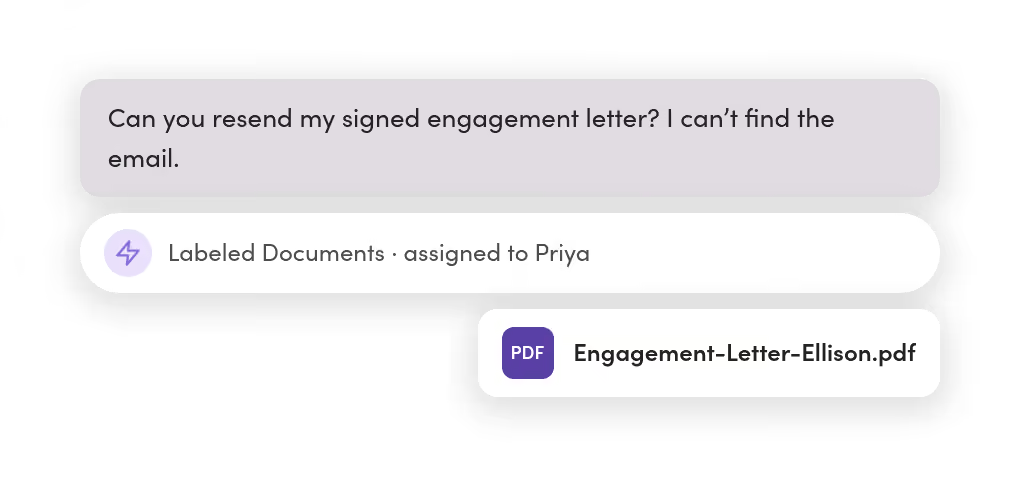
A client texts a photo of a notice to the office line. A Relay labels it Notices, and the preparer on the account takes it.
10:45 a.m. · Wealth management
A client asks her advisor to move Friday’s review. He’s with another client, so his assistant answers from the same line.
1:30 p.m. · Insurance
A policyholder texts hail damage photos to the agency’s main number. Service assigns the account manager, who starts the claim.
4:50 p.m. · Legal
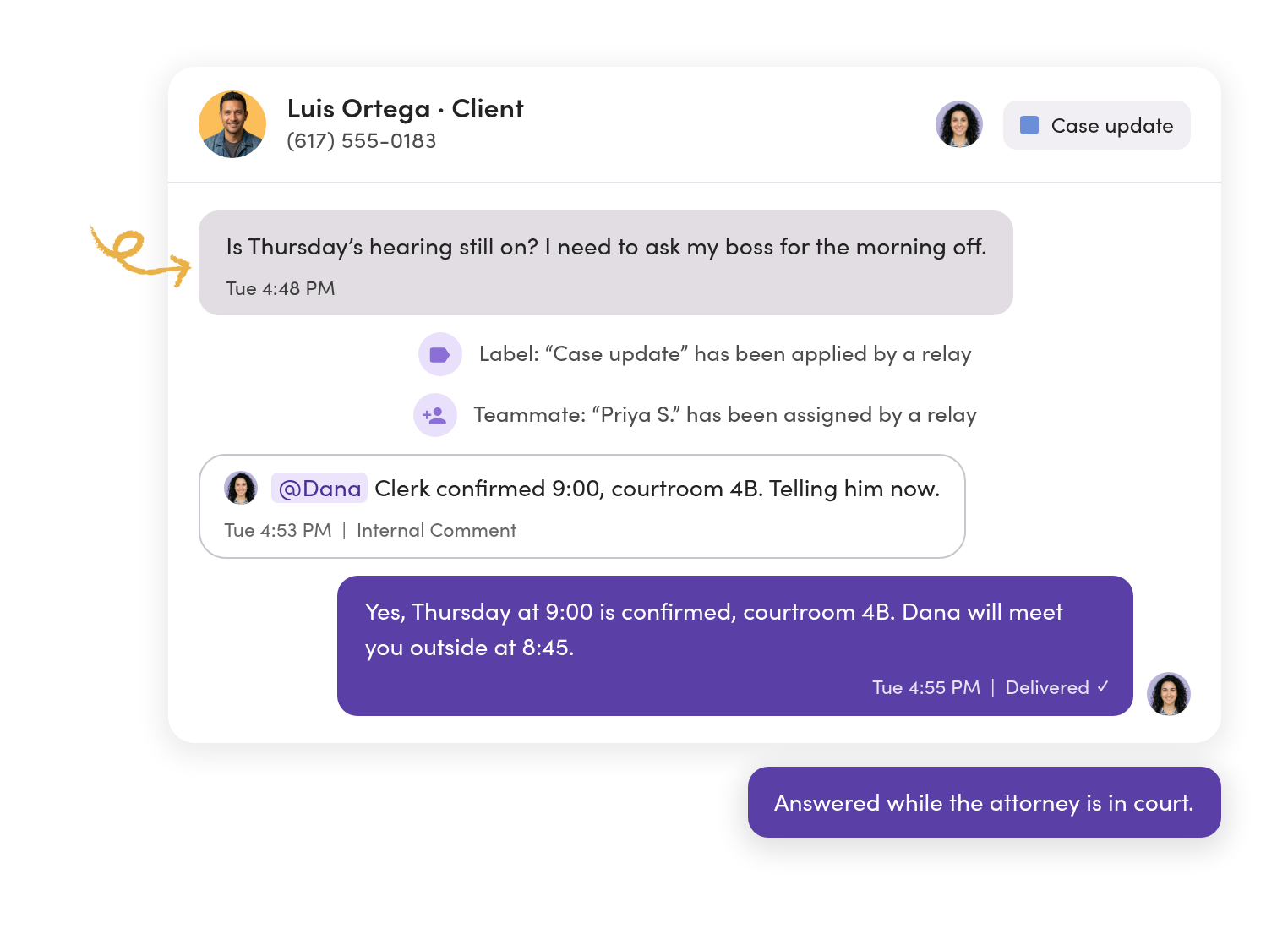
A client asks if Thursday’s hearing is still on. The paralegal confirms it, and the attorney sees the thread and her note.
Client requests & coverage
Every client text gets an owner, even when the person they texted is out.
Clients text the main line or a direct line. Your team sees each text as it comes in, assigns it, and answers from the same number.
Requests don’t wait for one person to get back.
A text to an attorney’s or advisor’s direct line shows up for the paralegal or assistant too. Assign it, and everyone sees who has it.
Each request is sorted as it arrives.
A Relay can label texts on a line, like Documents or Billing, and assign them to the right person before anyone opens them.
Check with the attorney before anyone replies.
Internal comments and @mentions sit in the thread. The client never sees them, and they stay in your exports.
Documents & reminders
Documents come in by text, and reminders go out before the deadline.
Clients send photos and PDFs straight into the thread. Your team sends signing links, renewal notices, and ready-for-pickup texts to everyone who needs one, and each reply comes back on its own.
The photo of the notice shows up in the thread.
Clients text pictures of a bill, a letter, or a dented bumper. The whole team can open them right in the conversation.
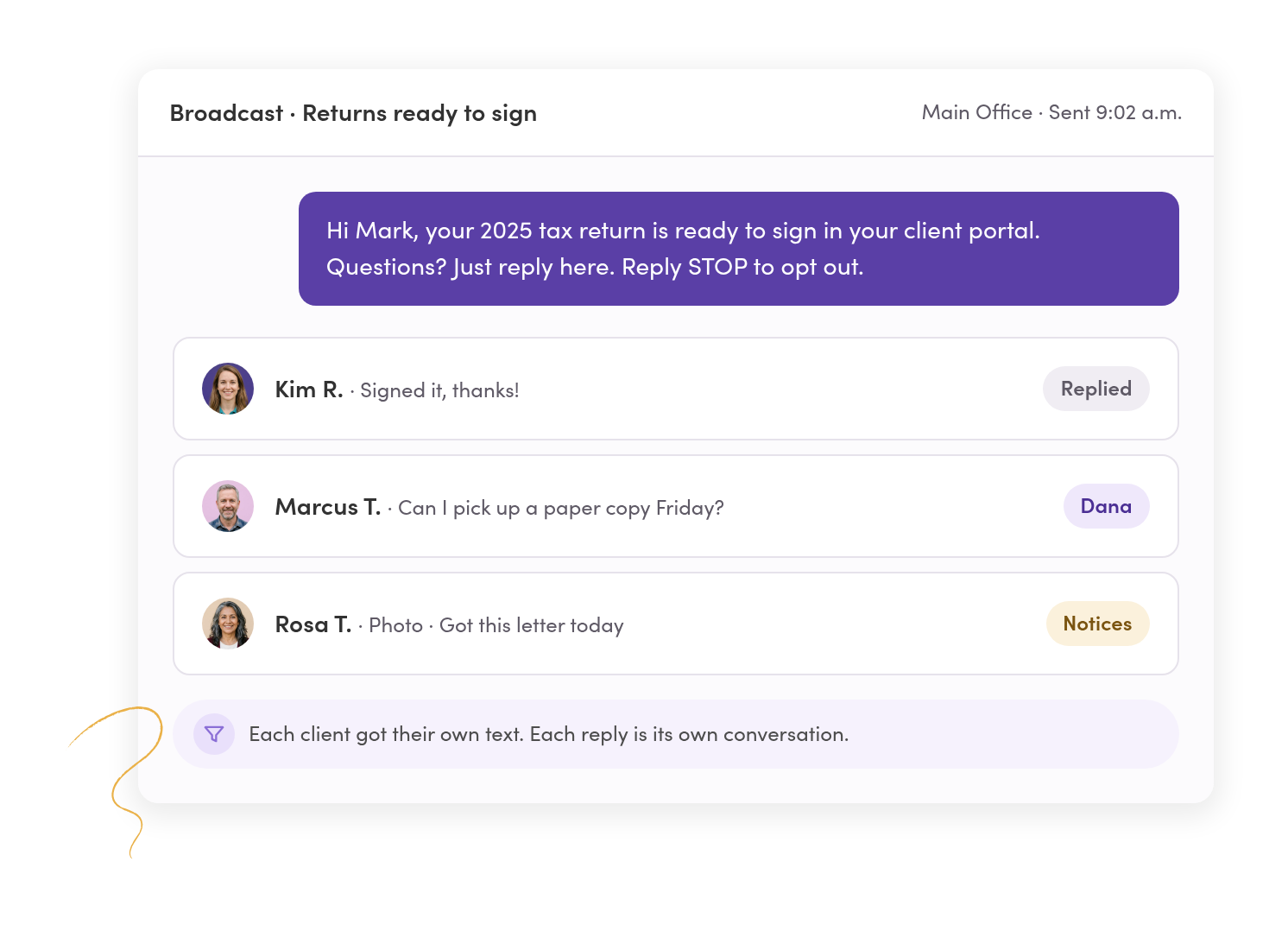
Tell every client whose return is ready, in one send.
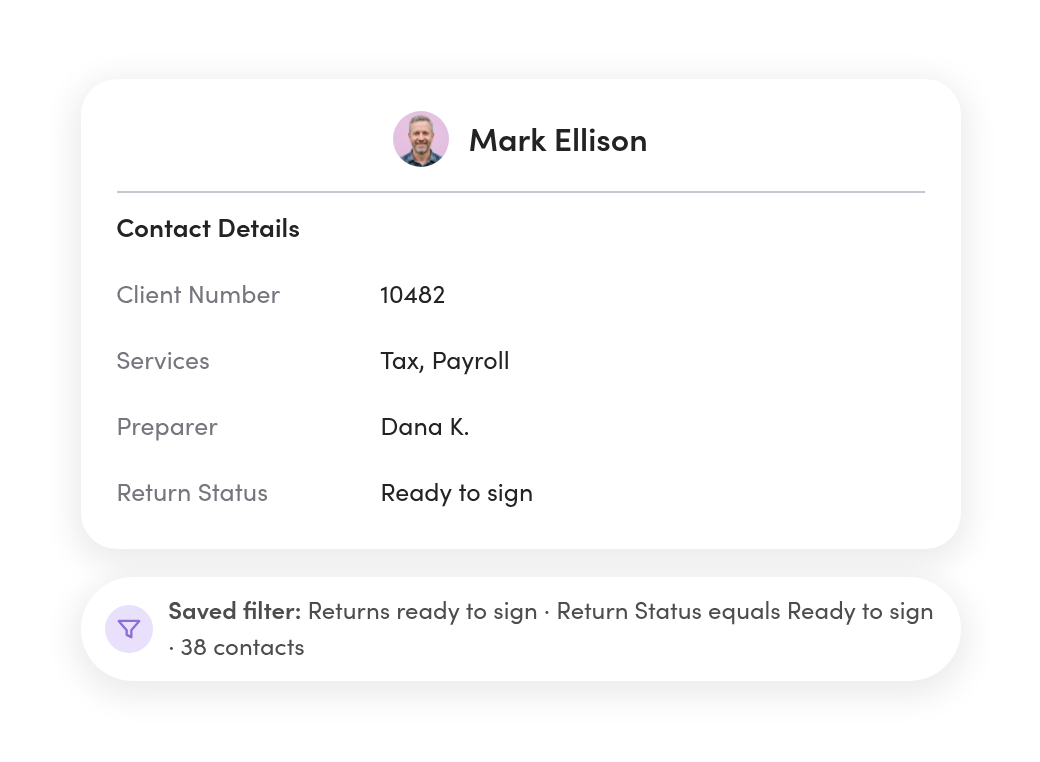
Pick clients with a label or saved filter. Each person gets their own text, nobody sees anyone else’s number, and each reply comes back private.
Renewal and billing reminders go out on schedule.
Write the reminder once as a shared template, then schedule it for the day it’s due. Nobody spends the afternoon calling about a missed payment.
Supervision & archiving
Your compliance lead can review every line, and your archive gets every text.
Give the person who supervises client communication a view of every number. Each sent and received text can go to your archive in real time.



Review every conversation without working the inbox.
Viewer access lets a compliance lead or managing partner read every line. Advisors and staff keep Editor access to the lines they answer.
Nothing quietly drops out of the record.
Only people with Owner access on a line can delete a message, and a deleted message still shows up in every export.
Send every text to your archive today.
The Archive Every Message Relay sends each sent and received text to your endpoint as a signed webhook. Direct Smarsh and Global Relay integrations are on the way.

Offices & access
Each office and team works its own number, and private threads stay private.
Run each office, department, or practice group on its own line in one workspace, or give each office a workspace of its own. People see the lines their job calls for.
Two offices, no crossed wires.
Each office texts from its own number, so a client always hears back from the office they know. Admins can see across all of them.
Payroll threads stay with payroll.
Per-line access and custom roles keep a team’s conversations to the people on that team, even when the firm shares one main number.
Sign-in follows your firm’s security rules.
Microsoft Entra ID single sign-on, passwordless sign-in, and MFA your admins can require.

Systems sync
Client details come from the systems you already run, and conversations go back to them.
Bring clients in from your CRM or agency management system with the fields your team texts by, like client number, account manager, or renewal month.






Add a HubSpot contact in one click.
The HubSpot lookup on the new-contact form pulls the client’s details into MessageDesk.
A new lead or a stage change can send the first text.
Through Zapier, a new lead in HubSpot or a stage change in AgencyZoom can text the client from your line. The reply comes back to the shared inbox.
Your CRM stays your system of record.
MessageDesk keeps only the fields your team texts by. Zapier or a webhook can log each conversation back to the client’s record.
Consent & security
Every STOP is on record, and your security review gets straight answers.

One STOP covers every line.
MessageDesk confirms the opt-out and blocks future sends, scheduled ones included. With Inbox Opt-Out, a STOP to one number covers every number in your inbox.

Account numbers stay off text.
Texts are encrypted inside MessageDesk, but SMS isn’t end-to-end encrypted between phones. For anything sensitive, text the client a link to your secure portal.

Ready for your security review.
A SOC 2 Type II-certified platform, hosted in the US on AWS and encrypted at rest and in transit. The audit report is in our Trust Center.
Phone numbers
Clients keep texting the number on your website and business cards.
Text-enable the main line and direct lines clients already have. Calls stay on your phone system.
Registration is guided: you complete the form, and we review it before it goes to carriers. It usually takes 1 to 3 business days once your website meets carrier rules.



Landline or VoIP number
Turn on texting for the direct lines and main numbers you already use for calling.

Google Voice number
Port it to MessageDesk and keep texting on the same number.
A new number
Pick a local or toll-free number for a new office or team line.

Your Twilio account
Connect your existing Twilio numbers to MessageDesk.
Teams in regulated industries
See the setup for the team you run.



Additional resources
More on texting clients in regulated industries.

Finance SMS: Text Messaging for Advisors, Banks, and Credit Unions
How financial teams text clients and keep the record their regulators expect.
Read more
Text Messaging for Insurance Agents: Compliance, Templates & Texting Software
How agencies text policyholders and keep compliant records of every conversation.
Read more
Text Message Archiving for Business: How to Keep an Archive for Every Business Text
What real text message archiving means for a business, and how to keep one searchable, exportable record.
Read moreRegulated industries texting questions.
No. MessageDesk keeps the working record of every text. Firms under an archiving rule run it alongside their archive, like Smarsh or Global Relay. Check your obligations with your compliance team.
Direct integrations are coming soon. Today, a Relay sends every sent and received text to your endpoint as a signed webhook, or you can export Message History to your archive on a set schedule.
Yes. Text-enable the landline, VoIP, or toll-free numbers clients already have. Calls stay where they are. Google Voice numbers can be ported to MessageDesk.
We’d steer them away from it. SMS isn’t end-to-end encrypted between phones, so text a link to your secure portal for account numbers, Social Security numbers, or anything like them.
When you register your number, you describe how clients agree to texts, and your website needs a privacy policy and SMS terms. Every text you send honors STOP. Your counsel decides what consent your firm collects.
Usually 1 to 3 business days once your website meets carrier rules. You complete a guided form, and we review it before it goes to carriers. If your website changes need legal review, start that early.
Yes. Give them Viewer access to every line, and limit everyone else to the lines their job needs.
They stay. Texts live on your business numbers, so the history stays with the line after you remove the teammate, and someone else can pick up the conversation.
Yes. Through Zapier, conversations can go to HubSpot, Salesforce, AgencyZoom, and other systems, or a webhook can send them anywhere you choose.
Yes. Microsoft Entra ID single sign-on, plus passwordless sign-in and MFA your admins can require.
Answer every client from one shared inbox, with every text on record.
See how your firm’s lines, access, and archive would work in a 20-minute demo.