Trucking & logistics
Trucking & Logistics Texting: Every Driver, Load & POD in One Shared Inbox
Dispatchers, broker agents, HR, and safety text drivers from the numbers on your trucks and paperwork. Everyone sees the same threads, who owns each one, and what was sent.
Keep your phone system. Just add texting.
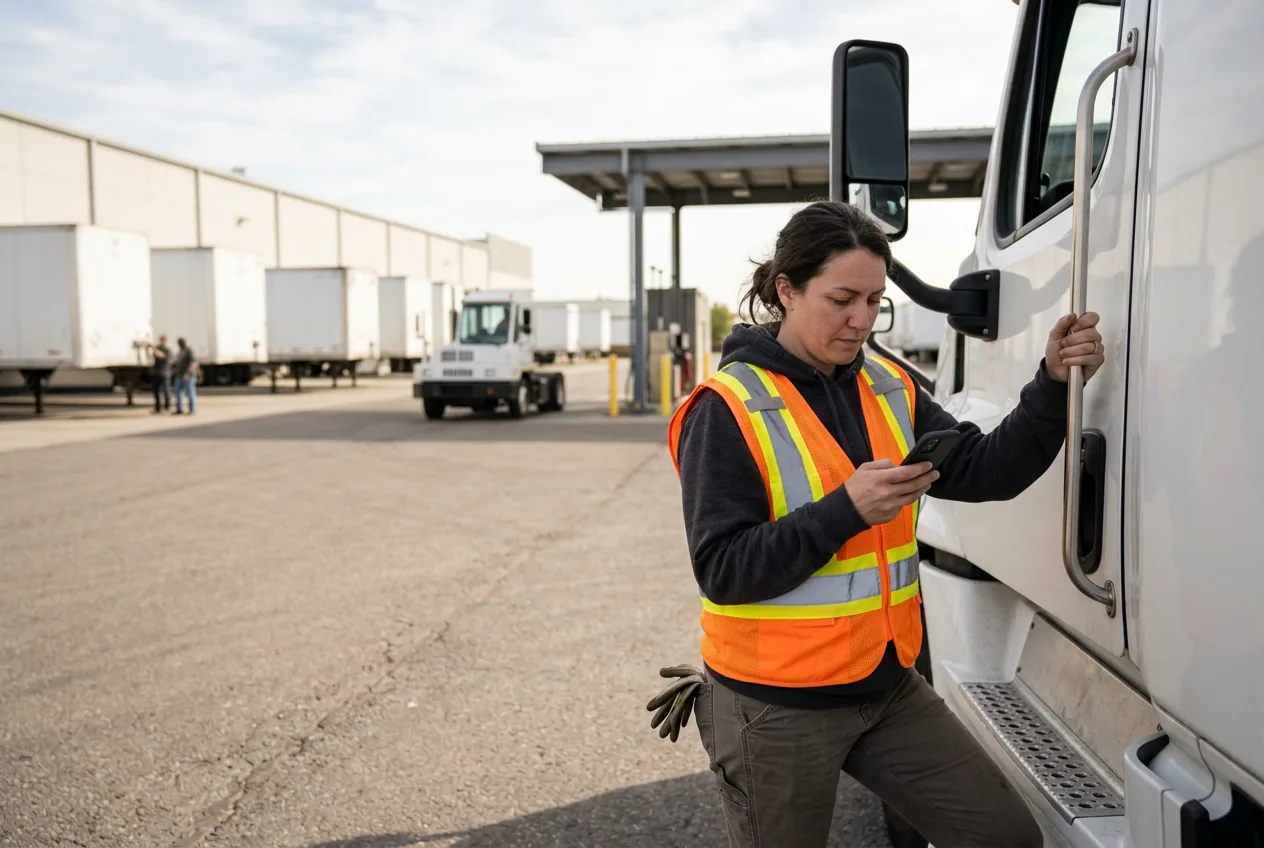
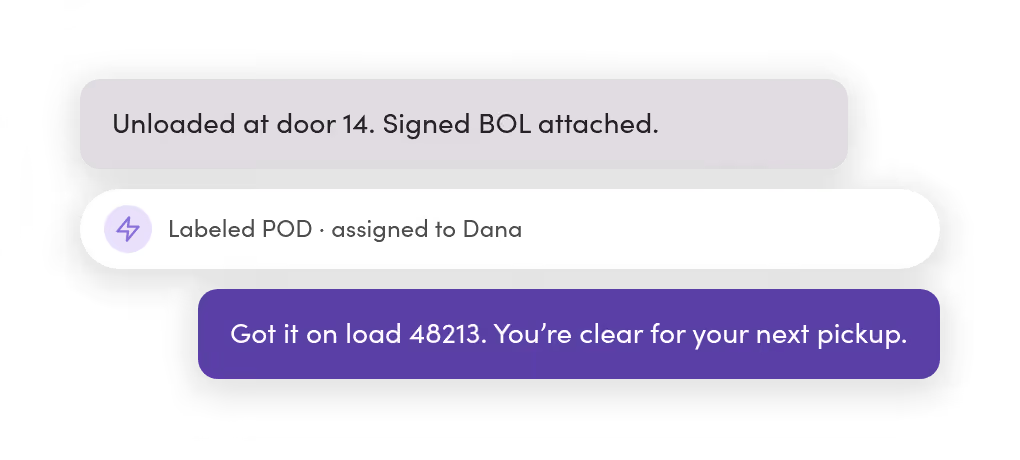
“Our dispatchers were texting 200+ drivers on their personal phones. MessageDesk fixed this. Now everyone texts on our company number. I’ve got visibility. They have accountability.”
Susan G. · Dispatch Manager, Aggregates
Texting today
Drivers skip email and won’t download another app. They text whoever’s number they have.

Texting from the dispatch phone?
A few company cells get passed between shifts. A driver confirms while the phone’s across the room, and by the time someone reads it, the load has moved.

Texting from personal phones?
Each dispatcher and recruiter texts drivers from their own cell or one Google Voice login. When one of them is home sick, the drivers texting them wait.

Is the main line textable?
The number on the truck door and the BOL only takes calls. Or it texts, but the messages start getting blocked and drivers never see them.

Blasting from a mass-text tool?
The update goes out, but replies pile up where nobody owns them, and someone rebuilds the same driver groups every week.
Loads & drivers
Every text has an owner, from the first load out to the last breakdown of the night.
4:45 a.m. · Bulk haul
A sand hauler texts a photo of his scale ticket from the pit. The dispatcher on shift sends his next pickup before he’s back in the cab.
10:20 a.m. · Brokerage
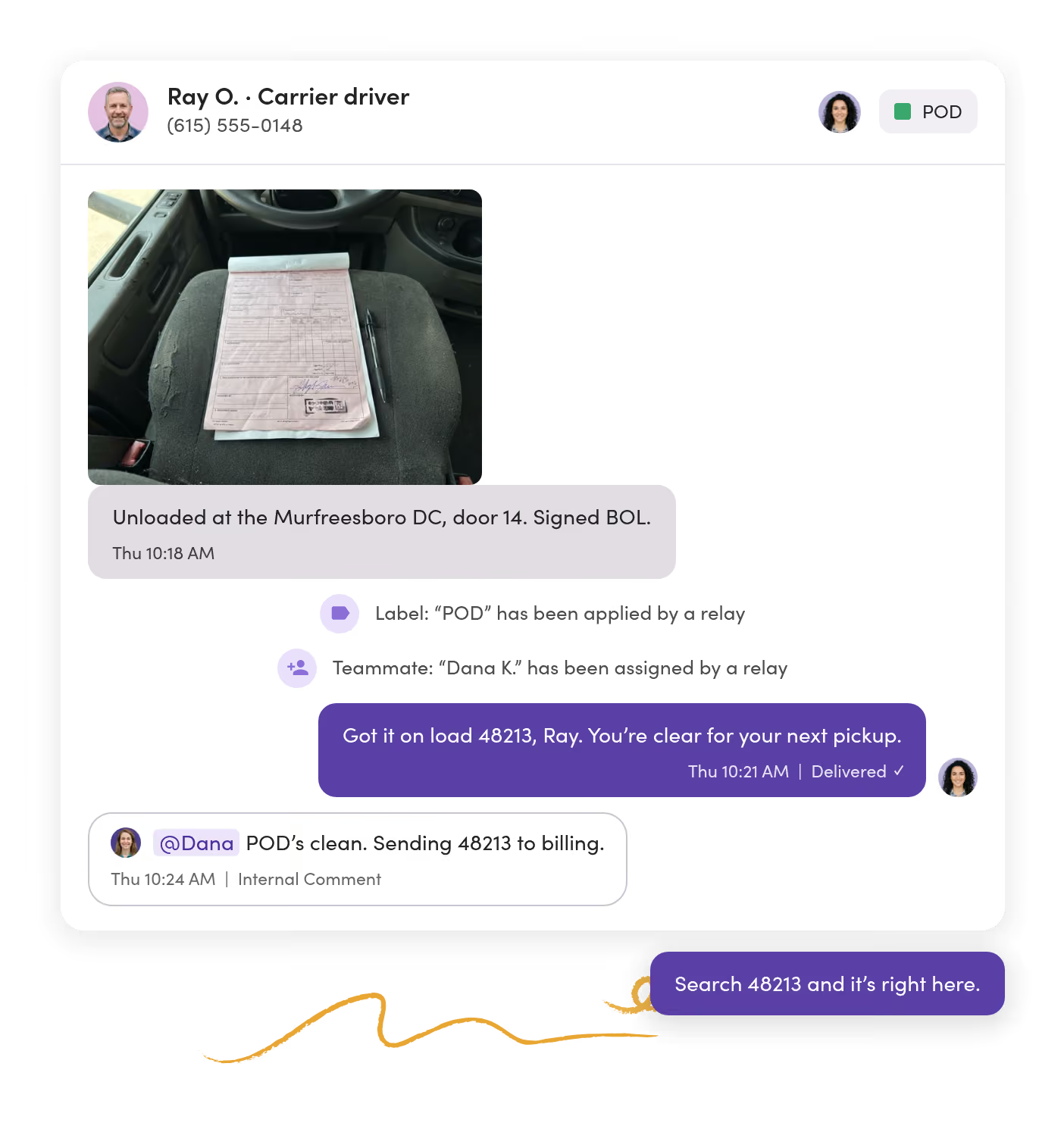
A carrier’s driver the brokerage has never texted sends a POD to the number on the BOL. An agent searches the load number and closes it out.
1:30 p.m. · HR
HR texts every driver at the Toledo terminal about Saturday’s safety meeting, flyer attached. Replies come back one by one, and nobody sees anyone else’s number.
9:50 p.m. · After hours
A driver texts that his truck won’t start at the receiver. A Relay assigns the on-call dispatcher, who has a mechanic on the way.
Loads & PODs
PODs come to one number, and anyone can find the load later.
Put one textable number on your BOLs, rate confirmations, and truck doors. Drivers text photos there, and every agent and dispatcher sees them as they come in.
Drivers you’ve never met still get an answer.
Texts from unsaved numbers come in as their own conversations. A Relay asks for the load number, labels the thread POD, and assigns whoever’s on the board.
Any load, trailer, or truck number pulls up its thread.
Advanced Search looks through messages and internal comments, so a number from a billing question finds the photo it belongs to.
The team checks the POD without the driver watching.
Internal comments and @mentions sit right in the thread, so billing gets the go-ahead without a side call.
Driver HR & recruiting
HR reaches every driver by text, and each reply comes back private.
Send benefits, safety meetings, and recruiting texts from an HR number. Drivers answer on their own phones, and HR replies one-on-one.
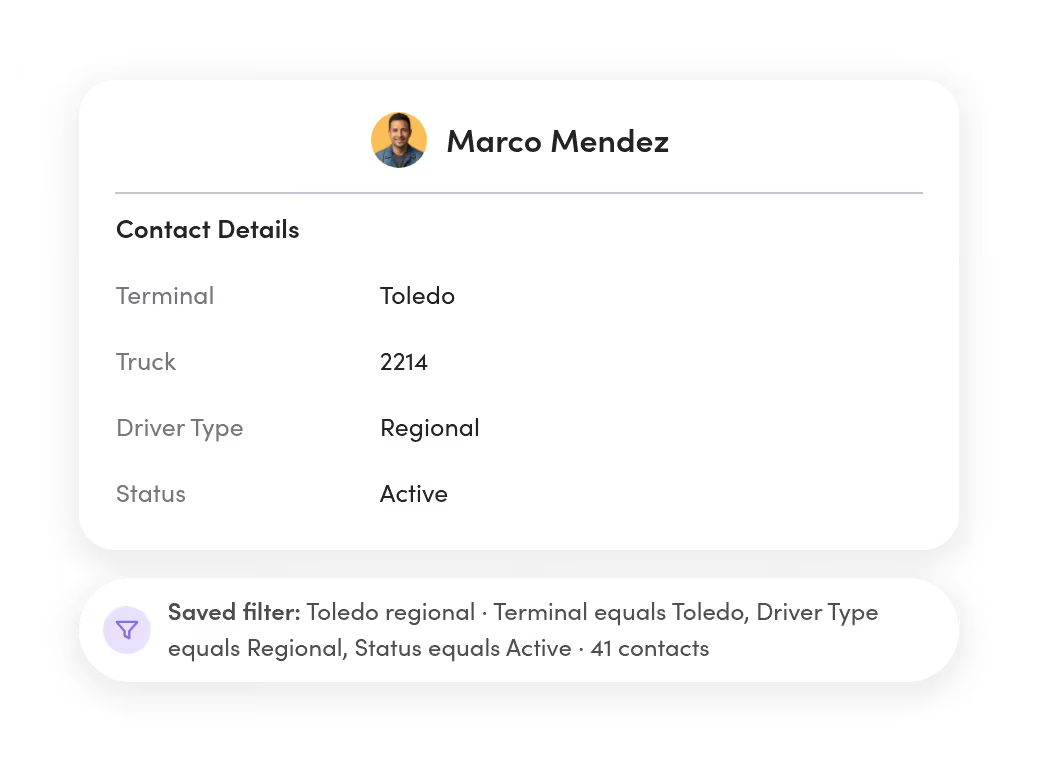
Pick drivers by terminal, division, or status.
Text everyone with a label or saved filter at once. Each driver gets their own copy and never sees anyone else’s number.
The flyer goes out with the text.
Attach a PDF or image to any text or shared template, so the meeting details, plan options, or job posting arrive on the driver’s phone.
HR knows who to reach another way.
When a driver replies STOP, MessageDesk records the opt-out and lists it, so HR can follow up by phone or mail instead.

Terminals & teams
Each terminal and team works its own number, and nobody is tethered to one phone.
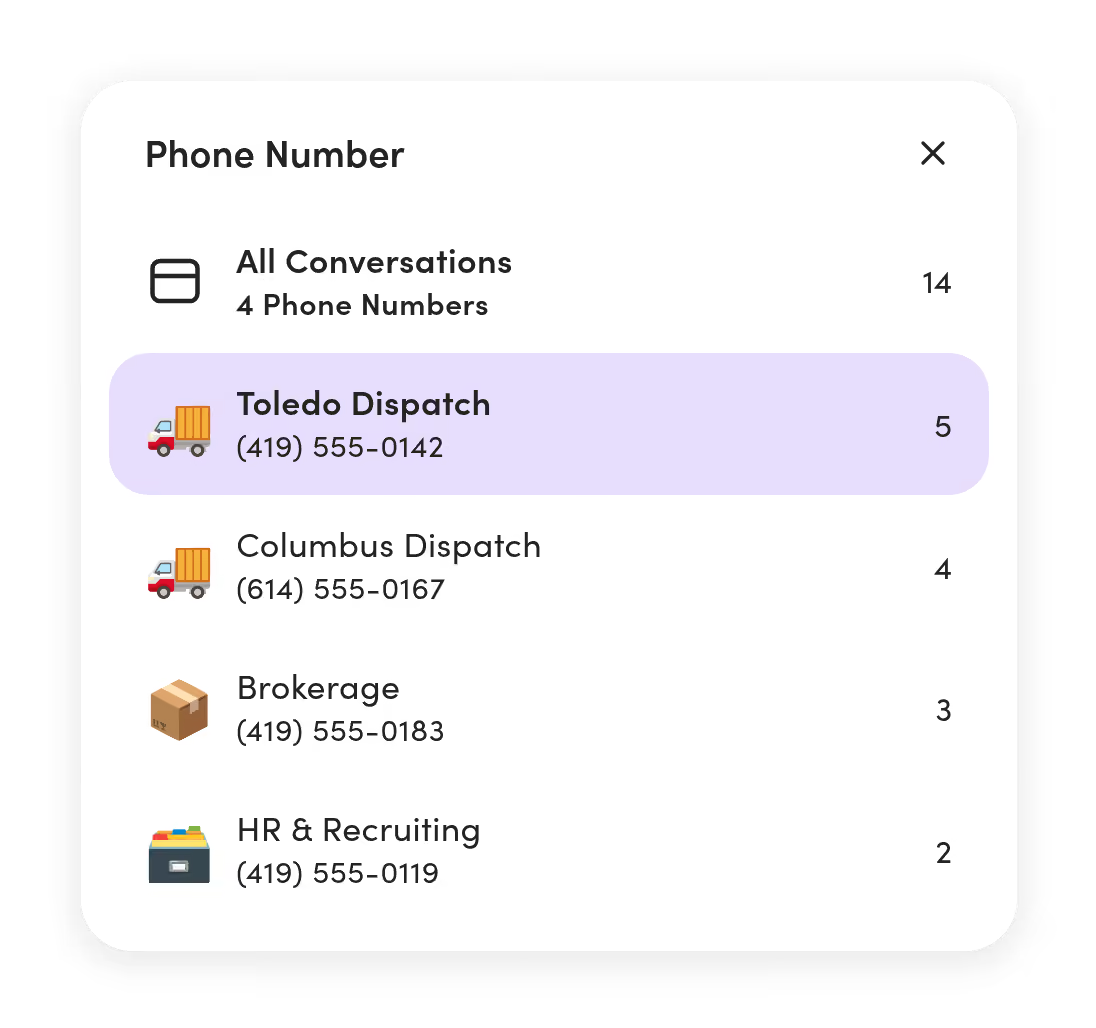
Give each terminal, the brokerage, and HR their own line in one workspace. Then set who can see and send, person by person.
Drivers reach the right dispatcher the first time.
A Relay assigns texts on each terminal’s line to the dispatcher on shift and labels them by region, so everyone can see who has it.
The night shift picks up where days left off.
Threads stay assigned, with comments in line. When a dispatcher is out, reassign their threads and the whole history goes with them.
HR’s driver conversations stay with HR.
Give each teammate Owner, Editor, Viewer, or No Access on every line, so dispatch never scrolls through a driver’s pay or medical questions.
Systems sync
New drivers are textable the day they’re hired and off the list the day they leave.
Bring drivers in from your TMS, telematics, or HR system with custom fields like terminal, truck, and status. Saved filters pick the right drivers every time.




A new driver’s first text sends itself.
When a driver’s status changes to Active, a Relay texts where to report and what to bring, with their name filled in.
Load events can start a text.
A new load or status change in your TMS can send the driver a confirmation through Zapier or a webhook, and the reply comes back to the shared inbox.
Your TMS stays your system of record.
MessageDesk keeps only the fields your team needs to text the right drivers, and can send each conversation back by webhook.
Records & compliance
After an accident or a disputed delivery, the whole thread is one export away.

Pull a driver’s whole chat history.
Export any conversation as a PDF with timestamps, internal comments, and photos inline, or export message history as a CSV.

Opt-outs are tracked for you.
When a driver or customer replies STOP, MessageDesk records it and blocks texts to that number in the background.

Dispatch texts stay off personal phones.
Texts live on your business numbers, not a dispatcher’s own cell, and stay when people leave.
Phone numbers
Keep the number on your trucks, advertising, and paperwork.
Drivers already have your main number saved. Text-enable it, and calls stay on your phone system.



Landline or VoIP number
Turn on texting for the numbers you already use for calling.

Google Voice number
Port it to MessageDesk and keep texting on the same number.
A new number
Pick a local number for a new terminal, the brokerage, or HR.

Your Twilio account
Connect your existing Twilio numbers to MessageDesk.
Teams in trucking & logistics
See the setup for the team you run.


Additional resources
More on texting drivers and running dispatch by text.
Trucking Dispatch Software for Driver Communication: How Dispatch Teams Text Drivers
Discover the best dispatch software for trucking and how to improve driver communication with SMS.
Read more
SMS Dispatch Software: What Your Team Actually Needs
What a dispatch team needs from texting software, from shared visibility to templates and records.
Read more
Google Voice Text Messages: Limits for Business Teams
Where Google Voice texting runs out for a team, and what to move to when it does.
Read moreTrucking and logistics texting questions.
No. Drivers text your number the way they text anyone. No download, no login, and no company email. Your team works the texts from a browser or the MessageDesk mobile app.
Yes. Text-enable your landline or VoIP number and calls stay where they are. Google Voice and cell numbers can be ported to MessageDesk, so drivers keep texting the same number.
Unregistered numbers are the ones wireless carriers filter. Our guided carrier registration walks you through it, and we review it before it’s submitted. Every text then shows delivered or failed, so you can see what didn’t go through.
They come in as their own conversations, ready to answer. A Relay can ask for a name or load number, add a label, and assign whoever’s on the board.
Yes. A broadcast sends each driver their own copy, and replies come back as private conversations with HR.
Yes. Bring drivers in from McLeod, Geotab, or a sheet through Zapier, webhooks, or a CSV import, with custom fields like terminal and truck. Your TMS stays the system of record.
Threads stay assigned with comments in line, so the next shift sees what’s open. An after-hours Relay can send an auto-reply and assign the on-call dispatcher.
Yes. Export the conversation as a PDF with timestamps, comments, and photos, or export history as a CSV. Only teammates with Owner access to a line can delete messages.
Every text shows delivered or failed. Delivered means the wireless carrier confirmed it, not that it was read, so ask for a reply when you need one.
Once you submit our guided carrier registration, approval typically takes one to three business days. Getting your website and privacy policy right first keeps a resubmission from restarting the clock.
Get every driver, load, and POD text into one inbox.
See your dispatch, brokerage, and HR lines set up in MessageDesk in a 20-minute demo.