Why MessageDesk
Why Operations Teams Switch to MessageDesk
Your crews, drivers, and staff already text your business. MessageDesk puts those texts in one inbox your whole team works from. Your phone system keeps the calls.
 4.6
 SOC 2 Type II-certified platform
Start here
Does more than one person need to manage your texts?
Texting that moves crews and fills shifts outgrows one phone once someone else needs access.
If no
Keep what you have.
One person texts and it works? Then you don’t have the problem we solve. We’d rather say so now.
If yes
That’s where we help.
It hurts most with multiple crews, shift handoffs, or access to texts others need to see.
Compare
How you text today, and where it stops working
Company phones shared in the office
Pros: Company-owned, everyone knows how to text.
Cons: Message history lives in the handset.
Google Voice or your own mobile number
Pros: Cheap, easy set up, works for one person.
Cons: Texts are tied to one login and number. Texting breaks once you start to add teammates.
A landline or VoIP phone system
Pros: RingCentral, Zoom Phone, 8x8, Webex, and more. Your numbers and calls on one bill.
Cons: Texting isn’t the primary offering and lacks ops features. Landlines aren’t textable by default.
Another texting service
Pros: Basic tools you need for business texting.
Cons: Not built for operations, showing thread owners, or limiting access to conversations.
Your own Twilio account
Pros: Numbers and registration in Twilio.
Cons: You have to build your own inbox vs. connecting Twilio numbers to MessageDesk.
Not sure your number can text?
Find out whether MessageDesk can text-enable your current landline, VoIP, or toll-free numbers.

A note from our CEO
None of the texting tools we tried were built for people working jobs all day. So we built one ourselves.
“Before my career in consulting and software, my family ran a housekeeping franchise. Every day we sent cleaning teams out by service area, and we managed all of the scheduling and logistics.
We needed to text with our customers and crews, but every texting tool we tried was built for marketing or too limited in its capabilities. So we built MessageDesk with line-by-line access, conversations handed off between operators, and texts automatically routed to the right person.
Desk is in our name because of our own operations desk experience.”
Clint Vernon
Co-founder & CEO
What’s different
What separates our inbox from others.
Access controls
Control over who sees what.
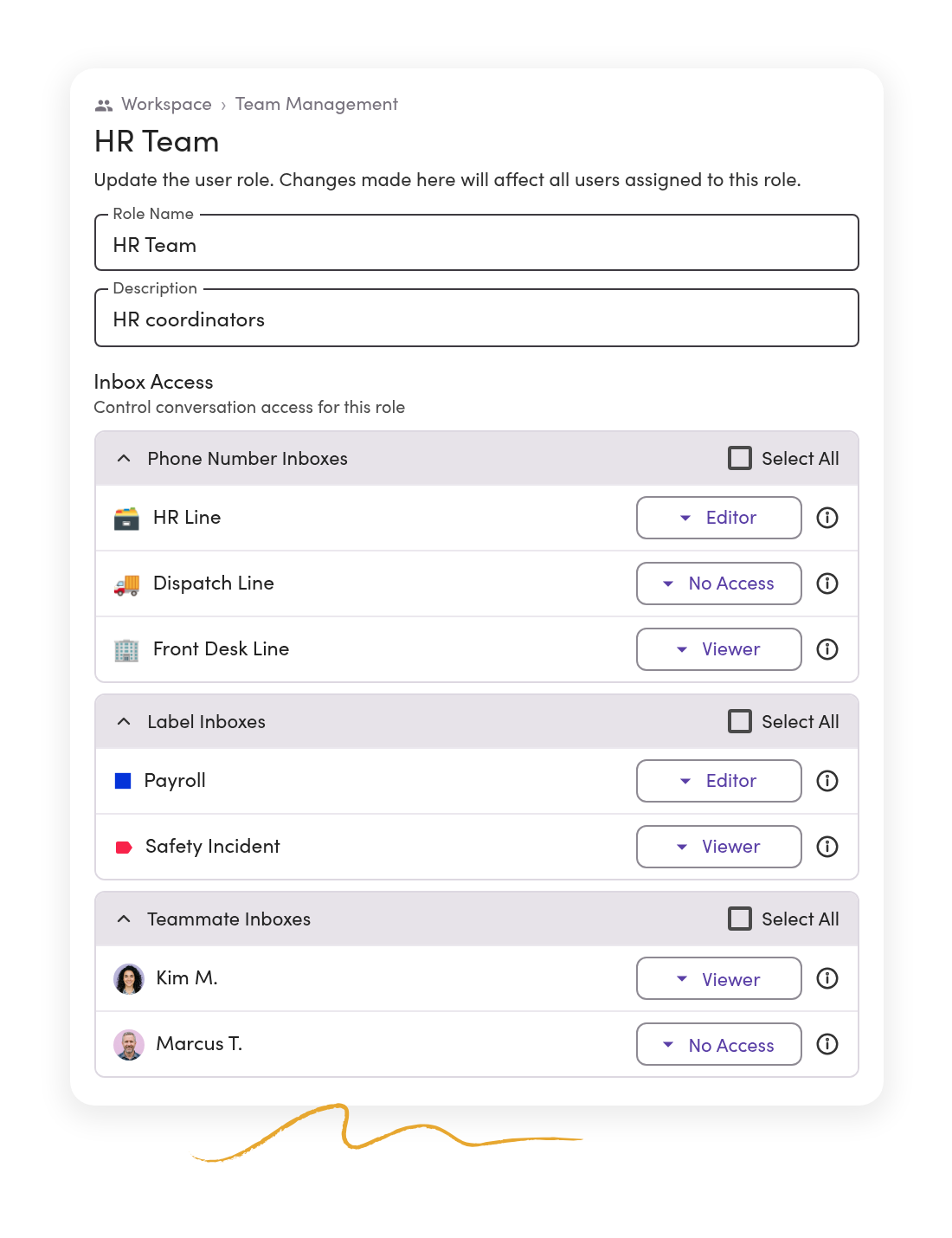
Give each teammate a role, then set access by phone line, label, and inbox. HR, dispatch, and ops each see only their own conversations.
Record keeping
A fully auditable system of record.
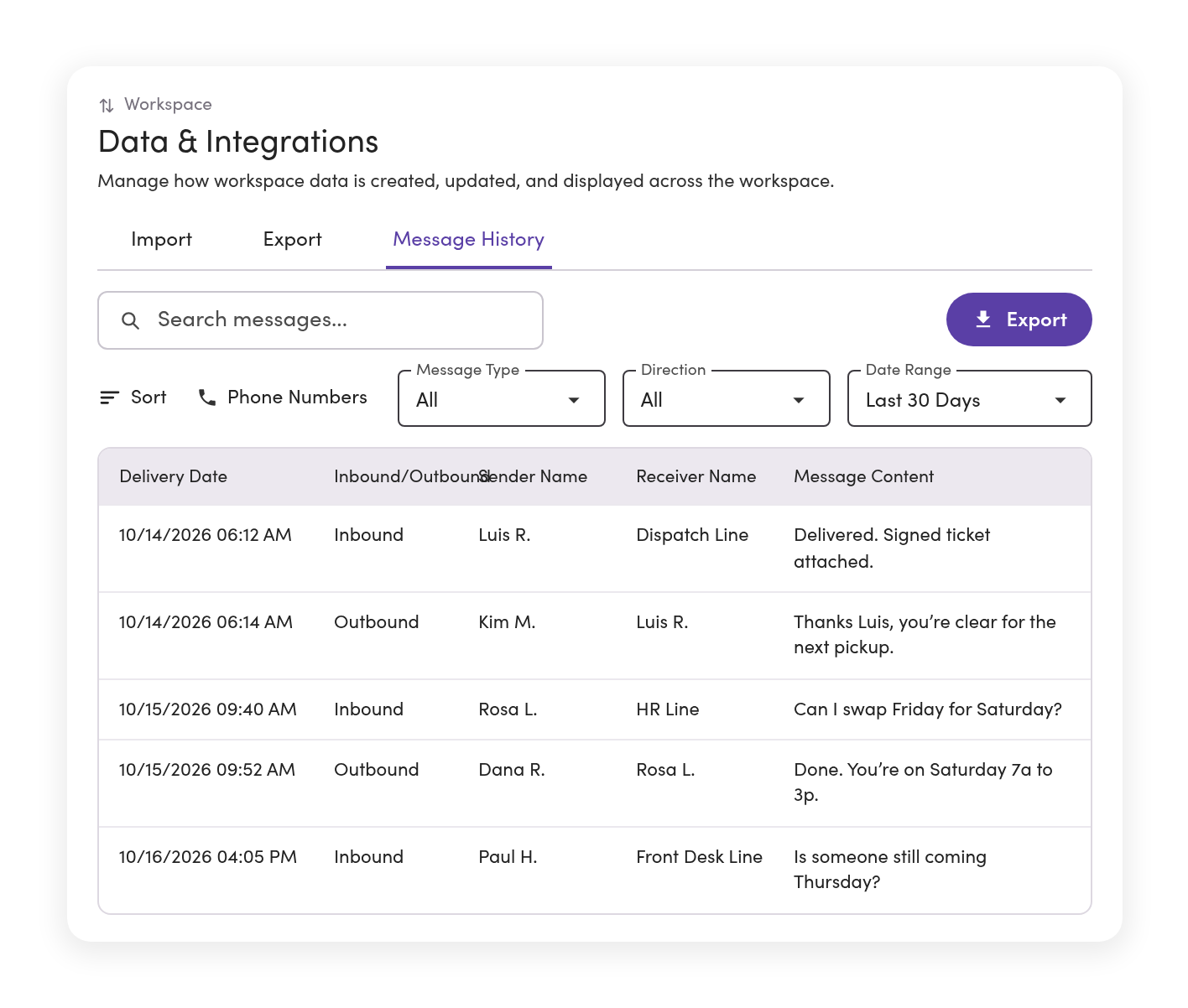
Every text stays on your business numbers; it’s still there after shift change or turnover. Filter the full message history and export it as a spreadsheet or PDF.
Phone numbers
Every kind of phone number, one set of rules.
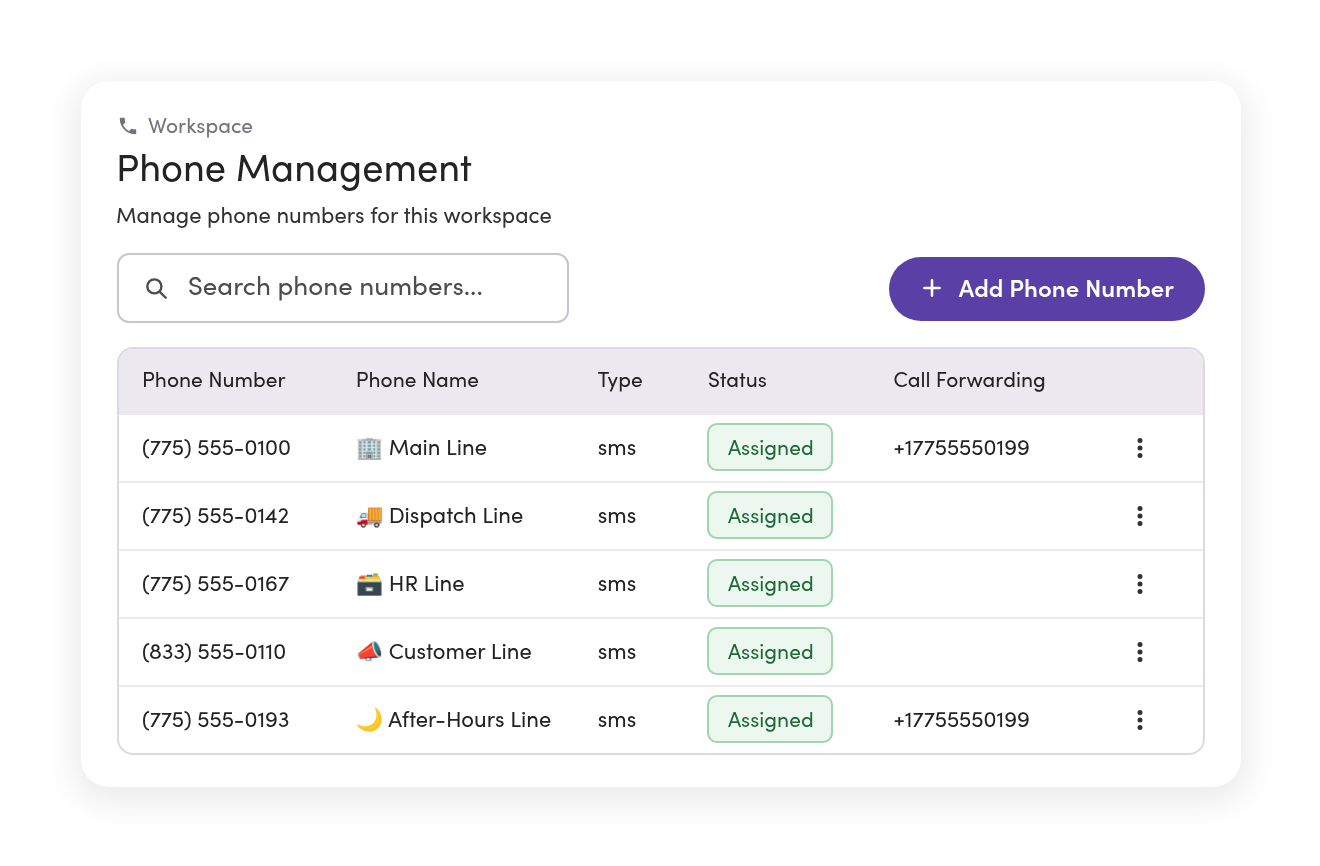
Hosted landlines and VoIP, new local and toll-free numbers, and your Twilio numbers. All configurable in one inbox.
Automation
Automation you switch on.
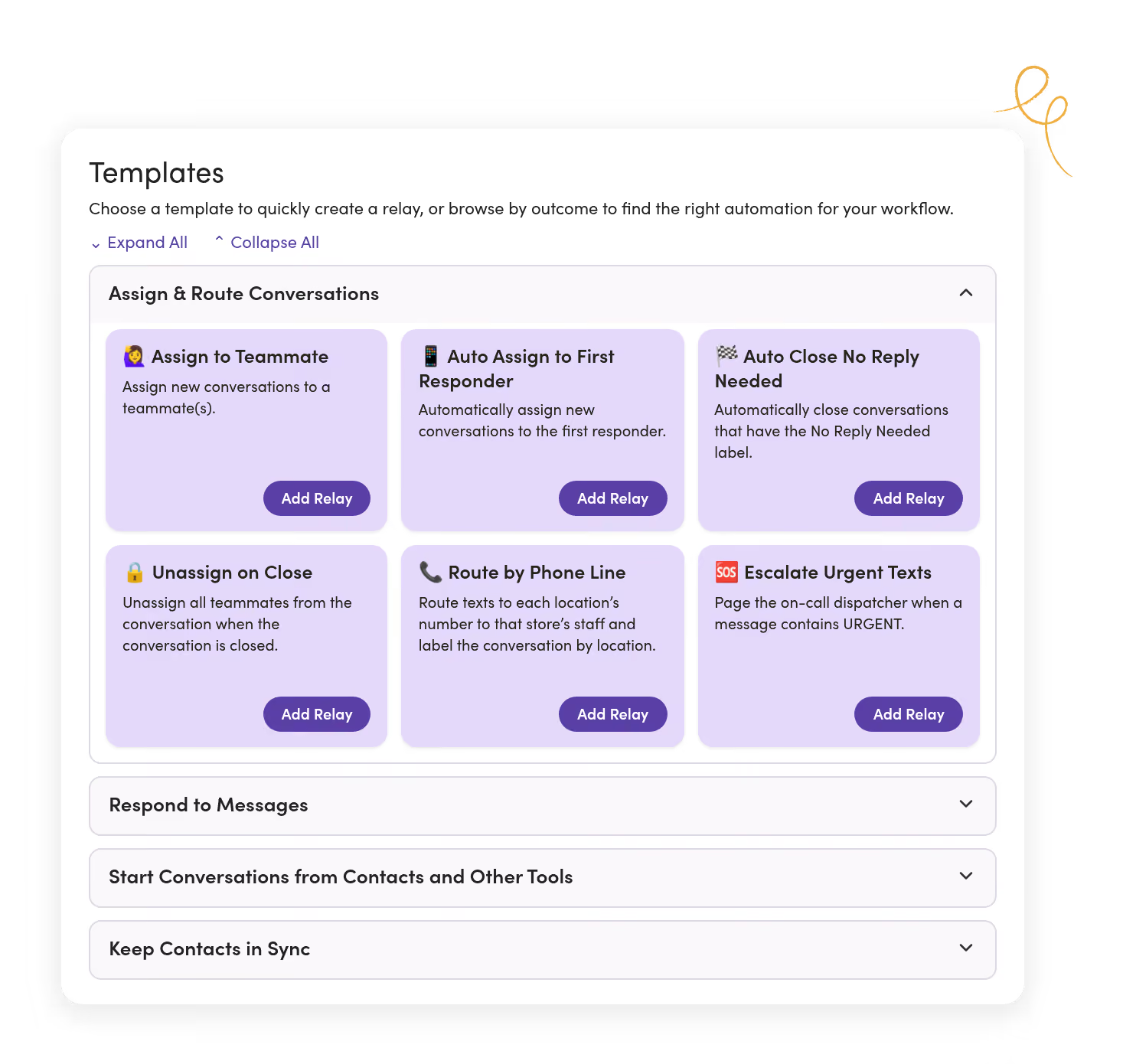
Pick from 58 Relay templates for repeat jobs and tasks, like routing by phone line or escalating urgent texts. Turn one on, and it runs alongside your inbox.
Who can see what
Role-based access controls, down to individual numbers.
What’s recorded
Audit-ready conversation history and opt-outs, exportable as a spreadsheet or PDF.
Security
SOC 2 Type II-certified platform.
Carrier registration
Built-in carrier registration support. You complete carrier registration; we review and monitor.
HIPAA
What we’re not
Three things MessageDesk doesn’t do.
We don’t sell phone service
We’re not a phone system. If you want texting and calling on one bill, a VoIP bundle fits better.
We’re not a marketing blast tool
If you send thousands of marketing messages a month, we’re the wrong choice.
We don’t offer email or other channels yet
SMS and MMS today. If voice or email are your main channels, we’re not the right fit yet.
Getting started
What it takes to switch to MessageDesk.
About one to three business days
Register with the carriers
Submit your business details. We help you get compliant for business texting.
Minutes, once approved
Connect your numbers
Host, port, connect Twilio, or get new text-only local or toll-free numbers.
Same day
Add your team and set access
Invite teammates and assign their roles. Narrow access by number and label.
Once your numbers are live
Start texting
Import contacts and message history, then switch on the Relays you want.
Questions people ask before they switch.
Phone-system texting is tied to individual numbers, so each number’s texts sit with whoever owns it. MessageDesk puts that number in a shared inbox the whole team can answer, assign, and hand off, with access set per number.
The inbox is the easy part, and most competitors have one. The difference is the access underneath: four permission levels across 12 features, set per number and label, so dispatch and HR can share a workspace without sharing conversations.
Often you shouldn’t. If your tool already gives everyone the right access to the right numbers, stay. Switch when you need clear owners, access by number, or a record you can export.
It moves. Google Voice numbers can’t be hosted, so they port to MessageDesk, and calls forward or move to a VoIP provider. Other landline and VoIP numbers stay put.
Yes, and it’s a common way to start: one number and a few teammates, then more people as other teams join, on that number or new ones. Labels and permissions keep each team to its own.
Yes. Landline and VoIP numbers are text-enabled where they are, so calls keep ringing through the phone system you have. Toll-free, Twilio, and new local numbers can sit in the same workspace, under one set of roles and one record.

Bring your numbers. We’ll show you how they fit.
Twenty minutes, your actual phone setup, and a straight answer about whether MessageDesk works for you.