Product overview
Phone Numbers in One Inbox, With the Right Access for Each Person
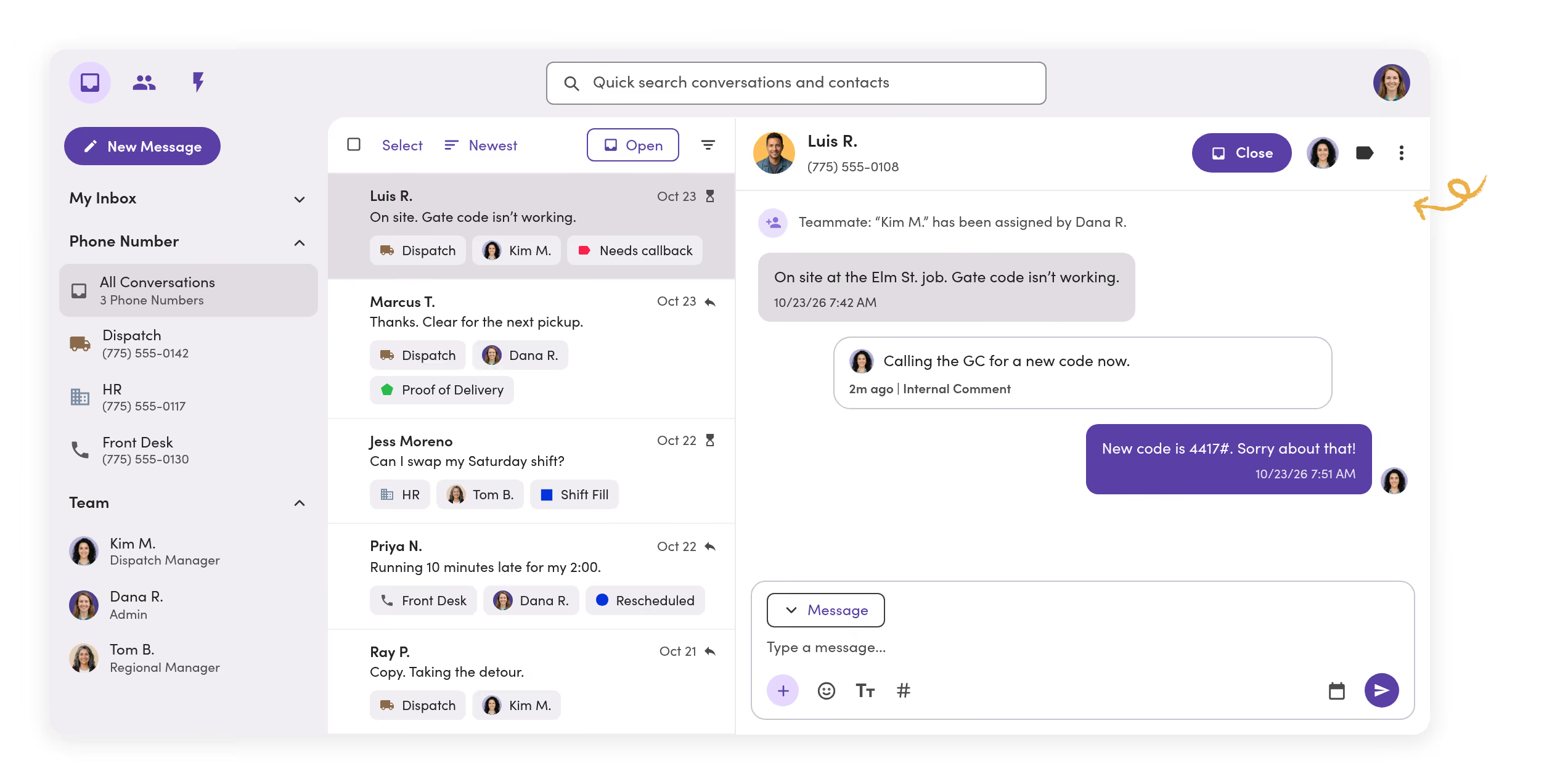
Connect the landlines, VoIP, toll-free, or Twilio numbers you already have. Your team answers and assigns texts together, every conversation stays on the record, no change to voice.
Or click through the inbox yourself → About 2 minutes, no sign-up.
 4.6
 SOC 2 Type II-certified platform
A day on MessageDesk
The whole team works the texts, from the first one to the last.
Four moments from teams that run on texting, and what happens now that the texts live in one shared inbox.
6:10 a.m. · Dispatch
A driver texts the dispatch number that the plant is backed up. The dispatcher on shift assigns it to herself, and the rest of the team can see it’s handled.
9:30 a.m. · HR
HR sends the training reminder to every field employee at once. Each reply comes back as its own conversation, so one question doesn’t get buried in a group thread.
1:45 p.m. · Multi-location
A customer texts STOP to one branch. MessageDesk opts them out of every connected line, so another branch’s reminder never goes out.
6:40 p.m. · Clinic front desk
A parent texts to move tomorrow’s appointment after the front desk has gone home. A Relay replies with office hours and labels it for the morning team.
The product
Every number your team texts from, in one inbox.

Customers keep texting the number they know.
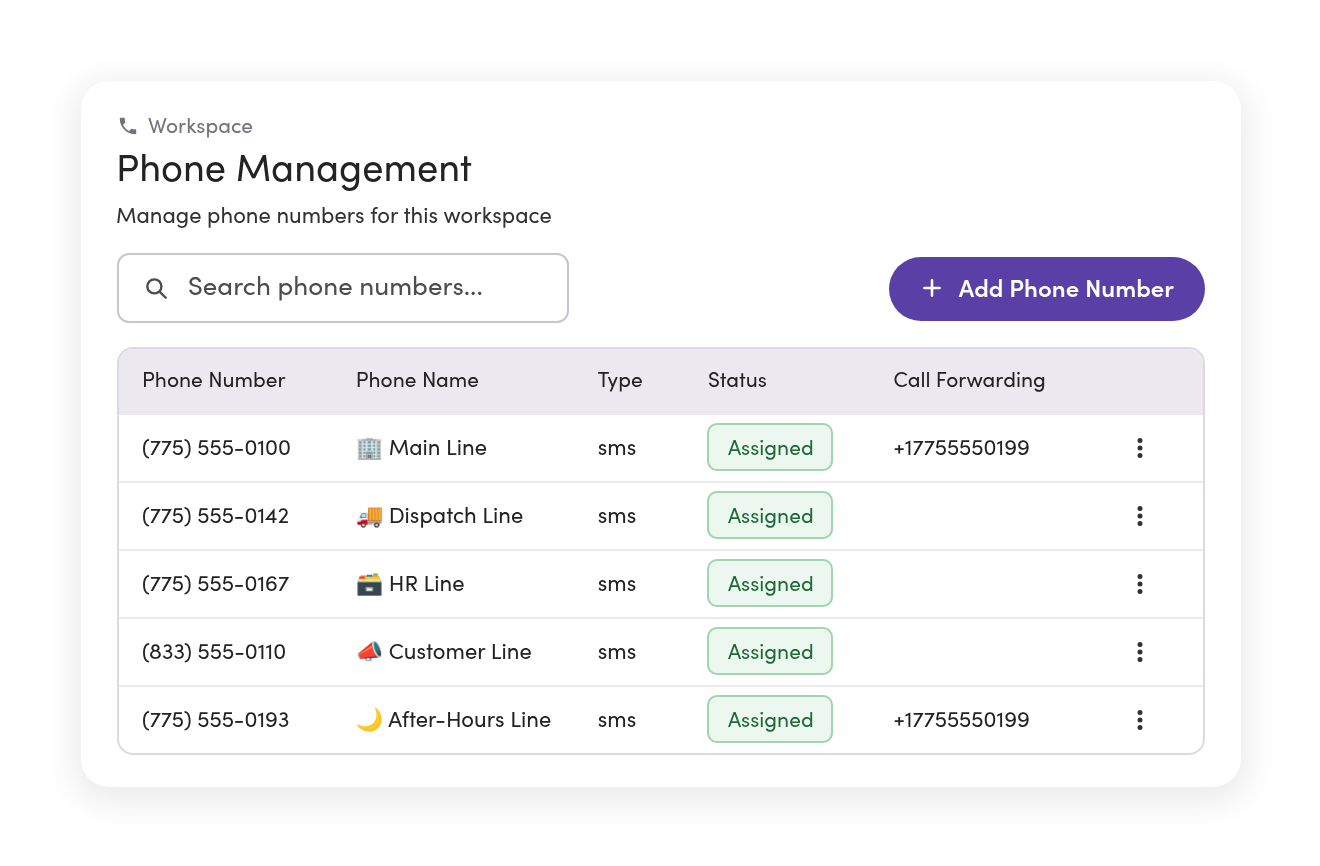
Text-enable a landline or VoIP number, connect toll-free or Twilio numbers, or get a new local one. Calls stay with your phone system.

Every text has an owner.
Assign and label conversations, and ask a teammate with an @mention the customer never sees.

One update reaches everyone.
Text a filtered contact list at once, and each reply comes back as its own conversation.
Control & oversight
Decide who sees what, and keep a record of all of it.

Access by line, label, and inbox.
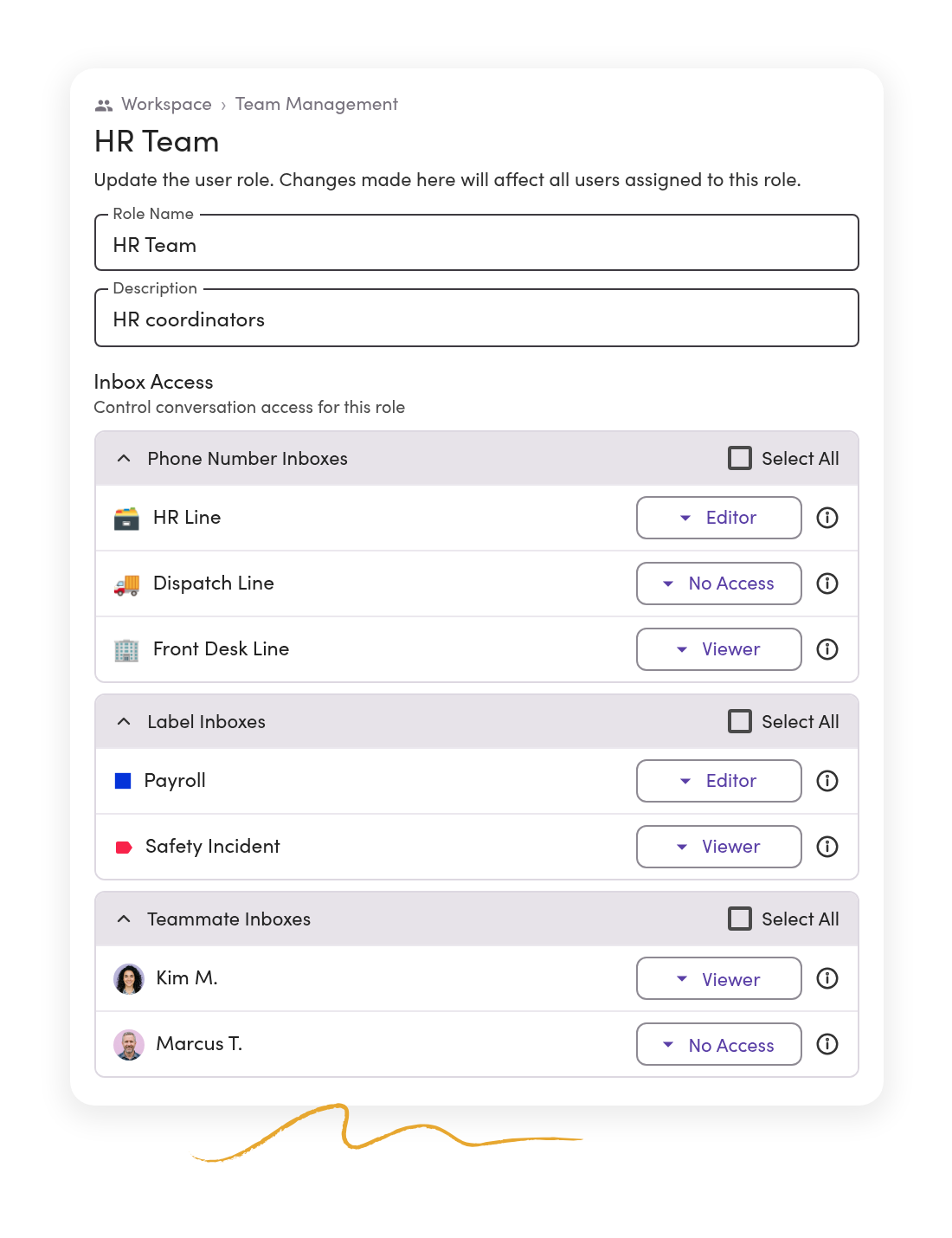
Give each teammate a role. Dispatch works dispatch, HR works HR, and a manager can see both.

Find who said what, and when.
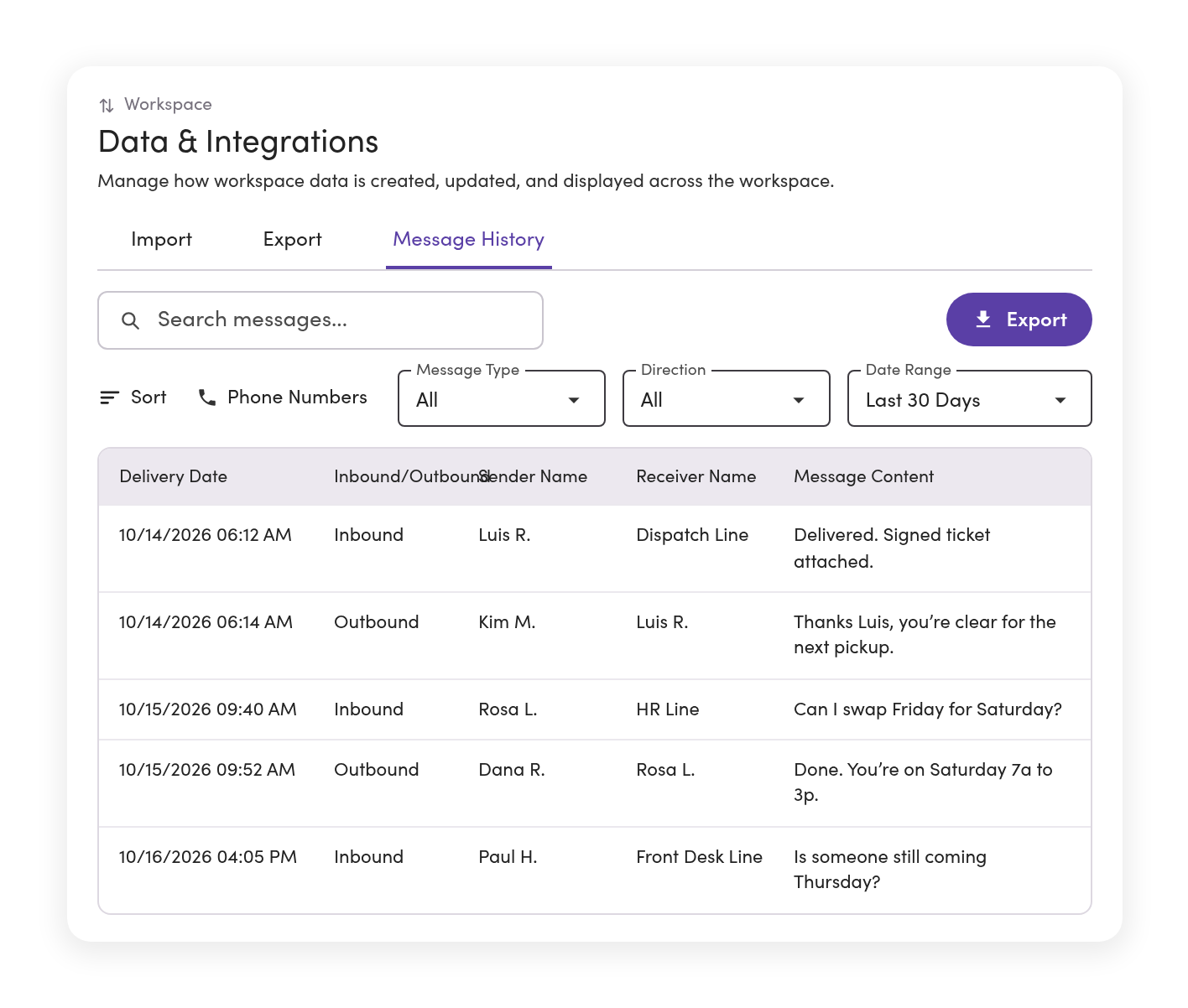
Search message history across every number by sender, recipient, and date, then export it.

Clear the IT review.
A SOC 2 Type II-certified platform with passwordless sign-in and guided carrier registration.
Customer stories
Operators in your industry use MessageDesk every day.
“Our dispatchers were texting 200+ drivers on their personal phones. MessageDesk fixed this. Now everyone texts on our company number. I’ve got visibility. They have accountability.”
“We kept our same numbers and VoIP provider and were texting in a couple days. No downtime, no added configuration or headaches.”
“Calls and email don’t work for our rig workers. MessageDesk makes it easy for our HR coordinators to send texts for everything from onboarding to benefits.”
“Everybody’s so happy to get off the other texting platform… the organization that we needed is back with MessageDesk.”
Automation & connections
Routine texts get handled, and your other tools stay in sync.

Replies go out after hours.
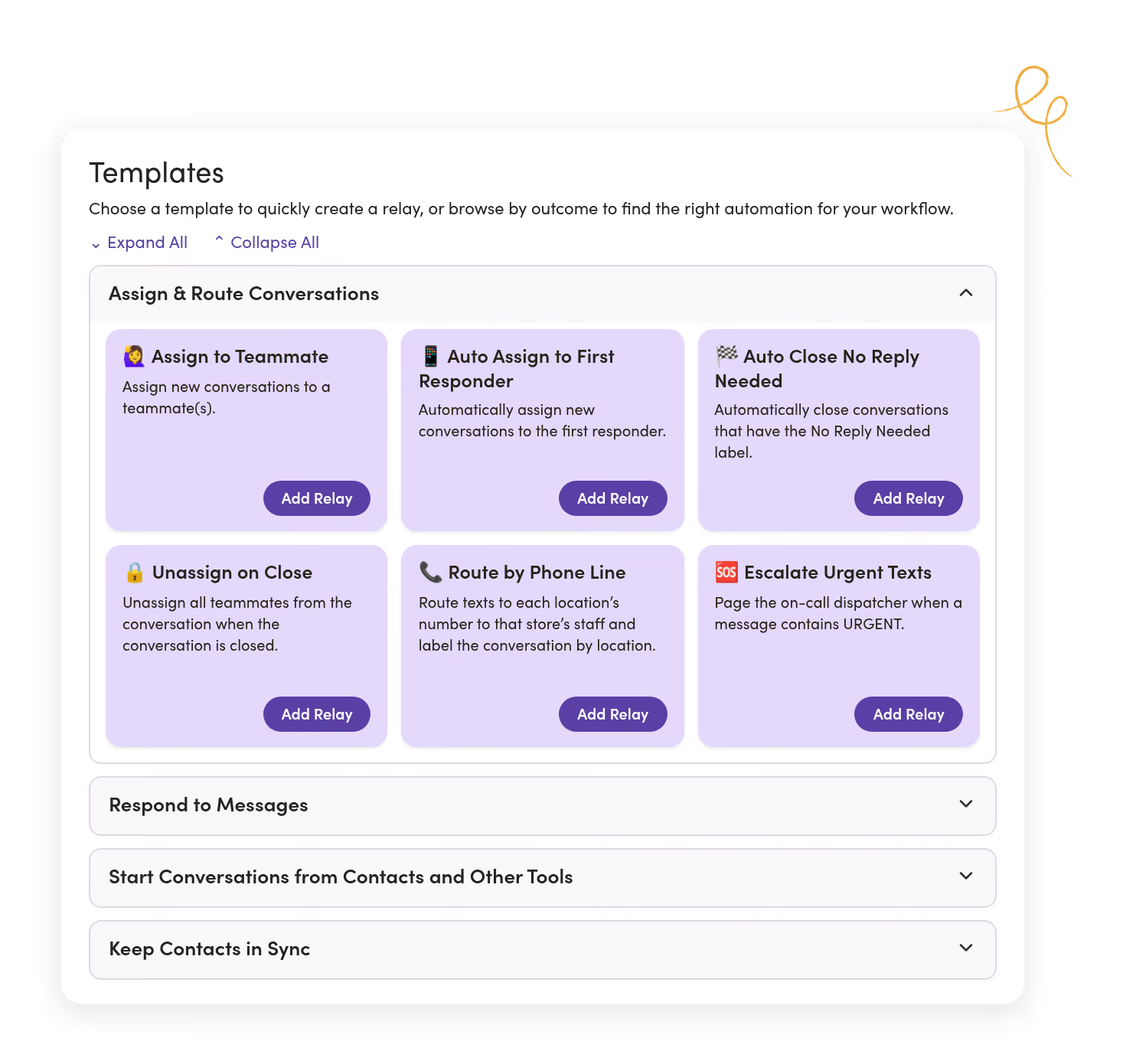
Switch on a Relay to answer with office hours and label the text for the morning team.

Contacts stay current.
Sync contacts and custom fields from the CRM, ERP, or HR system you already use.

Events go where you need them.
Webhooks send texts, assignments, closes, and opt-outs to systems you control.
 Microsoft Teams
 Global Relay









Getting started
What it takes to switch to MessageDesk.
About one to three business days
Register with the carriers
Submit your business details. We help you get compliant for business texting.
Minutes, once approved
Connect your numbers
Host, port, connect Twilio, or get new text-only local or toll-free numbers.
Same day
Add your team and set access
Invite teammates and assign their roles. Narrow access by number and label.
Once your numbers are live
Start texting
Import contacts and message history, then switch on the Relays you want.
Not ready for a call? Click through the inbox or check if your number can text.
Start with your question
What operations teams ask before they switch.
Usually, yes. Calls stay with your phone system, and texts come into the shared inbox.
Phone Numbers →How do we stop texts sitting with one person?Every conversation gets an owner, and the whole team can see who’s on it.
Inbox →Can HR stop seeing dispatch’s texts?Roles set access by phone line, label, and teammate inbox.
Team, Roles & Permissions →Can we text every driver or employee at once?Send one text to a filtered list. Each reply comes back as its own conversation.
Broadcasts & Group Texts →Do we have to re-enter our contacts?No. Sync contacts and custom fields from the CRM, ERP, or HR system you already use.
Contacts, Filters & CRM Sync →What happens to texts after hours?A Relay can reply with your hours, then assign and label the text for the morning team.
Relays →Can we pull a record when someone asks?Search every number’s history by who sent it, who got it, and when, then export it.
Analytics, Data & Archiving →Will IT sign off?SOC 2 Type II-certified platform, passwordless sign-in, and guided carrier registration.
Security & Registration →Does it connect to the tools we run on?Integrations and webhooks send what happens in the inbox to your other systems.
Integrations →Can our developers build on it?An open API and an MCP server for AI assistants are on the way. Webhooks work today.
Open API Coming soon →See it set up for your team: dispatch and delivery, HR, staffing, and recruiting, safety and training, compliance and archiving, or multi-location teams.
Product questions.
Usually not. Most US and Canadian landline, VoIP, and toll-free numbers can be text-enabled, and calls keep working as they do today. Google Voice numbers are ported.
Yes. One workspace can hold hosted landline and VoIP numbers, toll-free numbers, ported numbers, new local numbers, and your own Twilio numbers, all under the same roles and the same record.
Adding your numbers and your team is the quick part. US numbers need an approved carrier registration before you text out. Guided registration walks you through it, and approval typically takes 1 to 3 business days once your website is compliant. Twilio numbers keep the registration they already have.
Yes. The MessageDesk app runs on iOS and Android, so whoever’s away from a desk still sees their conversations and gets notified when a text comes in.
No. Your CRM, ERP, or HR system stays the source of truth. MessageDesk syncs the contacts and custom fields your team needs to text with.
MessageDesk is a SOC 2 Type II-certified platform with role-based access controls, passwordless sign-in, and audit-ready conversation history.
See how MessageDesk connects to your numbers.
In 20 minutes, we’ll show you how a text gets answered, assigned, and kept on the record.