One Inbox for All Your Phone Numbers
Text-enable any VoIP or landline phone number and manage all text conversations (from support to sales to dispatch) in one inbox.


We guide your number configuration from connection to compliance.
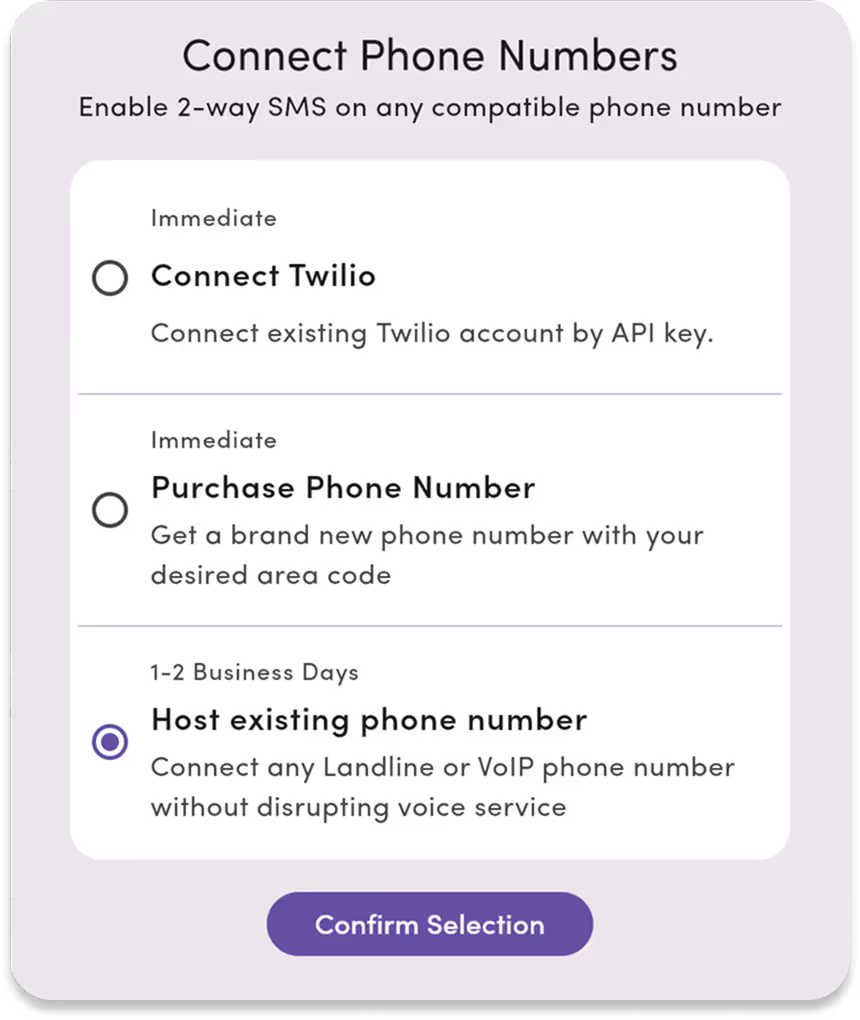
Setting up your business numbers takes minutes, not days, once you're registered with carriers. We walk you through connecting, registering, and verifying your lines in one seamless flow.
- Text-enable existing 10-digit business landlines.
- Purchase new 10-digit local numbers.
- Connect or purchase toll-free 800 numbers.
- Compatible with all North American VoIP providers.
- Connect Twilio registered numbers directly in-app.

Bring any US or Canadian business number into one workspace.
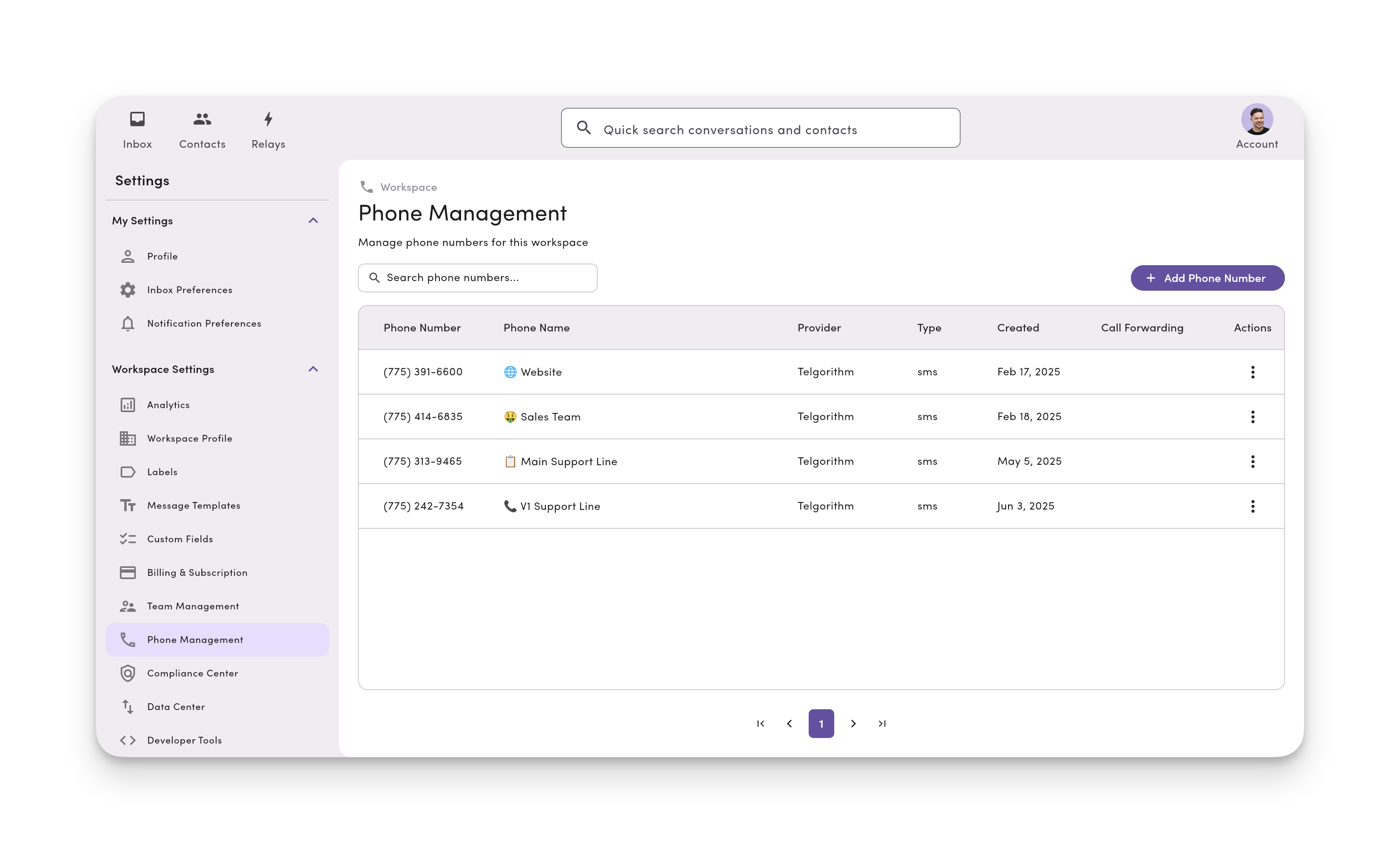
Connect every line your business uses from support and sales to dispatch and delivery and manage them all from one shared team inbox.
- Add up to 48 phone lines per workspace.
- Name and organize lines (e.g., “Support 📞”, “Dispatch 🚚”).
- Filter inboxes by team, phone line, or department.
- Assign permissions so teammates only see what they need.
- Use Relays to auto-route new texts based on phone line.
No switching costs. No number changes. No voice disruption.
We don’t ask you to switch providers or reconfigure your entire voice setup. We just add texting to your existing line and bring it to life.
- Keep your existing business phone numbers.
- Stay with your current voice or VoIP provider.
- Migrate your number with zero downtime.
- (Coming Soon) Forward calls to any number, even mobile.

Keep your business texting reliable and carrier-approved automatically.
Need a new number? Want a toll-free line? We’ve got you covered. We work with all U.S. and Canadian landline and VoIP numbers.
- A2P 10DLC registration for local numbers included.
- Get toll-Free verification for higher volume texting.
- Automated opt-out handling (“Reply STOP to opt out”).
- Higher deliverability and fewer carrier blocks.
FAQs
Frequently asked SMS phone number questions.
Yes! You can add texting (SMS & MMS) to any existing U.S. or Canadian landline or VoIP number.
Your calls continue to work exactly as they do today, we just add business texting on top.
MessageDesk works with nearly every North American business number:
✅ Local 10-digit business numbersVoIP lines (RingCentral, Zoom, Nextiva, Dialpad, etc.)
✅ Toll-free numbers (800–888)
✅ Twilio numbers (already registered and verified with Twilio)
✅ Traditional landlines (text-enabled only)
🚫 We don’t currently support Google Voice, international, or personal mobile numbers.
A2P 10DLC carrier registration is required for all businesses and organizations that text.
It improves deliverability, protects against spam filtering, and keeps your messages compliant with U.S. telecom rules.
MessageDesk works with you directly to get compliant and registered.
Yes. With roles and permissions, you can choose which teammates can view or send messages from specific phone lines.
Owners & Managers: Manage lines and settings
Operators: Send and respond to messages
Viewers: Read-only access
You can even restrict access by line, team, or location.
Yes! You can purchase: Local 10-digit numbers (choose your area code) or Toll-free numbers (800, 833, 855, etc.).
Hosting (Text-Enabling): Adds texting to your existing number while keeping calls with your current provider.
Porting: Moves both texting and calling to MessageDesk.
Most teams choose hosting for zero downtime and no disruption to voice service.
Texting usually works immediately once your number is connected to MessageDesk. Carrier registration is required before we can connect your number. Approval usually takes 24-48 hours.
Absolutely. MessageDesk supports up to 48 phone lines per workspace.
You can name, label, and assign each line to specific teams or teammates.
Example:
“Support 📞” → for customer questions
“Dispatch 🚚” → for field teams
“Sales 💼” → for outbound follow-ups
You can easily host your number with MessageDesk. We’ll text-enable it without interrupting your existing service.
There’s no downtime, and your calls keep working as usual.
If you prefer, you can port the number fully to MessageDesk. Our team helps with the paperwork and transfer timing.
No problem - just let our team know! To move a number, complete a Letter of Authorization (LOA) with your new provider and they'll move your number into their system.

