
Text Message Archiving for Business: How to Keep an Archive for Every Business Text
When you "archive" a text on your phone, you aren’t saving a record of the conversation. You’re burying it in a siloed, personal device.
This may seem harmless until it isn't…
A CTO at a large and highly regarded law firm recently described the stakes plainly to me. Their attorneys were texting clients from their personal cell phones. In their words, this was "not ideal on so many levels." It created a nightmare from a compliance standpoint.
For others, text message archiving becomes critical when:
- A customer disputes what a rep promised.
- A regulator asks for a two-year history of client texts.
- An employee quits, takes their personal phone, and all conversations with them.
Better phone habits won't fix this. You need business texting software that archives and maintains a system of record for every text sent and received.
So in this article, I cover:
- What archiving actually does on an iPhone or Android.
- Why trying to archive texts on personal phones falls apart for a business.
- What text message archiving for business actually looks like.
- And how MessageDesk can help you archive and export all of your SMS threads.
By the end, you’ll have everything you need to maintain an audit trail of text messages.

Key Takeaways
- On a phone, "archiving" a text just hides the thread on that one device. It is not a record, and it doesn’t help with retention.
- A business texting software like MessageDesk helps you maintain a system of record for all text messages. Every text your team sends and receives lives in one searchable, exportable place that the company owns.
- Maintaining a system of record helps beyond compliance. Teams can use it to reconstruct what happened, settle disputes, and keep continuity when people leave.
- The stakes are highest if you text for legal, financial, healthcare, or government reasons.
- Firms under a FINRA archiving mandate keep their own compliance archive, usually Smarsh or Global Relay. MessageDesk feeds it with Relays and webhooks.
- Role-based access keeps one company-wide record for a multi-location business. You still control who sees which conversations on which phone lines.
What "Text Message Archiving" Actually Means (It’s Two Different Things)
For a business, text message archiving means keeping a complete record of every text your business numbers send and receive. That record is searchable and exportable.
For a phone owner, "archiving" usually just means tucking a conversation out of sight.
Those are two different goals, and most of what you find when you search "text message archiving" is about the second one.
The rest of this post is about the first.
What Archiving a Text Message Actually Does on Your Phone + Why It Fails a Business
On a phone, archiving a text just hides the thread on the one device you're holding. It doesn't create a record, and for a business that's the whole problem.
How do you archive text messages on Android?
To archive text messages on Android, you swipe a conversation into the Archived folder in Google Messages, the way most messaging apps handle it. That hides it from your main list, but the thread still sits on that one device. To find archived text messages later, you reopen that same folder on that same phone.
How do you archive text messages on iPhone?
On an iPhone, you can't archive text messages at all. Apple's Messages app only lets you delete a thread or hide alerts, with no built-in way to archive. People search for how to archive text messages on iPhone and hit a wall, so most end up taking screenshots or buying a third-party consumer-grade app.
Why phone archiving fails a business
Either way, the messages stay on a personal device, and that's the problem.
A phone hides a thread. It does not retain a record. The conversation lives on one person's device, not the company's. You cannot search across your team, you can't export a clean copy, and there is no audit trail of who said what and when.
Deleting is one tap, and nobody can prove it happened. And when a phone goes missing or an employee walks out, the history goes with them.
Plenty of businesses try to patch this with consumer tools like Google Voice. It holds up right until it doesn't.
One healthcare practice recently told me: "Google Voice isn't really doing the job for us anymore". They moved their main line into a Google Voice call group. After that, the line couldn't send or receive texts at all.
Google Voice isn't even a supported business number path on business texting platforms. This includes MessageDesk, unless you fully unlock and port your number to a VoIP provider.
Google built it for personal use, and it shows.
Text Message Archiving for Legal, Financial, and Healthcare Compliance
If you text for regulated reasons, a hidden phone folder isn't just inconvenient. It's a liability.
That's where text message archiving for compliance stops being optional, and where compliance teams stop trusting personal phones. Your compliance requirements decide what the record has to prove.
Financial advisors feel this first. FINRA and SEC rules treat business texts with clients as records your firm has to retain and produce. This makes text message archiving for financial advisors a requirement, not a nice-to-have. Texting from a personal phone is direct exposure.
One registered investment advisor I spoke with had a standing requirement for automated archiving and e-discovery.
He described the exact failure I'm talking about. Clients were "texting non-archivable landline numbers." The risk: "a service request hidden in a thread somewhere that nobody was paying attention to."
Are you under a formal archiving mandate? Then you'll pair your texting with a dedicated compliance archive built for FINRA-compliant and SEC text message archiving. In practice that means Smarsh or Global Relay.
Confirm your obligation with your compliance officer first. Then see below for how MessageDesk feeds either one.
Legal teams need the record to survive a legal hold. One litigation team was texting class members at scale, on a "we need it by Monday" timeline. They needed retention and archiving "to avoid deletion or loss."
A personal-injury firm wanted texting history retained for long-running cases. A small estate-planning firm needed a separate platform "due to regulatory reasons."
Healthcare is where you have to be careful, including about the tool you pick. Texting with patients falls under HIPAA, but standard SMS isn't encrypted end to end. It's not a place for any message that contains protected health information.
One medical facility asked me point-blank whether anything was encrypted: "It's all just pretty much open text?" A pediatric clinic told me "we'd also need a BAA from you."
MessageDesk doesn't sign BAAs (yet), and it isn't the tool for carrying PHI over text.
What it can do is keep a clean record of the non-PHI texting you should be doing anyway. Think appointment reminders and links to a secure patient portal.
Public-sector teams have their own version too. Text message archiving for government runs straight into open-records law.
Texts your office sends become a public record. This makes archiving public records created or received as text messages the agency's job. One organization serving government grant programs needed "to store consent for audits and government clients."
Public records rules don't care that the message was a text.
In every one of these cases, the regulator or the court expects a complete, tamper-evident, exportable record. A screenshot doesn't clear that bar.
What to Look for in Text Message Archiving Software
Real text message archiving software does five things your phone can't. Use this as your checklist:
1. It exports individual text threads and your entire text message history
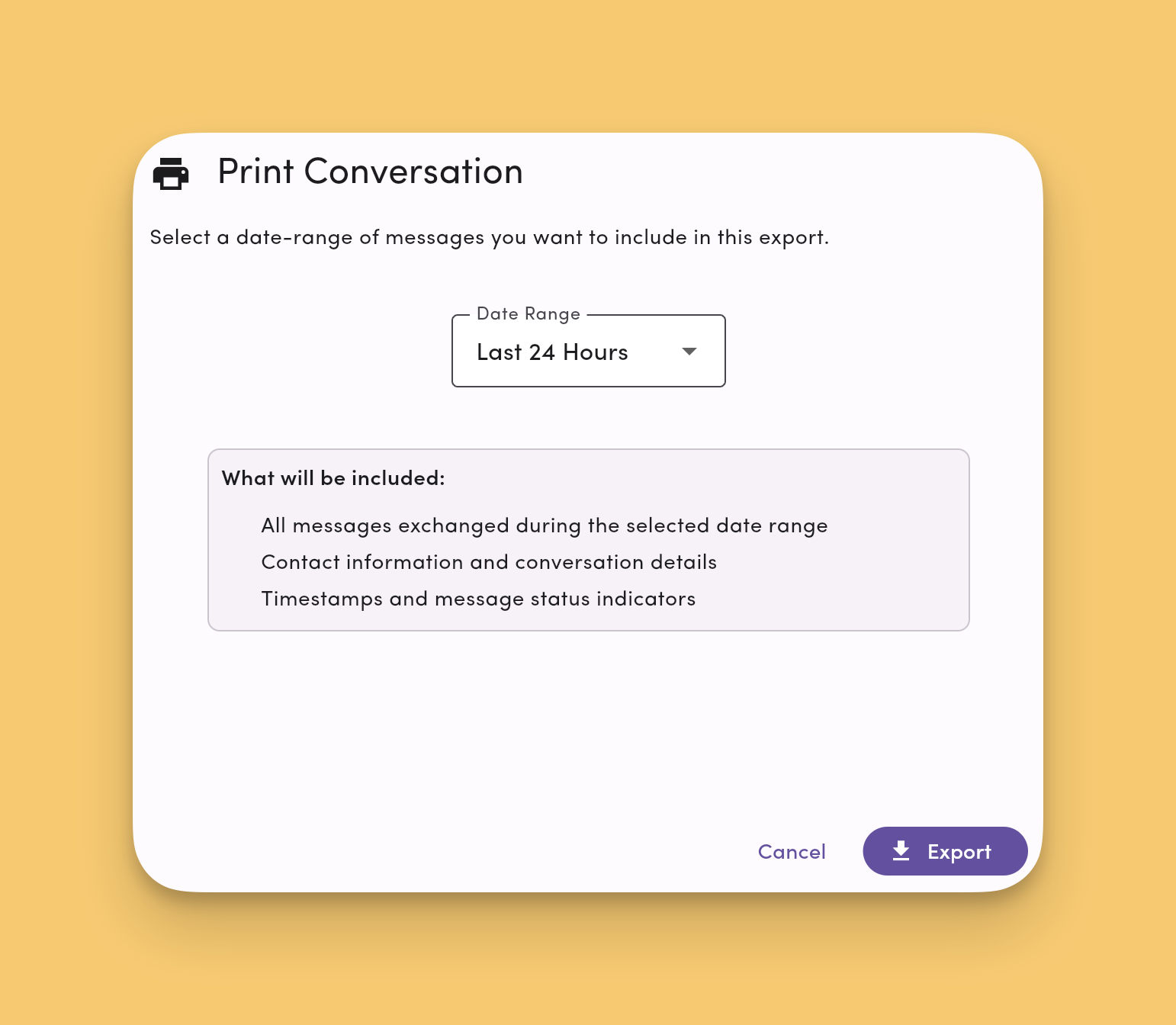
You need to hand a clean copy of a conversation to a manager, a lawyer, or an auditor. One insurance claims team I talked to needed to retain and print claim communications for audits, but couldn't:
"We don't have an easy way to export a transcript today."
2. It's searchable across your whole team
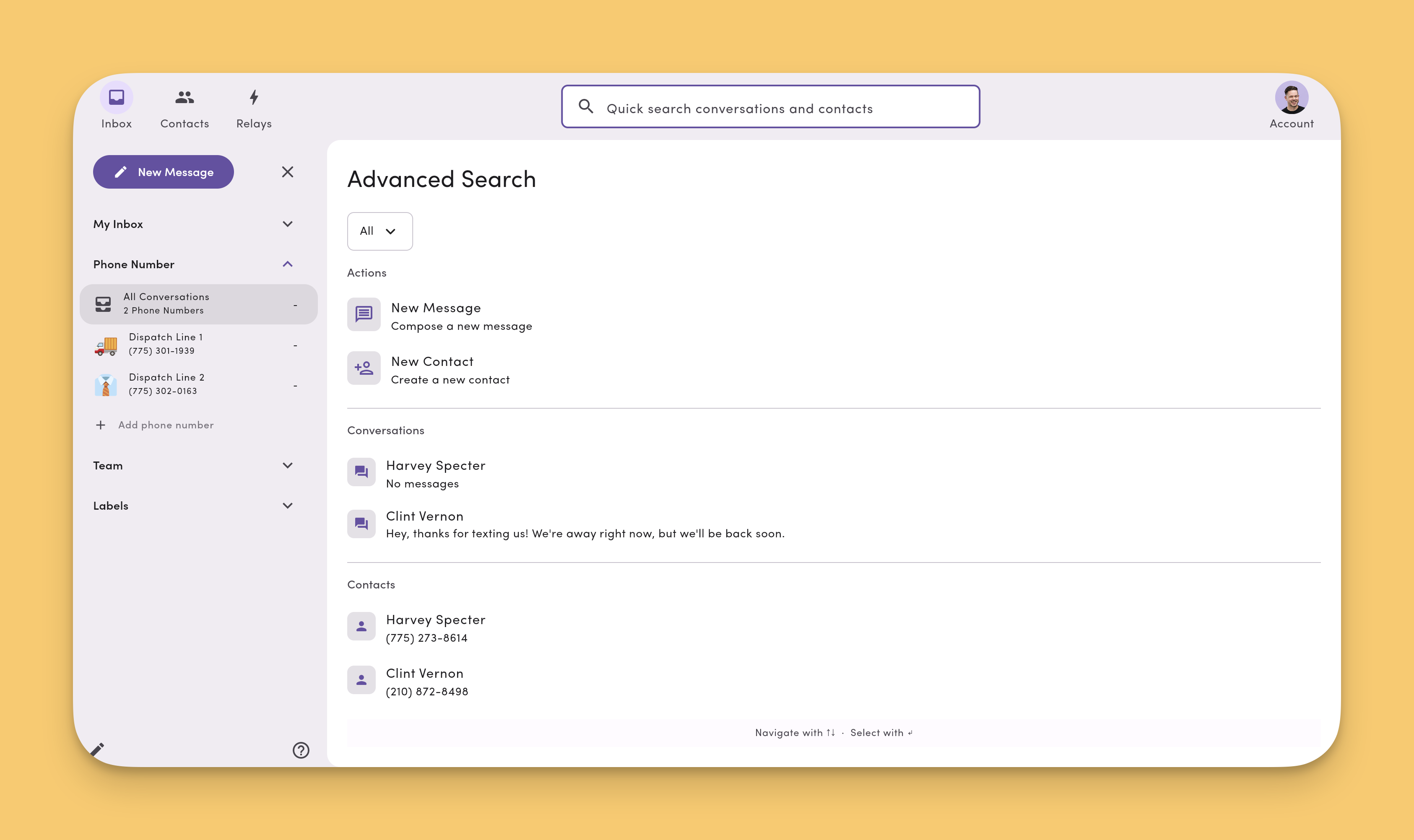
Not one thread at a time. The advisor who worried about a request "hidden in a thread somewhere" is describing exactly what happens when you can't.
3. It retains your entire text message archive indefinitely
Text message retention means the record outlasts the device and the employee. One trucking operation needed it for the moments that matter most:
"We needed to preserve and export our messages, specifically for legal and accident situations."
That's impossible when the messages live on a driver's personal phone.
4. It pays off operationally
Not just at audit time. That same operator put it best:
"I can go back and see if something got screwed up. I can see what happened."
5. It controls access
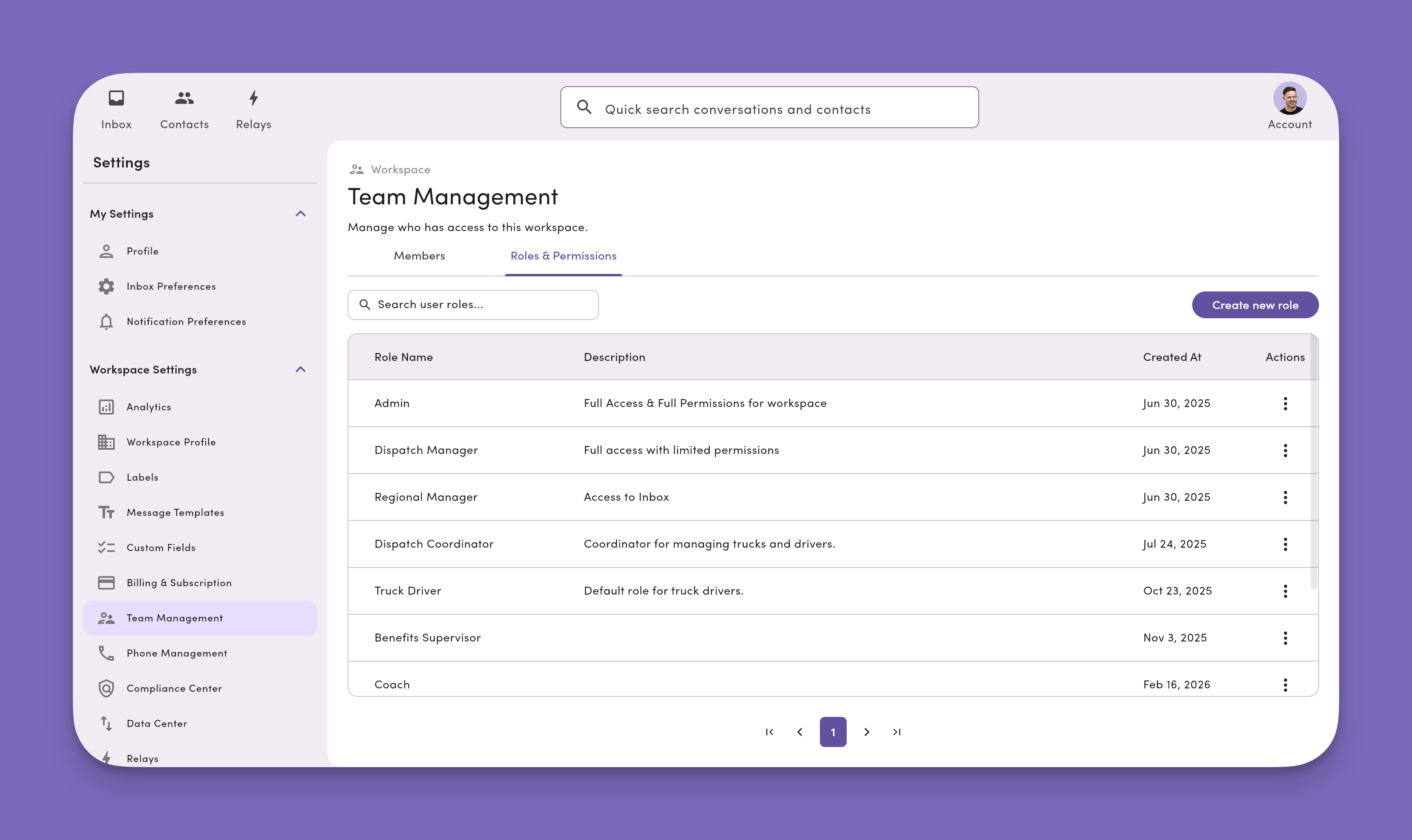
Not everyone should see everything, and that matters most once you have more than one location or team.
That last point is where the regulated-finance archivers and an everyday business record part ways. You're not shopping for bank surveillance. You're keeping a usable record of how your business talks to its customers.
How MessageDesk Archives Your Business Text Messages
MessageDesk keeps every text in a shared inbox, so your business text message records live with the company, not on an employee's phone. The place your team works is the place the record lives, so nothing has to be reconstructed later.
Here's what that record gives you:
Search across everything
Advanced Search runs across conversations, messages, internal comments, and labels. The recent window is indexed for speed, with the full archive behind it.
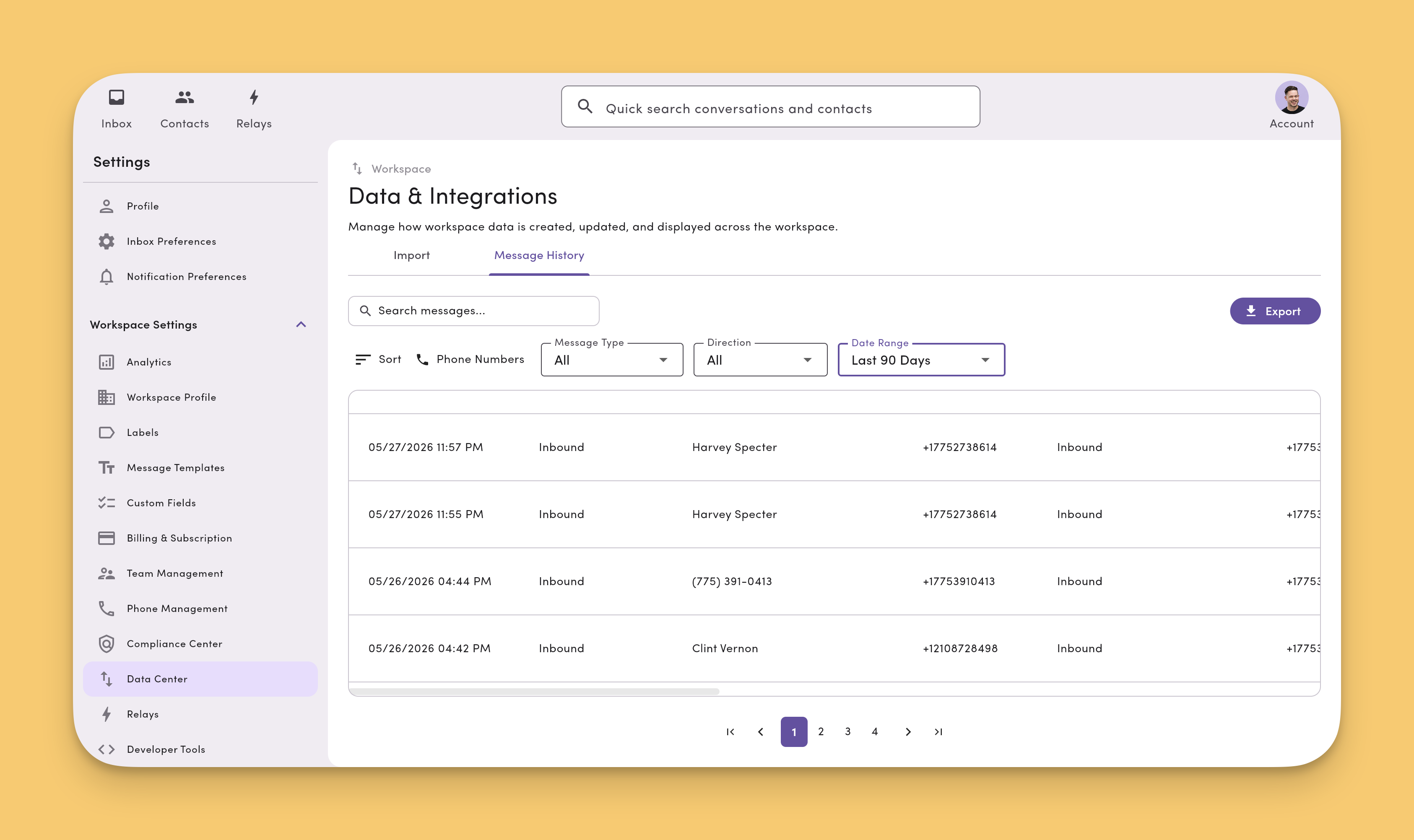
You can also use the Data Center's Message History. It's a searchable, filterable archive of every message you've sent or received.
Export text messages the way an auditor expects
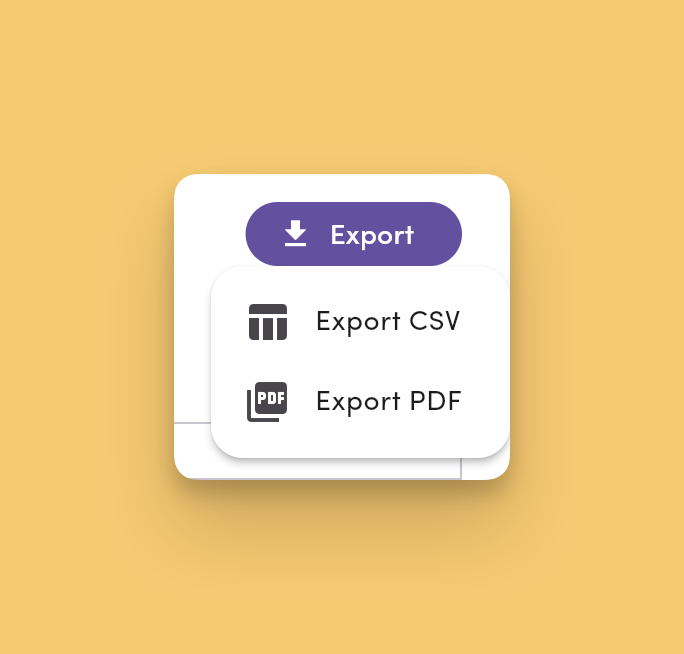
Export any conversation and all messages to CSV or PDF from the conversation toolbar, or export a filtered slice of the whole workspace by date range, phone line, contact, or label.
A record that survives tampering
Deleting a message is a soft delete. Every message stays time-stamped on the backend and still shows up in exports. The record stays complete for compliance.
See how MessageDesk works and how a shared team SMS inbox becomes your system of record.
One more thing that matters here: the number you already use. MessageDesk text-enables your existing business phone numbers: landlines, VoIP numbers, and toll-free numbers. It can even connect your existing Twilio numbers.
The record is the same no matter which path you pick, because it doesn't depend on who carries the texts. Almost every business I talk to wants to keep its current number, and that's the point.
How do you send text messages to Smarsh or Global Relay?
You send them with a Relay and a webhook. MessageDesk fires a signed webhook to an endpoint you control every time a message is sent or received, and that payload feeds your archive.
Almost every FINRA-regulated firm I talk to has already picked one. It's nearly always Smarsh or Global Relay.
One RIA principal told me what that setup does and doesn't do for him. His texts were archived through Smarsh already, which he said "checks the regulatory box, but that doesn't help when it comes to if someone's out of the office and someone sends a text and it gets missed."
That's the gap.
Your archive satisfies the examiner. It gives your team nowhere to see the conversation while it's still happening.
MessageDesk covers the working side, and it supplies the archive too. Two Relays do it:
- One on the Message Received trigger, for every inbound client text
- One on the Message Sent trigger, for every outbound reply
Each Relay fires a signed webhook to an endpoint you control. The payload carries the message text, any media, both phone numbers, the timestamp, and the conversation ID. Your endpoint passes that to your archive.
Would you rather not build anything? Export conversations to CSV or PDF and deliver them to your archive on a fixed cadence instead. One RIA we work with landed on monthly, so check with your archive on the format and cadence it accepts.
Webhook archiving is new, so bring us your archive before you commit to a build. Talk to our team and we'll map it to your setup.
Keeping your text message records compliant
A complete record includes consent, not just message text. When a contact replies STOP, MessageDesk opts them out across your connected numbers and keeps them on an Opted-Out list. That choice becomes part of the record instead of a sticky note.
One agency learned why this matters the hard way. A prior tool claimed to honor STOP and didn't, which left them managing opt-outs by hand. You can dig into the details in our guide to opt-in and opt-out tracking.
On the data security side, MessageDesk is SOC 2 Type II certified. We host your data in the United States on AWS. We encrypt data at rest and in transit. And we support role-based access, MFA, and SSO.
Confirm the rules that apply to you, whether that's FINRA retention, HIPAA, or state public-records law. Then keep your texts scoped to reminders, confirmations, and portal links. This keeps sensitive data like PHI and account information safe entirely.
Text message archiving for enterprise and multi-location teams
Text message archiving for enterprise and multi-location teams comes down to one idea: one company, one record, many locations.
Then you decide who sees what. The best tools for archiving text messages (like MessageDesk) give you Admin, Manager, and Operator roles.
Plus custom user access roles and permissions. You can even set resource-level access down to individual phone lines or labels.
One trucking operation described the setup they wanted, where "the manager sees all, dispatchers see only their office." That's a custom role granting one team access to one line.
This is how the multi-location businesses run it:
- One collision-repair group runs roughly 100 users across more than seven centers. Each center has its own number, with admins overseeing all of them.
- An insurance group runs about 40 users across 11 offices the same way.
The record stays company-wide while the day-to-day view stays local.
Phone archiving hides a thread. Text message archiving software keeps the proof.
The businesses that come out ahead already keep their texting in one place they own. The record exists before anyone goes looking for it.
If your team is texting customers from personal phones or a patchwork of tools, that's the gap to close first.
Move your business texting into one shared inbox. Every message becomes part of the record automatically, with nothing to reconstruct later.
Talk to our Sales Team and we'll show you what real text message archiving looks like for your business.
FAQs
What does archiving a text message actually do?
On most phones, archiving a text just hides the conversation from your main list on that one device. It doesn't delete the message, and it doesn't create a shareable or searchable record. For a business, that's the core problem: hiding a thread on one phone isn't the same as keeping a record your company controls.
Where do archived text messages go on iPhone and Android?
On Android's Google Messages, archived text messages move into an Archived folder you can reopen on that device. iPhone's Messages app has no archive feature at all, which is why the search is so common and so frustrating.
Either way, the messages stay on one personal device. That's exactly why a business needs separate text message archiving.
What is text message archiving for a business?
For a business, text message archiving means keeping a complete, searchable record of every text your team sends and receives from your business numbers.
The record belongs to the company and stays put when an employee leaves. The goal is continuity, accountability, and proof, not just storage.
Do financial advisors need to archive text messages?
Yes. FINRA and SEC rules treat business texts with clients as records that must be retained and producible. A personal phone or a hidden folder doesn't meet that requirement.
A tool like MessageDesk keeps a complete, exportable record of your texting. The best tools for archiving text messages for financial advisors create that record automatically and let you export it on demand.
Does MessageDesk work with Smarsh or Global Relay?
Yes. MessageDesk isn't a FINRA supervisory archive on its own, so firms under an archiving mandate run it alongside Smarsh or Global Relay.
Build one Relay on the Message Sent trigger and one on Message Received, each using the Send Webhook action to reach an endpoint you control. Every message arrives with its text, media, phone numbers, and timestamp intact. Firms that prefer no build can deliver CSV or PDF exports to the archive on a set cadence.
Can healthcare teams keep a compliant record of patient texts?
Yes, but only for non-PHI texting. Standard SMS isn't encrypted end to end, so HIPAA text message archiving can't cover protected health information.
Keep patient texting generic, like appointment reminders and links to a secure portal, and keep PHI out of SMS entirely.
MessageDesk can keep a clean, access-controlled record of that non-PHI texting.
Can a company archive or capture employee text messages?
Software to capture and archive employee text messages works at the business-number level, not on personal devices. That's different from monitoring an employee's personal phone.
The cleanest approach is to run business texting through a company system that creates the record automatically. That way the record belongs to the business without reaching into anyone's personal device.
How do I keep a record of all my company's text messages?
Move business texting off personal phones and into one shared inbox the company controls.
When every message flows through a single system, the system creates the record as your team works. There's nothing to reconstruct later.
Can you export business text messages?
Yes. In MessageDesk, you can export text messages from one or many conversations to CSV or PDF. You can also export a filtered slice of your whole workspace from the Data Center's Message History.
Exports still include soft-deleted messages, so the record stays complete for an audit.