Mobile phones
Move Your Team’s Texts Off Personal Phones and Into One Shared Inbox.
Personal cells, a company phone on the desk, or one Google Voice login. Bring those texts onto business numbers your whole team can answer, from their own phones or the office.
What can you do with the number you text from?
Free, no signup. Shows the carrier and line type, and whether to port the number or add a new one.


“Our dispatchers were texting 200+ drivers on their personal phones. MessageDesk fixed this. Now everyone texts on our company number. I’ve got visibility. They have accountability.”
Susan G. · Dispatch Manager, Aggregates
Numbers & contacts
Your business numbers and contacts come with you. Personal phones go back to being personal.

Comes with you
The company number. Port a company cell or Google Voice number, and customers keep texting it.
Your contacts. Import them from a spreadsheet, with names and custom fields.
Your phones. Your team texts from the MessageDesk app on the phone they already carry.
Your calls. Forward a ported number’s calls to any phone that can answer.

Changes for the better
Texts land in a shared inbox. Not in one person’s Messages app.
Nobody hands out their own cell. Customers, crews, and staff text business numbers.
The history belongs to the business. It stays when a phone breaks or someone leaves.
You register for business texting. A guided form, reviewed by MessageDesk before it goes to carriers.
Texting today
A text on a phone belongs to whoever’s holding it.
Phones are fast, cheap, and everyone already knows how to text. They stop working the day you need a second person on the conversation.

Texting from personal cells?
Customers text whoever they talked to last. When that person is out, the text waits. When they leave, the conversation leaves with them.

A company phone passed around?
One phone, one person at a time. Whoever’s on call takes it home, and someone has to remember to bring it back.

Everyone on one Google Voice login?
The texts are shared, but nobody can tell who replied or who’s handling what. Google Voice wasn’t made for a team.
Coverage & turnover
The conversation stays with the business, whoever’s on today.
6:50 a.m. · Home care
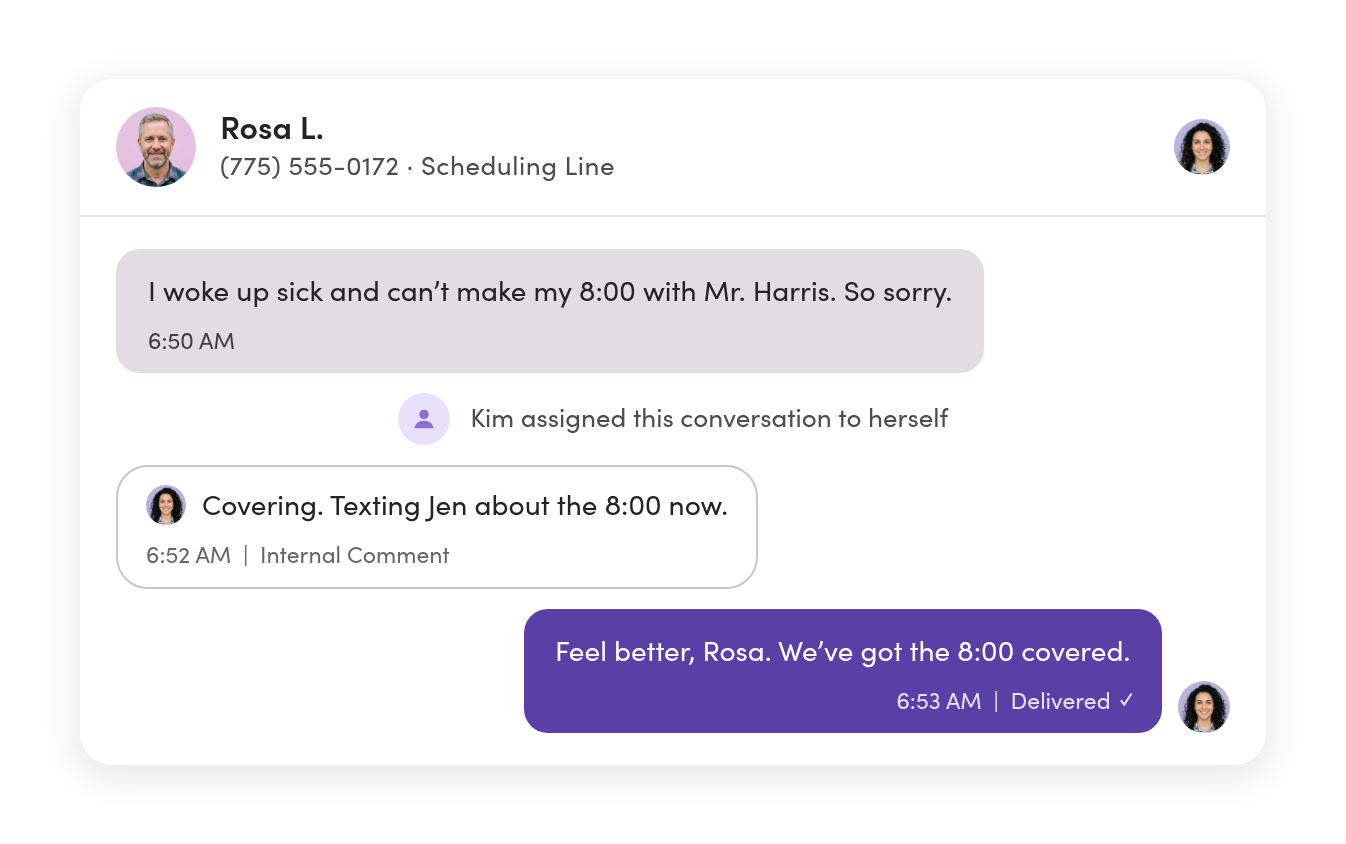
A caregiver texts a call-out to the scheduling line, not the scheduler’s cell. Whoever’s on shift sees it first and takes it.
11:20 a.m. · Field service
A customer texts a photo of the problem to the main line. The tech in the truck gets an @mention and answers from his phone.
3:15 p.m. · Insurance office
An agent is on vacation. Her client’s renewal question comes into the shared inbox, and a teammate answers it.
Last day · Dispatch
A dispatcher leaves the company. His drivers keep texting the same number, and his threads move to a teammate with their history.
Mobile & desktop
Your team still texts from their phones, just not from their own numbers.
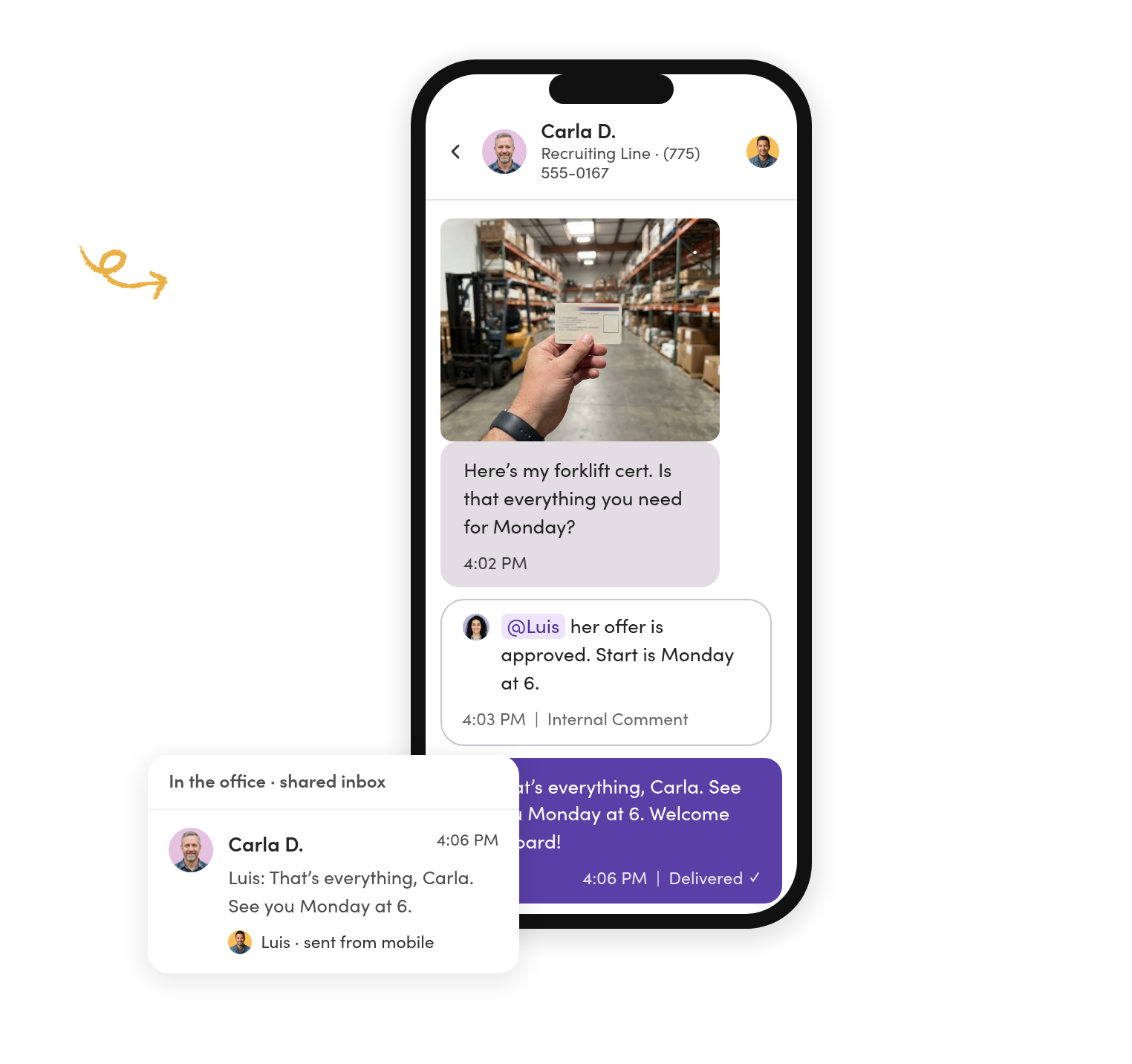
The MessageDesk app puts the business lines on the phone in their pocket. The office works the same conversations on the web.
Crews in the field answer from the truck.
Reply, assign, and send photos from the mobile app, from the business number.
The office sees the same thread.
Every reply from a phone shows up in the shared inbox with who sent it.
Personal texts stay on personal phones.
Work conversations live in the app, so nobody mixes the two.
Ownership & handoffs
The text gets an owner, not a phone.
Assign each conversation to whoever’s handling it. When they’re off, someone else picks it up with the whole history in front of them.
Nobody wonders if someone already replied.
Every thread shows who owns it and who sent each reply.
Ask a teammate without leaving the thread.
Internal comments and @mentions sit beside the texts. Customers never see them.
A departure is one reassignment, not a lost phone.
Move someone’s open threads to a teammate in one step. History and comments go with them.
Setup & timeline
Three ways off the phone, depending on whose number it is.
Mobile and Google Voice numbers can’t text through MessageDesk while they stay on the phone. Port the number, or add a business number and keep the phone personal.
Personal cells
Keep them personal. Add a local or toll-free business number, then send your contacts the new number once from the old phone so they save it.
Want calls on it too? Forward them to any phone.
Timing: the number is yours right away. Texting starts once registration clears.
Company-issued phones
Port the number to MessageDesk. Texts come into the shared inbox, and calls forward to a number you choose.
Need extensions or call queues? Port it to a VoIP provider and text-enable it here.
Timing: plan for several business days. The phone keeps texting until the port completes.

Google Voice
Port it out of Google. Bring it to MessageDesk with calls forwarded, or to a VoIP provider with texting here.
We move Google Voice numbers all the time and send the paperwork for you to sign.
Timing: same as any port. See both routes →
Register your business. A guided questionnaire, reviewed by MessageDesk. Approval typically takes one to three business days once your website is compliant.
Import your contacts. Upload a spreadsheet with names, numbers, and custom fields. Matching numbers update instead of duplicating.
Bring in your team. Invite teammates, install the app, and choose who works which lines.
Porting moves the number off the phone. Port company numbers, not someone’s personal cell.
Every way to connect a number →Records & security
Every text stays on your business numbers and on the record.

“What did we tell them?” gets an answer.
Search any thread by what was said, or export it to CSV or PDF with the photos inside.

Opt-outs are tracked for you.
When someone replies STOP, MessageDesk records it and blocks texts to that number across your lines.

IT can sign off.
A SOC 2 Type II-certified platform with role-based access controls and audit-ready conversation history.
Teams & industries
See how teams like yours moved off personal phones.




Weighing your options? Read MessageDesk vs Google Voice.
Questions about moving off mobile phones.
No. A mobile number can’t text through MessageDesk while it stays with its wireless carrier. Port the number to MessageDesk, or add a business number and keep the cell as it is.
Usually not. Porting moves the number off that phone for good. Most teams add a business number, text contacts the new number once from the old phone, and let personal phones stay personal.
MessageDesk is for texting. Set up call forwarding so calls ring a cell or desk phone. If you need extensions or call queues, port the number to a VoIP provider and text-enable it with us.
Yes, by porting it out of Google. Bring it to MessageDesk with calls forwarded, or to a VoIP provider with texting in MessageDesk. We send you the paperwork to sign.
Yes. The MessageDesk app runs on their phones, and they text from the business number. The office answers the same conversations on the web.
A new number is ready right away. A port takes several business days, and the old phone keeps texting until it’s done. Carrier registration typically takes one to three business days once your website is compliant.
Import contacts from a spreadsheet with names and custom fields. Past messages can be imported from a CSV too, if you can get them into one.
Yes. Texts from iPhones arrive as regular text messages in your inbox. MessageDesk doesn’t use iMessage, so you won’t see blue-bubble threads.
Not directly. To move a ported number again, your next provider requests it. That’s why MessageDesk asks you to confirm before you submit.
No. MessageDesk bills per teammate, not per phone number.
Get your team’s texts off personal phones and into one inbox.
See how your numbers, your team, and your phones would work in MessageDesk in a 20-minute demo.
No annual contract on Team or Pro. See pricing