Compliance & archiving
Archive, Search & Export Every Business Text From One Shared Inbox
Your team texts clients, drivers, and employees from your business numbers, not their personal phones. Every message stays on record, ready to search, export, or send to your archive.
SOC 2 Type II-certified platform. Keep your phone system and your numbers.


“Everything used to run through personal phones. Now, our HR team sees every conversation from candidates to field employees in one shared inbox. It’s faster, more compliant, and nothing gets missed.”
Martine M. · HR Coordinator, Manufacturing Industry
Texting today
Every business text is a record. Most sit where compliance can’t see them.

Texting from personal phones?
Advisors and agents text clients from their own cell. Compliance can’t review those texts without access to the whole phone.

Texting from company mobiles?
The record lives on the device. When it’s lost, wiped, or handed to the next hire, the history goes with it.

Texting in your phone system?
Each number’s texts sit in their own silo. When a client texts a line you can’t archive, your team answers from a different number.

Texting in an archive-first app?
It checks the regulatory box. But when someone’s out of the office, a client’s request still sits unread.
The record
The record builds itself while your team works.
8:05 a.m. · Wealth management
A client texts her advisor’s direct line while he’s in a meeting. Client services sees it and takes it, and both sides are already on record.
10:30 a.m. · Legal
Counsel asks for every text with a class member since June. A records manager filters by contact and date, then exports a PDF.
2:15 p.m. · Trucking
Claims needs the texts from a driver’s accident in March. The export has his photos inline and the dispatcher’s comments.
4:40 p.m. · Insurance
It’s an agent’s last day. His line and every thread on it stay with the agency, and an account manager picks them up tomorrow.
Search & export
When someone asks what was said, you have it in minutes.
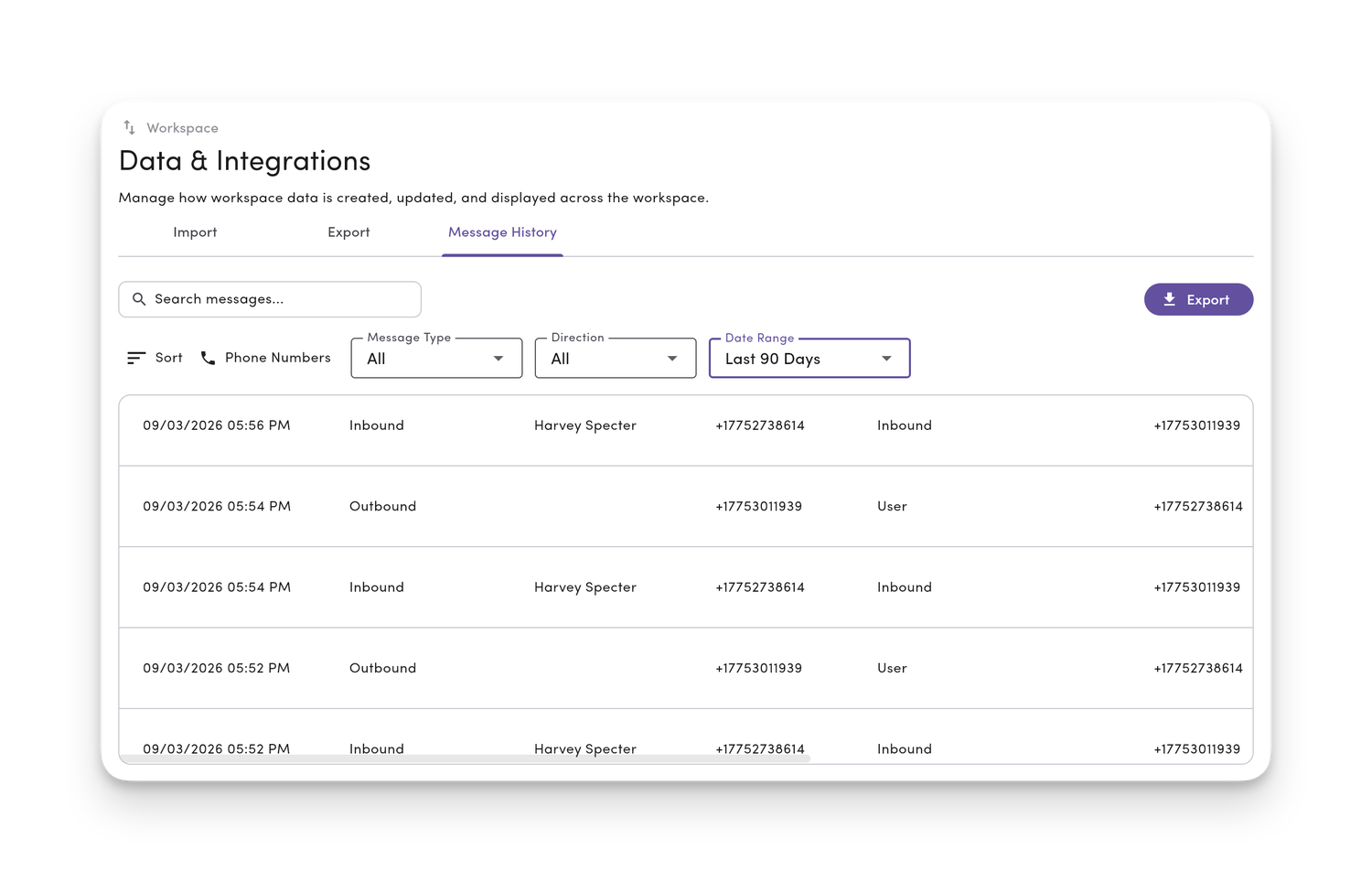
Message History holds every text from every line in your workspace. Filter it down, then export exactly what was asked for.
Find any message across every line.
Filter by line, date, teammate, direction, type, status, contact, or label. Search covers the full history, not just recent texts.
Hand over a PDF anyone can read.
Each message shows its timestamp, participants, and direction, with internal comments and photos inline.
Pull the data for your own review.
Export the whole workspace to CSV in one file, or one line at a time. MessageDesk emails you a download link when it’s ready.

Record integrity
Nothing quietly drops out of the record.
You choose who can delete a message. When someone does, it leaves the thread but stays in every export.
Only the people you pick can delete.
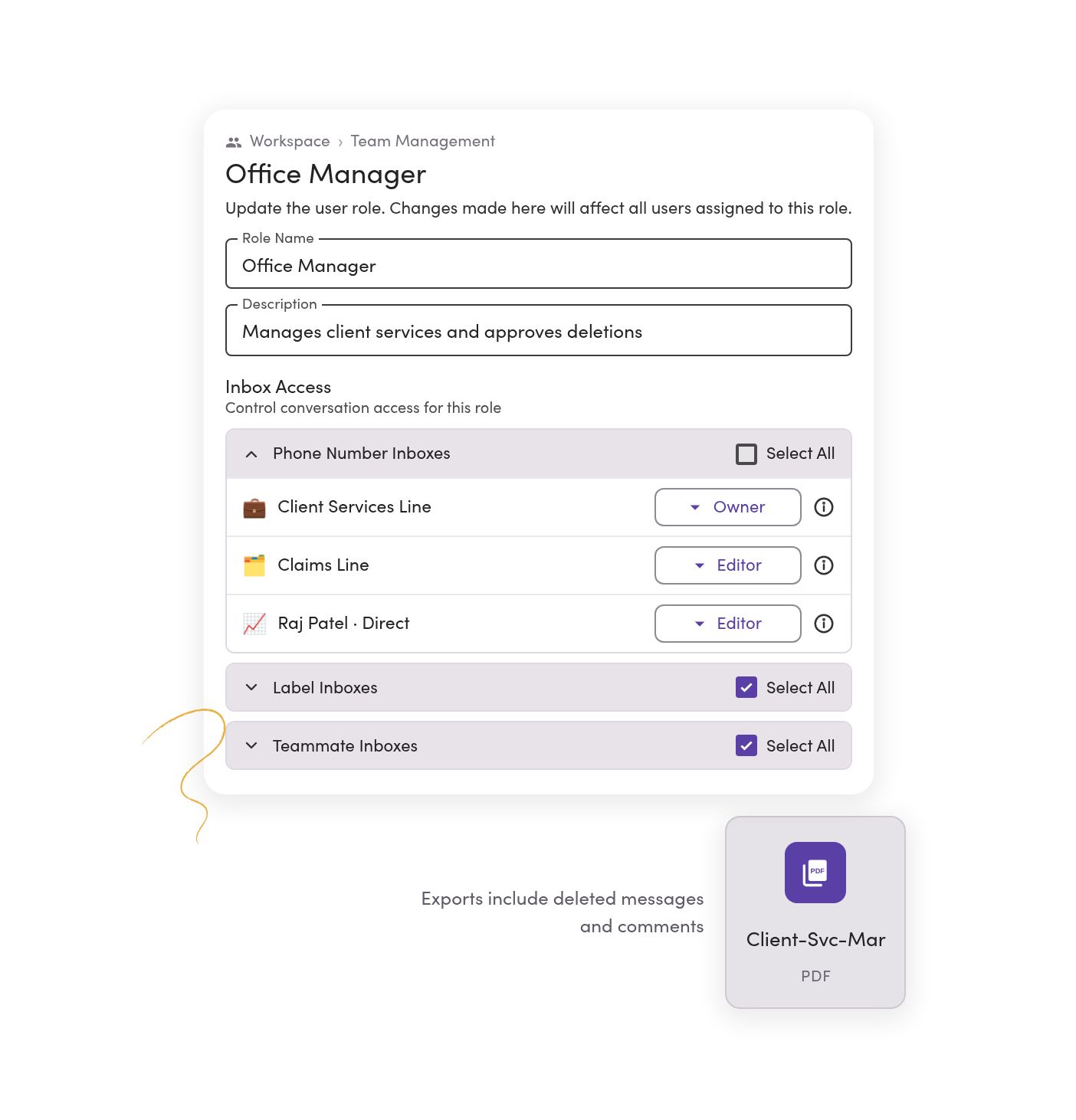
Deleting a message takes Owner access on that line. Admins have it by default. Managers and operators don’t.
Deleted texts stay on file.
A deleted message or comment is hidden from the conversation, kept on the backend, and still shows up in exports.
The history stays when people leave.
Texts live on your business numbers, not on anyone’s phone. When a teammate leaves, every conversation stays with the line.
Regulatory archiving
Every text goes to the archive you already run.
Firms with a recordkeeping rule keep their archive. MessageDesk sends it every text as it happens, and gives your team an inbox to work in.



Archiving runs without anyone exporting. Coming soon
We’re building direct integrations with Smarsh and Global Relay, so every message is captured as it’s sent and received.
Stream every message to your archive today.
Start from the Archive Every Message Relay. Each sent and received text goes to your endpoint as a signed webhook with its text, media, phone numbers, timestamp, and conversation ID.
Or deliver exports on a set schedule.
Export Message History to CSV or PDF and send it to your archive on the cadence it accepts.

Oversight & access
Compliance sees every line. Each advisor sees their own.
Set who can see, send, and delete on every number, person by person, and give your compliance lead a view across all of them.
No client request waits on one person.
A text to an advisor’s direct line shows up for client services too. Assign it, comment on it, and close it when it’s handled.
Each person sees the lines they need.
Custom roles limit each teammate to the lines, labels, and conversations their job calls for.
Sign-in follows your company’s rules.
Passwordless sign-in, MFA your admins can require, and Microsoft Entra ID single sign-on.

Consent & security
Opt-outs and security questions are answered before the review starts.

Every STOP is on record.
MessageDesk confirms the opt-out, notes it in the conversation, and blocks future sends, including scheduled ones. Export your opt-out list any time.

One STOP covers every line.
With Inbox Opt-Out, a STOP to one number blocks every number in your inbox, so no one on another line texts them by mistake.

Ready for your security review.
A SOC 2 Type II-certified platform, hosted in the US on AWS and encrypted at rest and in transit. The audit report is in our Trust Center.
Phone numbers
Every number clients text can be on the record.
Text-enable the landline and VoIP numbers clients already have, so nobody has to answer from a different number. Calls stay on your phone system.



Landline or VoIP number
Turn on texting for the direct lines and main numbers you already use for calling.

Google Voice number
Port it to MessageDesk and keep texting on the same number.
(555) 555-0123 · Local
A new number
Pick a local or toll-free number for a line that’s on record from day one.

Your Twilio account
Connect your existing Twilio numbers to MessageDesk.
Compliance & archiving in your industry
See how teams with a record to keep text.


Healthcare and long-term care
Reminders and staff texts, kept on record and free of PHI.
See the setup
Additional resources
More on keeping a record of business texts.
Text Message Archiving for Business: How to Keep an Archive for Every Business Text
What real text message archiving means for a business, and how to keep one searchable, exportable record.
Read more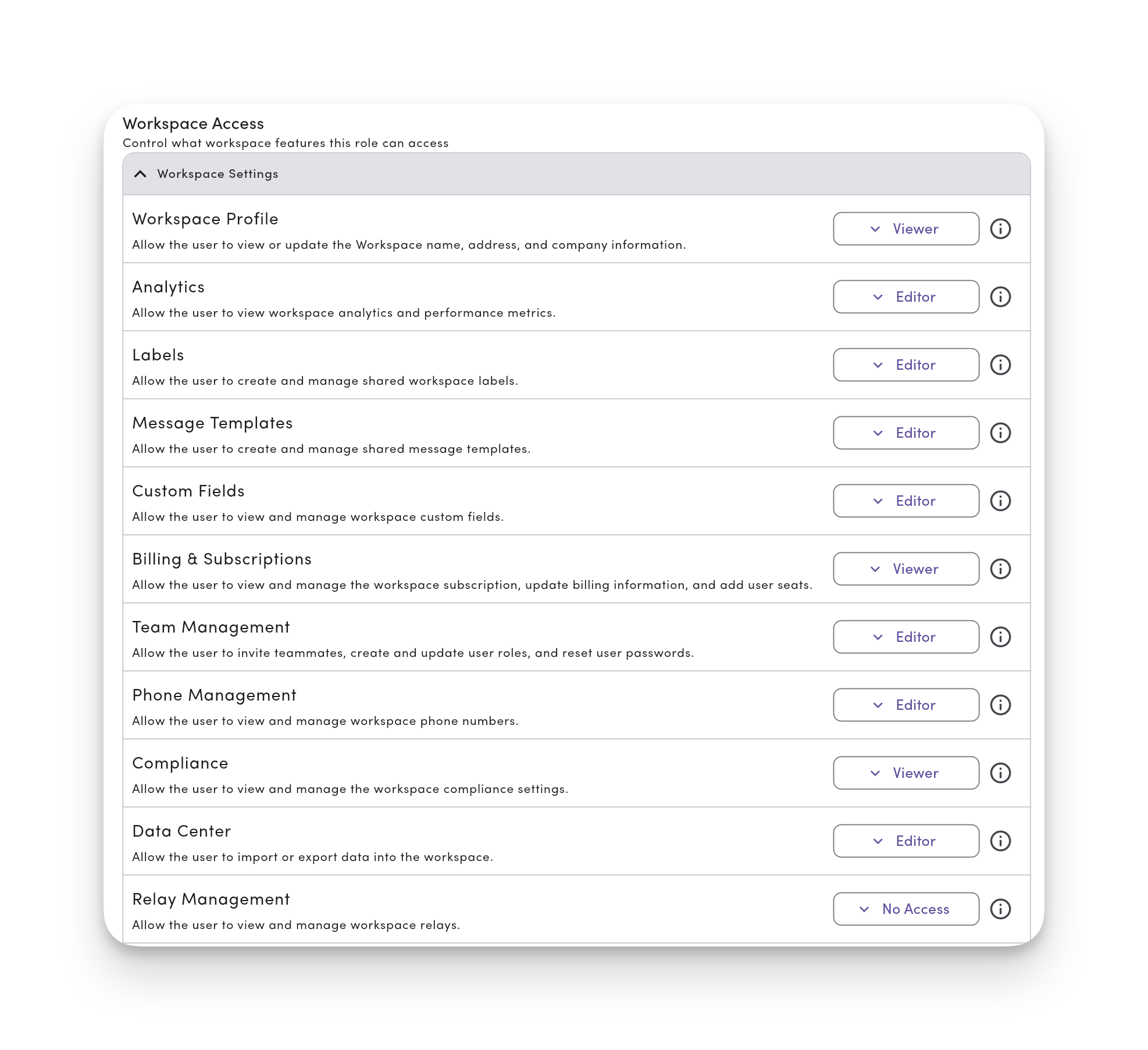
Finance SMS: Text Messaging for Advisors, Banks, and Credit Unions
How financial teams text clients and keep the record their regulators expect.
Read more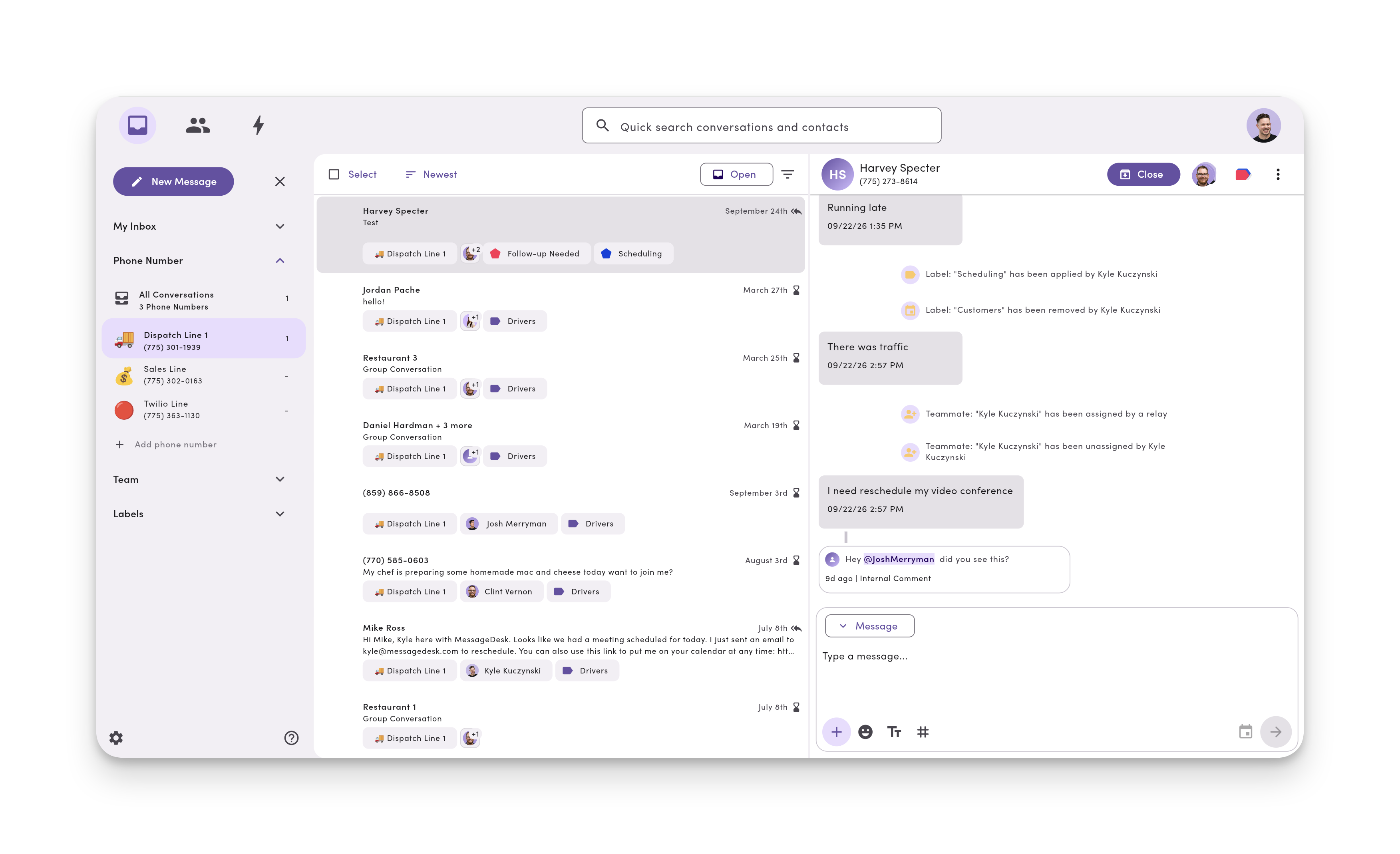
Text Messaging for Insurance Agents: Compliance, Templates & Texting Software
How agencies text policyholders and keep compliant records of every conversation.
Read moreCompliance and archiving questions.
No. MessageDesk keeps the working record of every text. Firms under an archiving rule run it alongside their archive, like Smarsh or Global Relay. Check your obligations with your compliance team.
Direct integrations are coming soon. Today, Relays send every sent and received text to your endpoint as a signed webhook. Or deliver exports to your archive on a set schedule.
Only people with Owner access on that line can delete a message. A deleted message leaves the conversation but stays on the backend and in every export.
Messages, internal comments, timestamps, participants, and direction. PDFs show photos inline. CSVs carry text and data only, with timestamps in UTC.
Yes. Give them access to every line, and limit everyone else to the lines their job needs.
They stay. Texts live on your business numbers, so the full history stays with the line after you remove the teammate.
Yes. Text-enable the landline, VoIP, or toll-free numbers you already have. Calls stay where they are.
Yes, for non-PHI work like appointment reminders and portal links. MessageDesk doesn’t offer a BAA, so keep protected health information out of texts.
Yes, and you should. Removing a number deletes its conversations, so export that line’s Message History first.
No. MessageDesk keeps the record and honors opt-outs. Your policy still decides how long you keep texts and where.
Put every business text on record in one shared inbox.
See how Message History, exports, and access controls would work for your team in a 20-minute demo.