Dispatch
Your Driver & Dispatch Team Texts Managed From One Shared Inbox.
Drivers, crews, and riders text your existing numbers. Every dispatcher sees replies, who’s handling it, and what was said.
Keep your phone system. Just add texting.
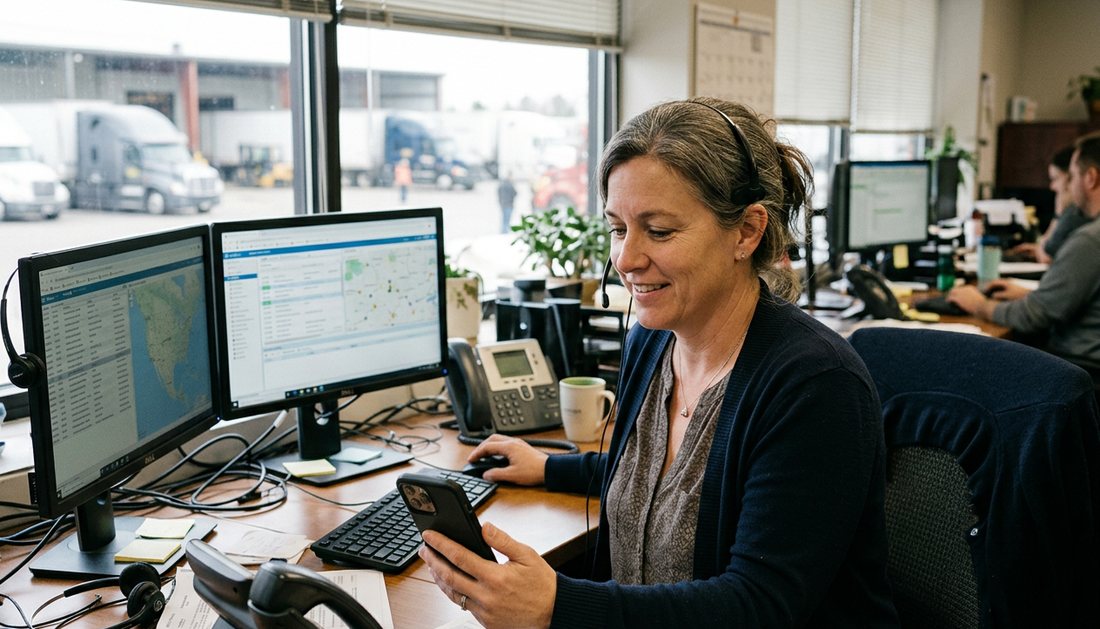
“Our dispatchers were texting 200+ drivers on their personal phones. MessageDesk fixed this. Now everyone texts on our company number. I’ve got visibility. They have accountability.”
Susan G. · Dispatch Manager, Aggregates
Texting today
Where do your drivers’ texts go when the dispatcher isn’t there?
Drivers text what shouldn’t wait in a phone queue: a photo, a number, a quick check-in.

Texting on a dispatch phone?
One company cell sits on the desk. Whoever’s on call takes it home, and someone has to bring it back.

Texts via dispatcher’s own cell?
Drivers text whoever dispatched them last. When that person is out sick, the texts sit on a phone nobody’s watching.

One siloed texting tool?
Everyone signs in to the same Google Voice or texting account. The texts are shared, but no one knows who replied.

Is your main line text-enabled?
The office number texts through one person’s login, or can’t text at all. Every number is its own silo.
Check-ins & handoffs
Every driver text has an owner, from the first check-in to Sunday night.
5:30 a.m. · Before anyone’s in
A driver texts that he’s loaded and rolling. He gets an automatic reply with the on-call number, and his text waits as unread for the first dispatcher.
9:10 a.m. · Route change
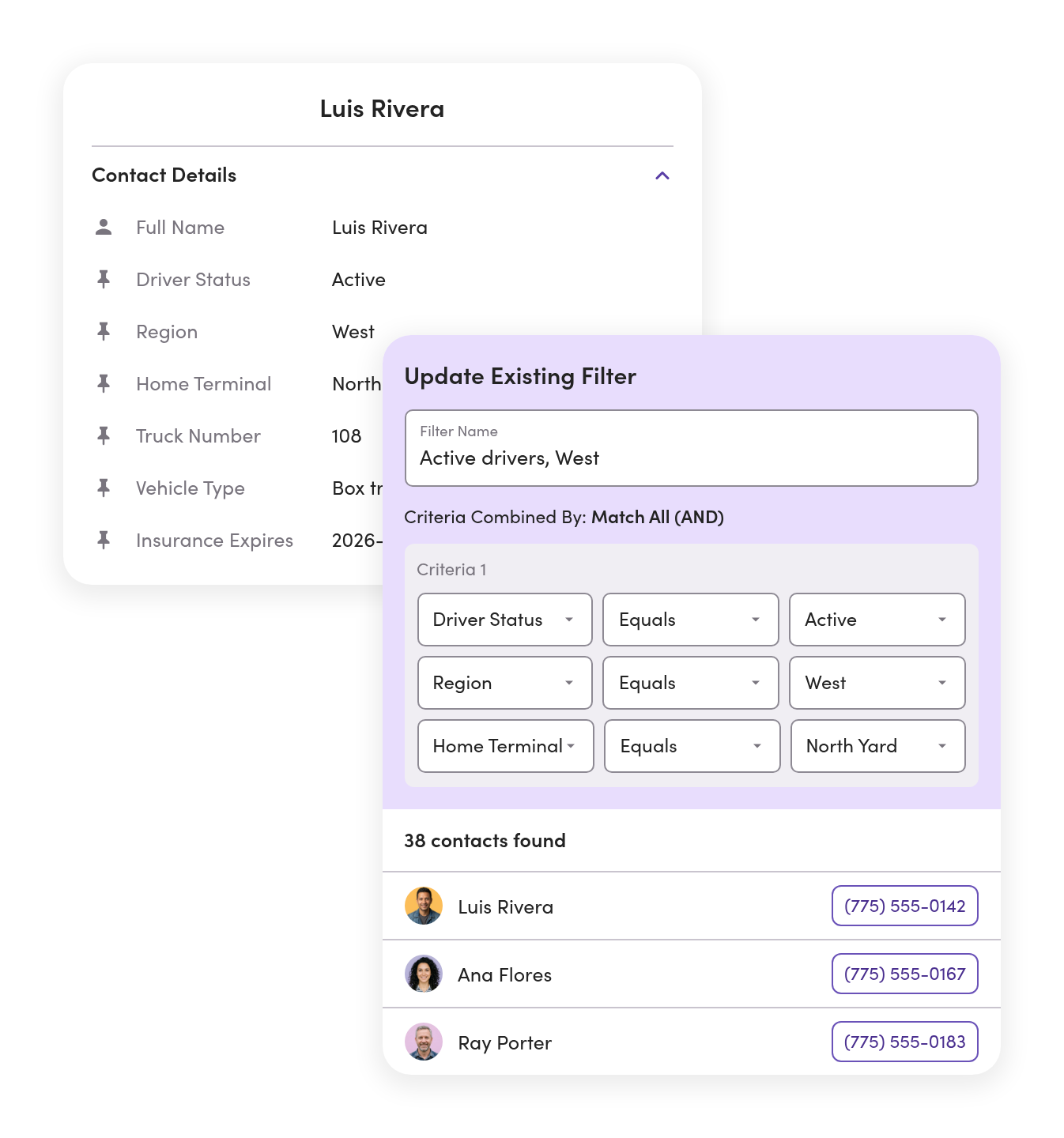
A closure moves the West Region. Dispatch filters by that label, picks every driver on it, and sends the detour from a template.
12:45 p.m. · Proof of delivery
A driver texts a photo of the signed delivery ticket. Billing gets an @mention on the thread and takes it from there.
3:00 p.m. · Shift change
The afternoon dispatcher opens Unassigned and their own list. Every open thread has a name on it and the full history underneath.
10:40 p.m. · Rider pickup
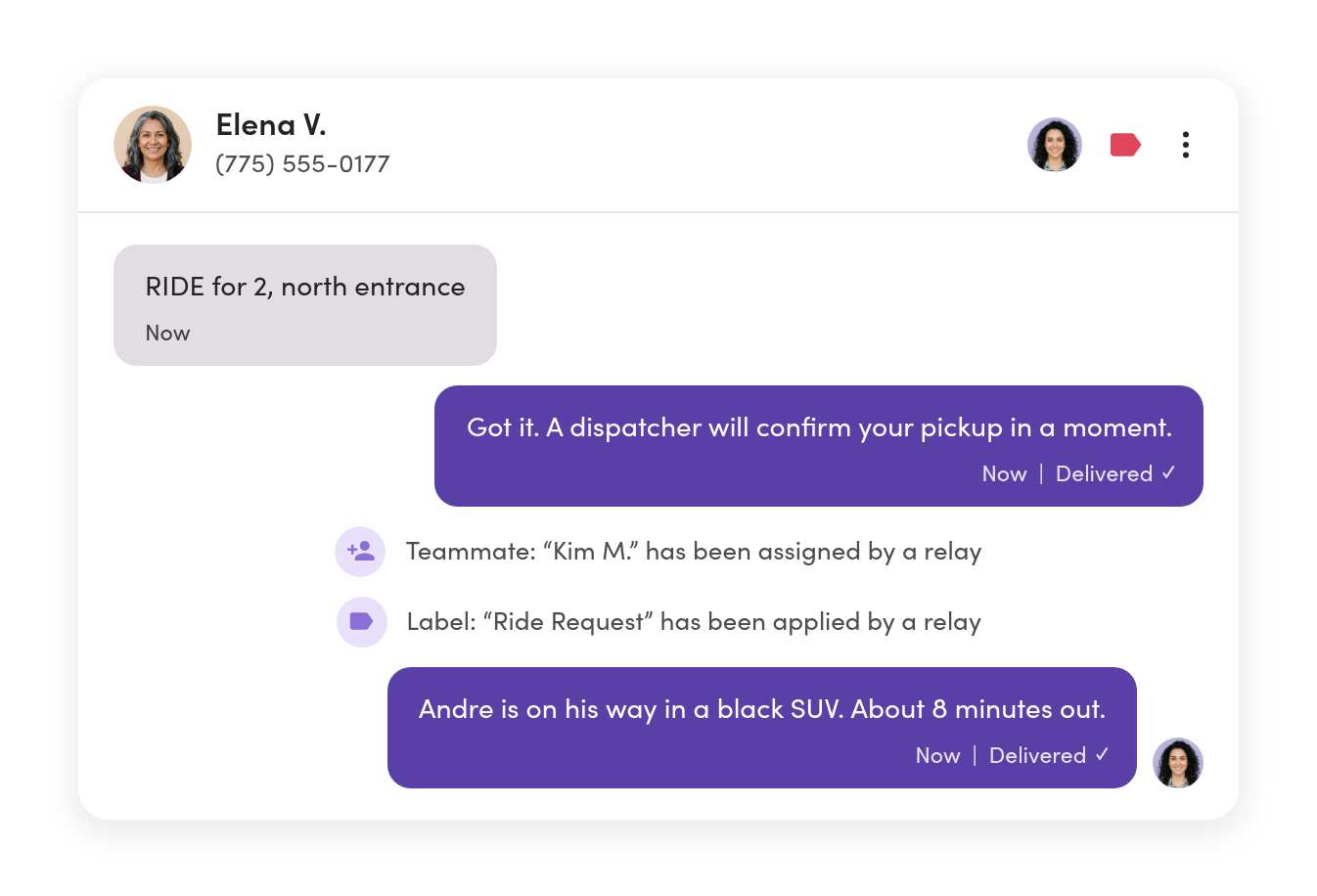
A rider texts that two of them are waiting at the north entrance. Dispatch sends the driver the pin and the rider the car and the driver’s name.
Sunday, 7:00 p.m. · Off the clock
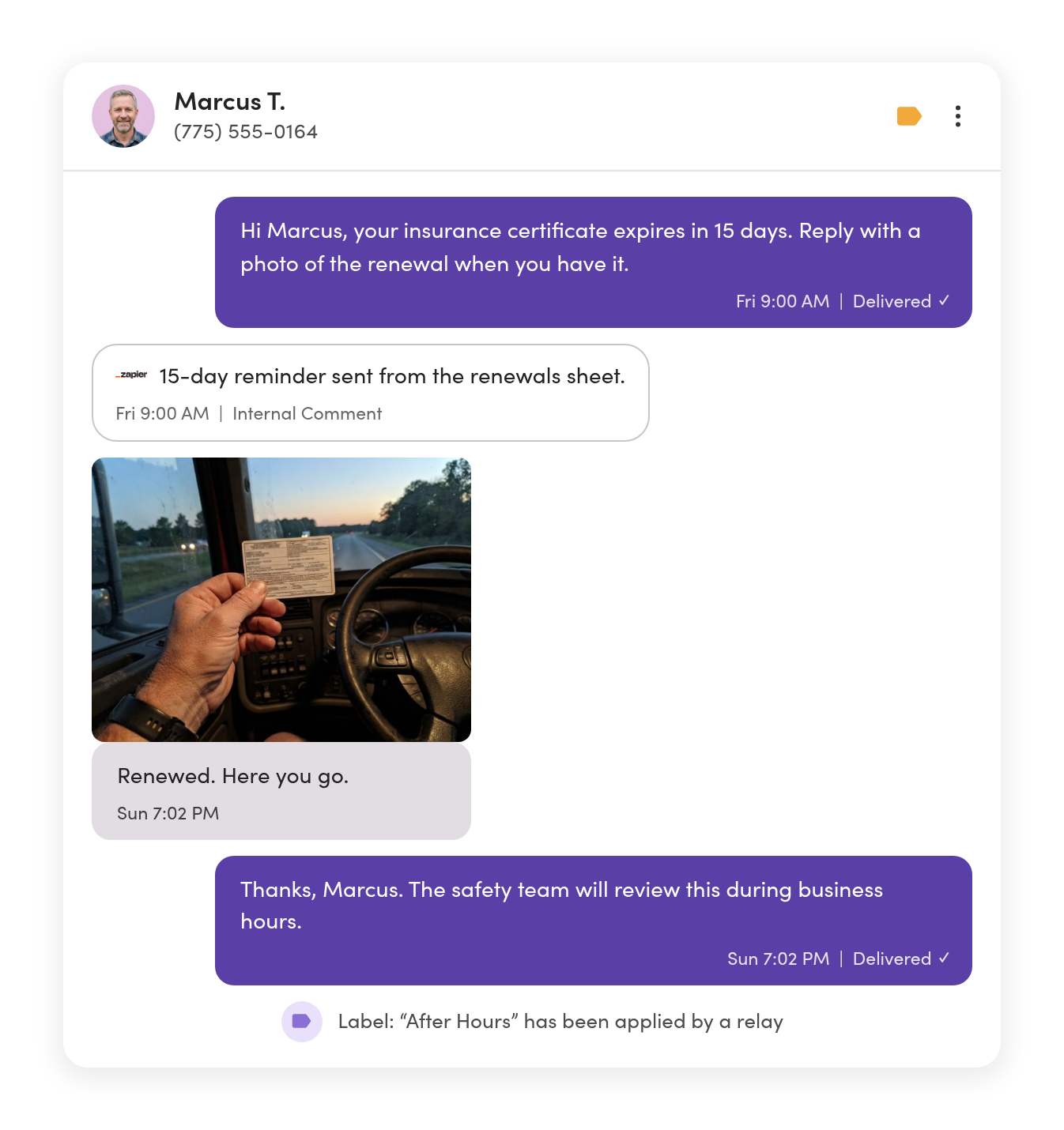
A driver texts a photo of his renewed insurance certificate to the safety line. He gets an after-hours reply, and it waits for Monday.
Ownership & handoffs
When a dispatcher’s out, your drivers don’t go dark.
Assign each conversation to the dispatcher handling it. When they’re off shift or out sick, reassign the thread and the whole history goes with it.
Everyone knows which driver conversations are theirs.
Threads get owners, and the Inbox shows each dispatcher what they own.
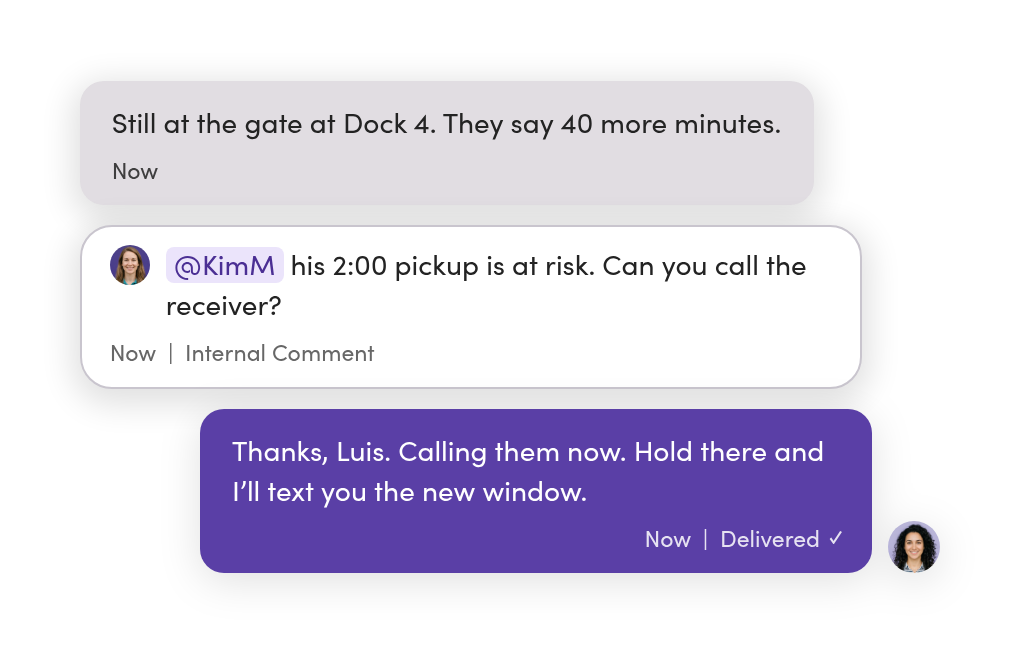
The shop, billing, admin, or HR weigh in without a side text.
Internal comments and @mentions sit in the thread. The driver never sees them.
A whole shift hands off conversations in one step.
Select the open threads and reassign them together. Each one keeps its history and comments.

Renewals & time off
Reach drivers at home, not just on the road.
Driver apps and in-cab messaging reach drivers while they’re logged in. Renewals, paperwork, and time off go to the phone they carry everywhere else, with nothing to install.
Insurance renewal reminders go out before anything expires.
Send texts from your own spreadsheet or system through Zapier, with a comment on the thread logging each one.
Time off and call-outs go to the right line.
Give HR or safety their own number, with an after-hours reply so a driver knows his text was received.
Nobody gives out a personal number.
Off-hours texts go out from the safety or HR line, not a dispatcher’s cell, so the record stays with the business.
Lines & access
Dispatch, HR, and the shop each see what’s theirs.
Give each team its own number, or have several share one. Set who can see and send on every line, person by person.
HR never scrolls past load updates.
Employees and applicants text HR, drivers text dispatch, and managers see across both.
Mechanics get the shop line and nothing else.
Per-line access means each person sees exactly the lines they work.
A new terminal is one more line, not a new system.
Add a local number for each market or yard, all in one workspace.

Photos & paperwork
The driver sends the photo once. Everyone who needs it can find it.
Signed delivery tickets, a finished job, damage on arrival, a gauge reading. Photos show up right in the thread, next to the rest of the conversation.
Billing gets the ticket without a forward.
An @mention puts the photo in front of billing, with the conversation around it.
Any truck, trailer, or load number is one search away.
Search covers message content and internal comments across every line.
The signed ticket backs up the invoice.
When a customer disputes a delivery, the photo is already in the thread with its timestamp.

Updates & templates
Send the update once. Every driver answers you privately.
A broadcast sends one message to every driver you pick, each by name. Replies come back as their own conversations, so one driver’s ETA never shows up on another driver’s phone.
The texts you send every day are one click away.
Save a delay notice, a load confirmation, or start times as templates the whole team shares.
Tomorrow’s start times go out tonight.
Schedule a text for the time it should arrive and move on to the next call.
Labels pick the drivers.
Filter by region, terminal, or shift, select the drivers, and send.

Riders & pickups
When riders text the same number, dispatch sees both sides of the trip.
Car services, shuttles, and guest pickups run on the same line as the drivers. Riders text for a pickup, and the dispatcher who answers can text the driver from the same inbox.
A ride request gets an answer in seconds.
A keyword like RIDE triggers an instant reply, a label, and an owner, so no rider waits for an answer.
The ETA text sends itself.
Your dispatch software can send a webhook that texts the rider when the driver is close.
Drivers’ numbers stay private.
Riders text the guest line, and dispatch passes along what the driver needs.
Systems sync
Your driver list stays current without a weekly upload.
Connect your TMS, telematics, and ready-mix dispatch systems. Save filtered lists on custom fields like region, terminal, status, and truck.



New drivers are ready to text on day one.
When a driver is added to your TMS, MessageDesk creates the contact with their details filled in.
Renewal dates trigger the reminder.
Keep expiration dates in your TMS, and the reminder text goes out on schedule, logged as a comment on the thread.
Your TMS stays your system of record.
MessageDesk keeps only the fields dispatch needs to send the right text. Events from your TMS, telematics, or ticketing system can start a text through Zapier or webhooks.
Lists & records
Opt-outs are handled, and every driver conversation stays on the record.

No sync yet? Start with a spreadsheet.
Import your driver list as a CSV of up to 5,000 rows, with custom fields mapped. Matching phone numbers update instead of creating duplicates.

Opt-outs are tracked for you.
When someone replies STOP, MessageDesk records it and blocks texts to that number across your lines.

“Who told the driver that?” gets an answer.
Every text stays on your business numbers with a timestamp. Export a conversation to CSV or PDF after an accident or a disputed delivery.
“Everything used to run through personal cell phones. Now, our whole team sees every message. We see all conversations and know what’s happening. There’s no guessing or chaos.”
Tim M. · Dispatch Manager
Phone numbers
Keep the number on your trucks, paperwork, and website.
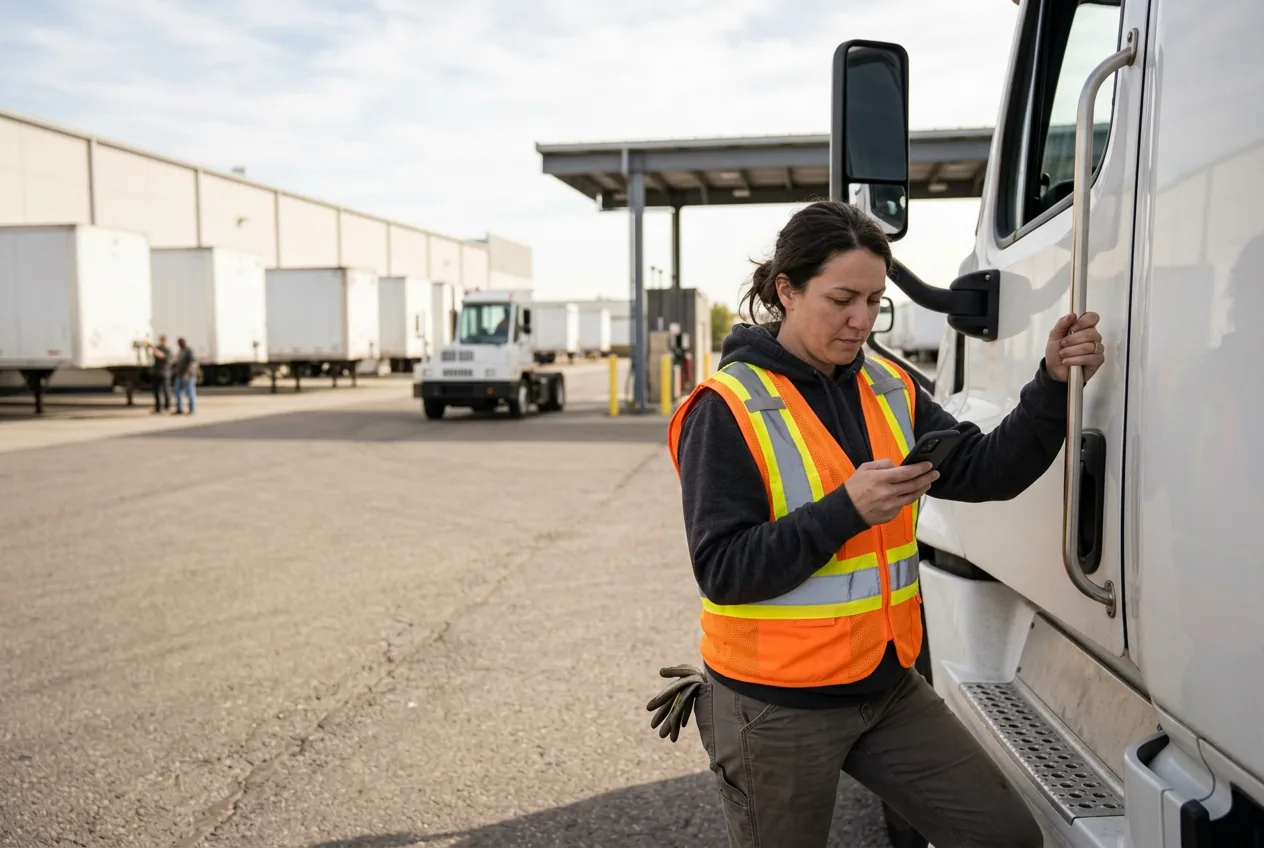
Most dispatch teams text-enable the number drivers already have. Calls stay on your phone system.
MessageDesk guides carrier registration and reviews it before it goes to carriers.



Landline or VoIP number
Turn on texting for the numbers you already use for calling.

Google Voice number
Port it to MessageDesk and keep texting drivers on the same number.
A new number
Pick a local or toll-free number for a new terminal or a new line.

Your Twilio account
Connect your existing Twilio numbers and keep your registration.
Dispatch in your industry
See how dispatch teams like yours set it up.



Additional resources
More on texting for dispatch teams.
SMS Dispatch Software: What Your Team Actually Needs
Learn about text messaging for logistics companies, trucking companies, and dispatch.
Read more
Employee Text Messaging System: A Guide for Operations & HR
Guide to using employee text messaging systems to communicate with employees and staff.
Read more
Trucking Dispatch Software for Driver Communication: How Dispatch Teams Text Drivers
Discover the best dispatch software for trucking and how to improve driver communication with SMS.
Read moreDispatch texting questions.
No. Drivers text your number the way they text anyone. Nothing changes on their end.
Keep it. Driver apps and in-cab messaging reach drivers while they’re logged in. Texting reaches them everywhere else, with nothing to install: time off, paperwork, policy changes, and anything after the shift.
Yes. Connect McLeod, Geotab, Command Alkon, and other systems through Zapier, webhooks, or our open API. Texts can start from events in your other systems, and replies and comments can flow back. We’ll map your setup on the demo.
Yes. Most teams turn on texting for the landline or VoIP number they already use, and calls stay where they are. Google Voice numbers are ported instead.
Not while they stay on a mobile plan. A cell number has to be ported first, and most teams move drivers to the dispatch line instead. MessageDesk can forward calls to any phone you choose.
Each dispatcher signs in as themselves, so every reply shows who sent it. Assign threads to whoever’s on shift and reassign them at handoff.
Turn on an after-hours reply with Relays. It can give drivers your on-call number and keep the text unread for the first dispatcher in.
Yes. Their texts come into the same inbox as your drivers’, with labels and owners, and per-line access decides who sees which line.
MessageDesk records the opt-out and won’t text that number again. Nobody has to track it by hand.
Carrier registration typically takes one to three business days once your website is compliant. MessageDesk reviews your submission before it goes to carriers.
Put every dispatcher in the same inbox.
See how your drivers, lines, and shifts would work in MessageDesk in a 20-minute demo.
No annual contract on Team or Pro. See pricing