Unified Team Inbox for Your Twilio Texts
MessageDesk gives you a place to manage every Twilio text. 5 minutes to set up, FREE first year.
- Manage every Twilio text as a team
- 5 minutes to set up and connect numbers
- No per-message markup on top of Twilio
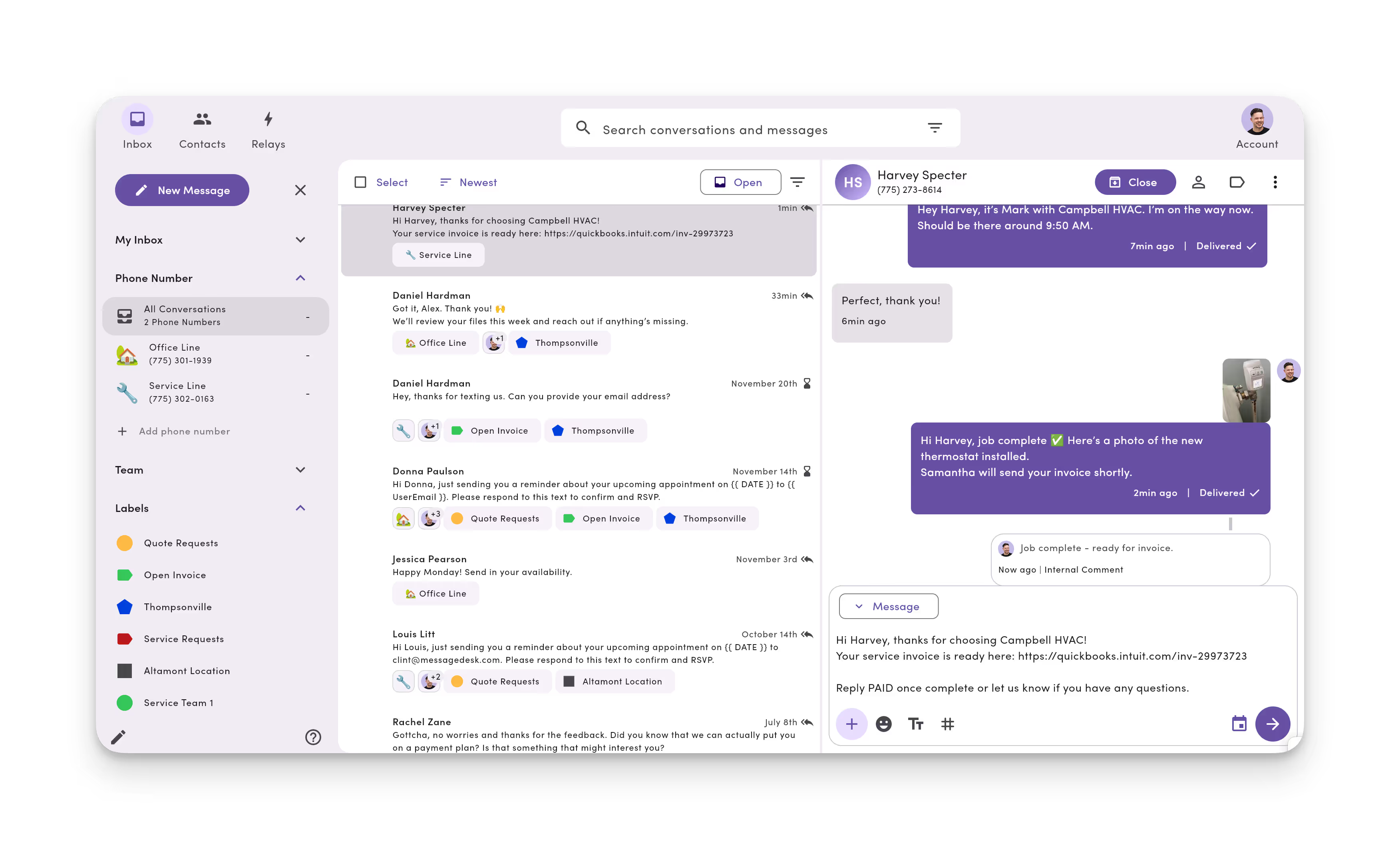


One shared inbox for every Twilio text.
Twilio handles delivery. MessageDesk handles the people side: who answers each text, what's still waiting, and who can see what.
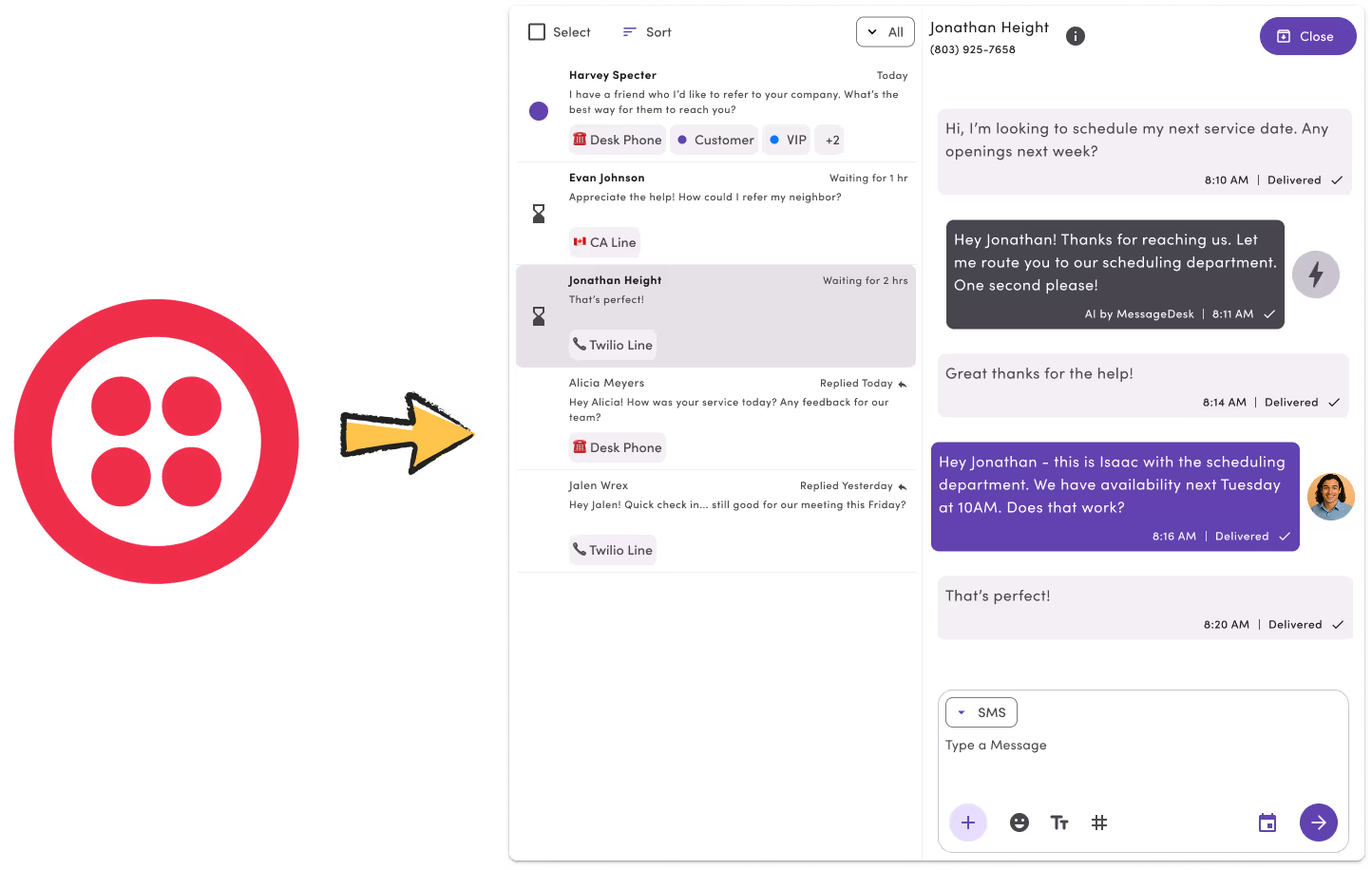
Assign every conversation
Route each thread to the right teammate, and see which replies are still waiting.
Organize with labels and views
Label threads and filter your inbox so each person sees the work that's theirs.
Talk it over in the thread
Leave internal comments for teammates. Contacts never see them.
Role-based access
Control what each teammate can see and do, with an audit-ready conversation history.
Connect your numbers in minutes.
- 1
Sign up with code TWILIO26
Enter coupon code TWILIO26. You start with a 14-day free trial, and your first user stays free for 12 months.
- 2
Connect your Twilio numbers
Paste your Account SID and Auth Token, and pick the Twilio numbers you want to connect. MessageDesk sets up Event Streams for you.
- 3
Reply as a team
Replies land in one shared inbox. Assign them, leave internal comments, and answer.
From teams who connected their Twilio numbers.
“Connecting our Twilio numbers to MessageDesk was super easy. … Now I can see all the messaging our team was already doing in one inbox.”
“All my existing Twilio messaging now runs through MessageDesk. It's so nice that MessageDesk plugs right into existing messaging and everything in just a few clicks. Setup was a breeze.”
First user free for a year.
One Team seat at $39 a month, free for 12 months. Each teammate you add pays standard rates, starting the day you add them.
- Shared inbox with assignments, labels, and internal comments
- Templates and scheduled messages
- Role-based access controls and audit-ready conversation history
- No per-message markup. Twilio still bills your usage.
- Start with one seat. The usual three-seat minimum doesn't apply.
Questions Twilio users ask
Straight answers on setup, pricing, and what MessageDesk doesn't do.
No. Your numbers stay in your Twilio account, and your A2P 10DLC or toll-free registration carries over as is. One catch: your numbers need to be registered in Twilio before you connect them.
Enter TWILIO26 when you add your card during signup. Your first user is then free for 12 months at the team user seat tier.
Yes, but only when you decide to connect your numbers. Nothing is charged during your 14-day free trial, and with TWILIO26 your first user stays free for 12 months after that. You're only charged for teammates you add.
Your first user is free for 12 months. Each teammate you add pays standard rates from the day you add them. Team is $39 per user a month, or $29 billed annually. Pro is $99, or $79 billed annually.
No. MessageDesk uses Twilio Event Streams, not your number's webhook. Your Studio flows, CRM syncs, and API workflows keep running as is.
No. Twilio still bills you for messaging and carrier fees. MessageDesk charges per user seat. Sending more SMS doesn't change your MessageDesk bill.
Your first user moves to a fully paid team user seat automatically.
No. MessageDesk is text only: SMS and MMS. Your calls stay wherever they are today.
US and Canadian numbers, local or toll-free. International numbers aren't supported yet.
Not directly. GoHighLevel creates Twilio sub-accounts and doesn't give you an Auth Token. You'd need your own Twilio account first.
Yes. Texts your systems send on a connected number show up in the thread with a “Sent” status. Delivery status for those doesn't sync yet. Webhooks and Zapier are available on Pro user seat tiers.
Twilio sends the text. Your team manages the conversation.
First user free for a year. Enter TWILIO26 on signup.